
April 4, 2023
Solved

Appian Step-by-Step #11 - Configure the Script Task

  • April 4, 2023
  • 3 replies
  • 0 views

Hello Guys,

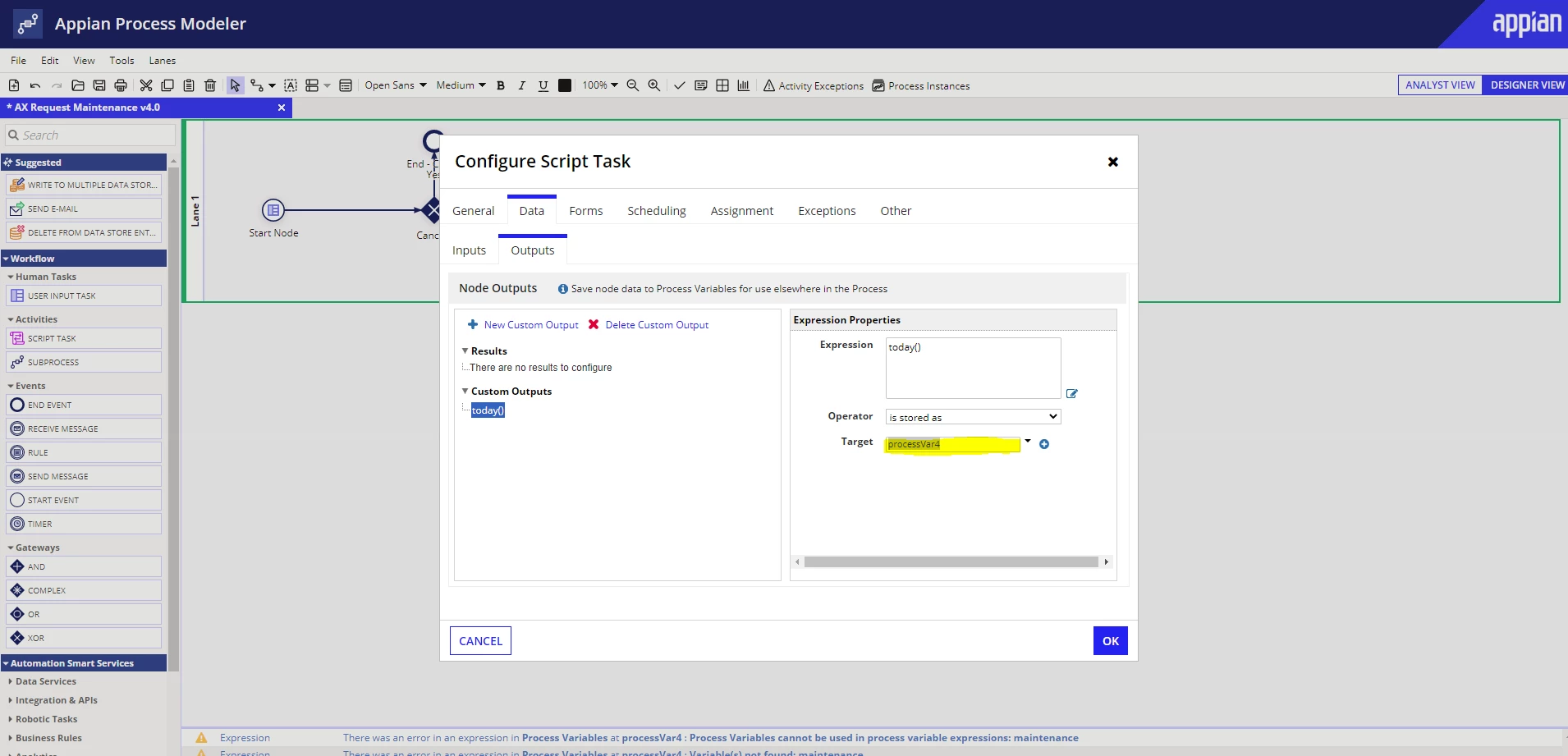
I'm having problems with the Script Task setup steps, no variable appears as target and even creating one gives an error. I have already configured the variables for testing in the properties and the previous step works correctly by Debug. I have already checked the AS_ (Solution) version and it seems to be the same as mine.

Could someone help me? Thank you in advance
Best answer by mikes0011

I'm not really clear what error you're getting - judging by the tiny bit I can see in your monitoring window at the bottom edge of your screenshot though, it looks like you may have done some confusing / incorrect stuff in the PV definitions themselves.

3 replies

mikes0011
mikes0011Answer
Brainy
April 4, 2023

I'm not really clear what error you're getting - judging by the tiny bit I can see in your monitoring window at the bottom edge of your screenshot though, it looks like you may have done some confusing / incorrect stuff in the PV definitions themselves.

The Expression Guru
April 4, 2023

The problem was that in the Target field that is to store the Output was not loading any value. But I believe it was some connection problem, I don't know for sure, because I tried a few times and it didn't work, I tried to redo and start from scratch and nothing. So, I started doing other things and now I tested again a while later and it started to appear. Thanks for the reply. Glad it worked again.

mikes0011
Brainy
April 4, 2023

Cool, thanks for confirming!

The Expression Guru