Can not start the "Search-Server"
Hi,
We have stopped Appian server and trying to restart it by following the Appian Documentaion. (https://docs.appian.com/suite/help/22.1/Linux_Installation_Guide.html#part-3-startup-and-setup)
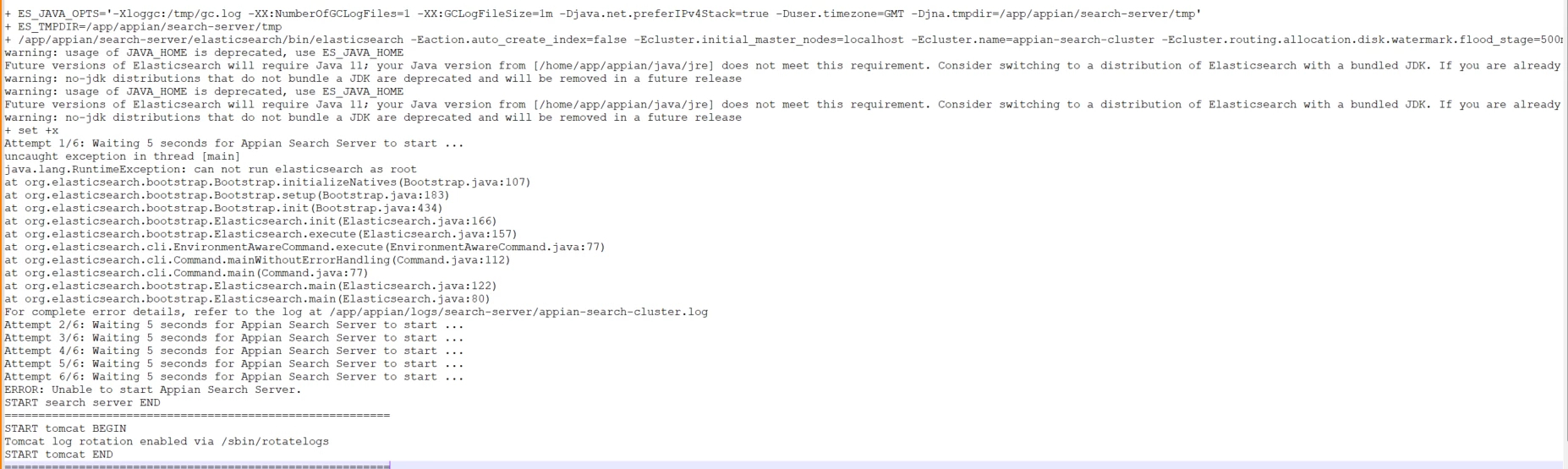
When tryed to start the "Search-Server", error showed and could not make the "Search-Server" start.
Error Message was like -> "ERROR: Unable to start Appian Search Server."
and "For complete error details, refer to the log at /app/appian/logs/search-server/appian-search-cluster.log" -> but could not find such log (appian-search-cluster.log).
P.S. Could the warning message "warning: usage of JAVA_HOME is deprecated, use ES_JAVA_HOME" have relation with such error?
------------------------------------------------------------------------------------------------------------------------------------------------------------------------------------------------------------------------