
Solved
Cannot upload image to complete tutorial [ Process Modeling 101: Automate Your Business Processes]
Hello,
I am new to Appian and currently I am trying to complete the Process Modeling 101: Automate Your Business Processes online course, but I am stuck at the Build an Application: Step 8, at the Test the Process section, I have to manually complete the Add Vehicle form with random test values, but I cannot upload an image to the form. I keep getting this message
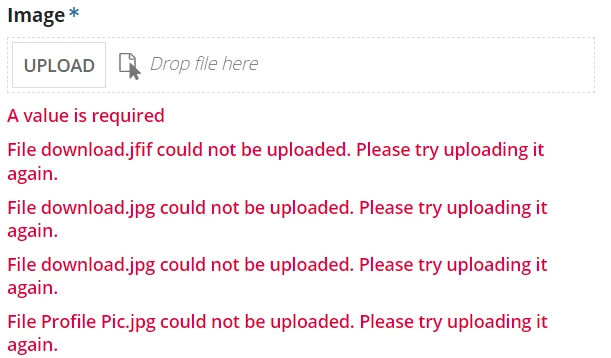
I have also checked the solution for this form AS_AddVehicle interface and it has the same exact problem. No matter which image I try I cannot upload it.
Anyone knows what might be the issue? Thanks.