
February 13, 2021
Question

Data Store - vfmvehicle table was not created

  • February 13, 2021
  • 4 replies
  • 0 views

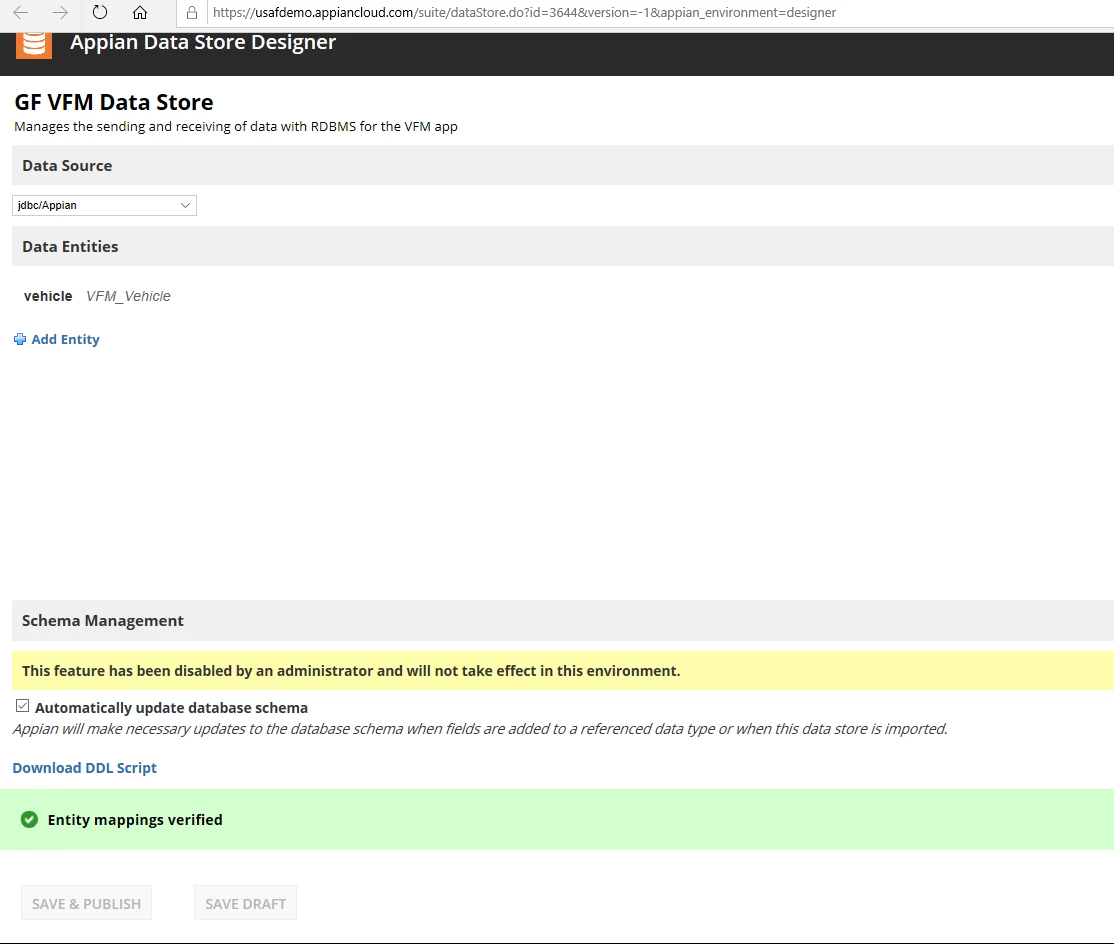
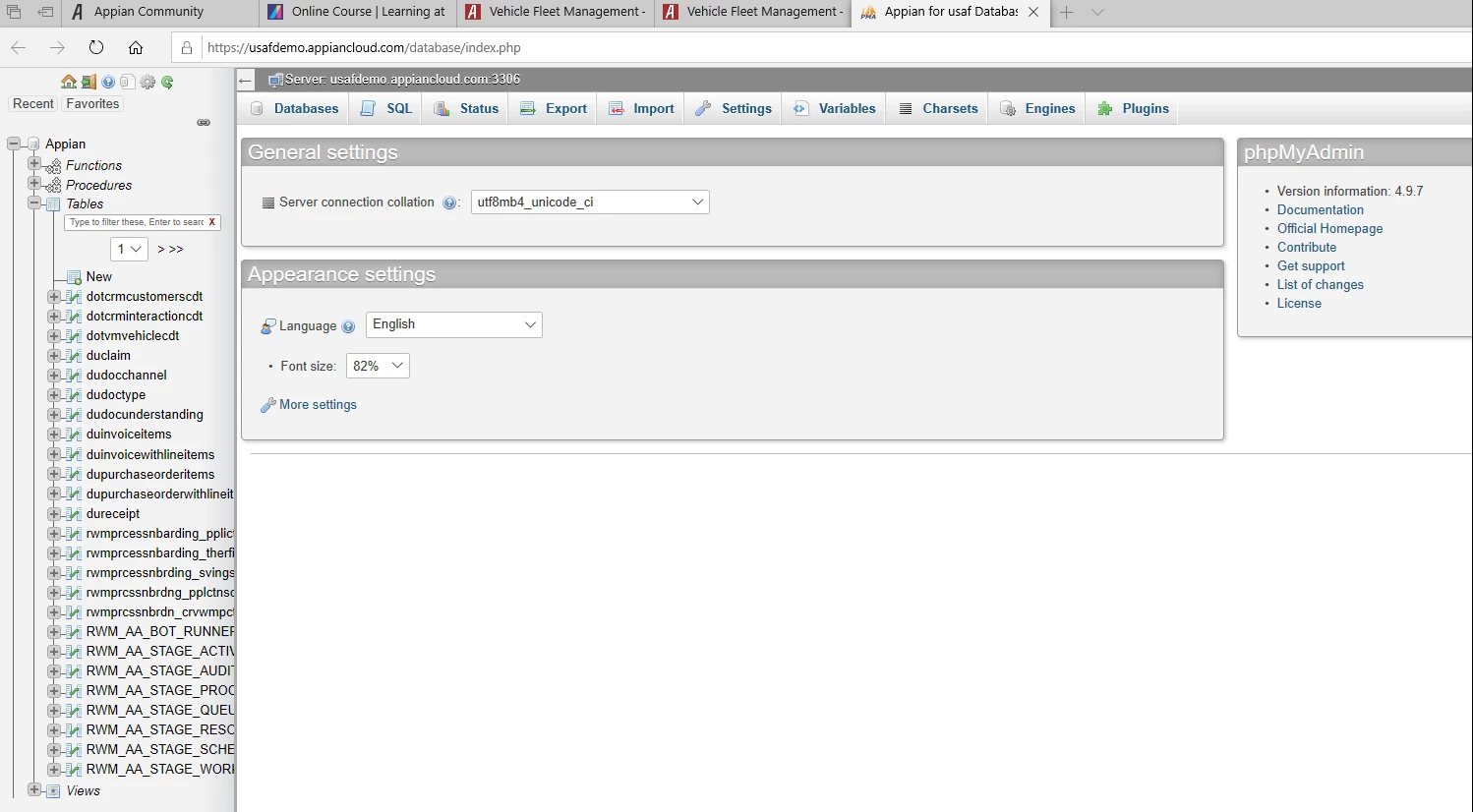
Hello, I created a CDT that looks exactly like the one in the Developer Learning Path. Then I created a Data Store, Security, Saved, Add Entity, Verify, but never saw the words, "create tables automatically", published and navigated to Cloud Database and I don't see my tables. I deleted my first Data Store and started over again, and got exact same result - no vfmvehicle table shown under tables (see picture 2 below). I'm working in the Sandbox. Thanks,

Picture 1 of 2
Picture 2 of 2
    4 replies

    saurabh.sabat
    February 14, 2021

    Automatically publishing the to Database is disabled in your environment as stated in the yellow box in the first screenshot. You can download the DDL Script from the Data Store. Navigate to DB. Select Appian Schema on left pane. Click on the SQL tab. Copy paste the contents of the file and click Go.

    February 15, 2021

    How do I turn that on? Does Appian have to turn that on for me? Please let me know asap, so that I can tell my Purchasing Agent. Please be specific on exactly what I need to do to have that turned on. Thanks,

    February 15, 2021

    Please disregard my last question. I read further to see your answer on how to Automatically Publish. However, now my Playground has been removed and I need to get it back first, to continue on. I'll be talking to my purchasing agent to do that for me. In the meantime I'll see if I can register for the 14 day free trial. Thanks very much for your timely response.