
May 6, 2022
Question

dateField appearance / behavior

  • May 6, 2022
  • 7 replies
  • 1 view

I have a dateField in my application that does not look or behave like the dateField in the Appian Documentation example.  I am on version 21.2

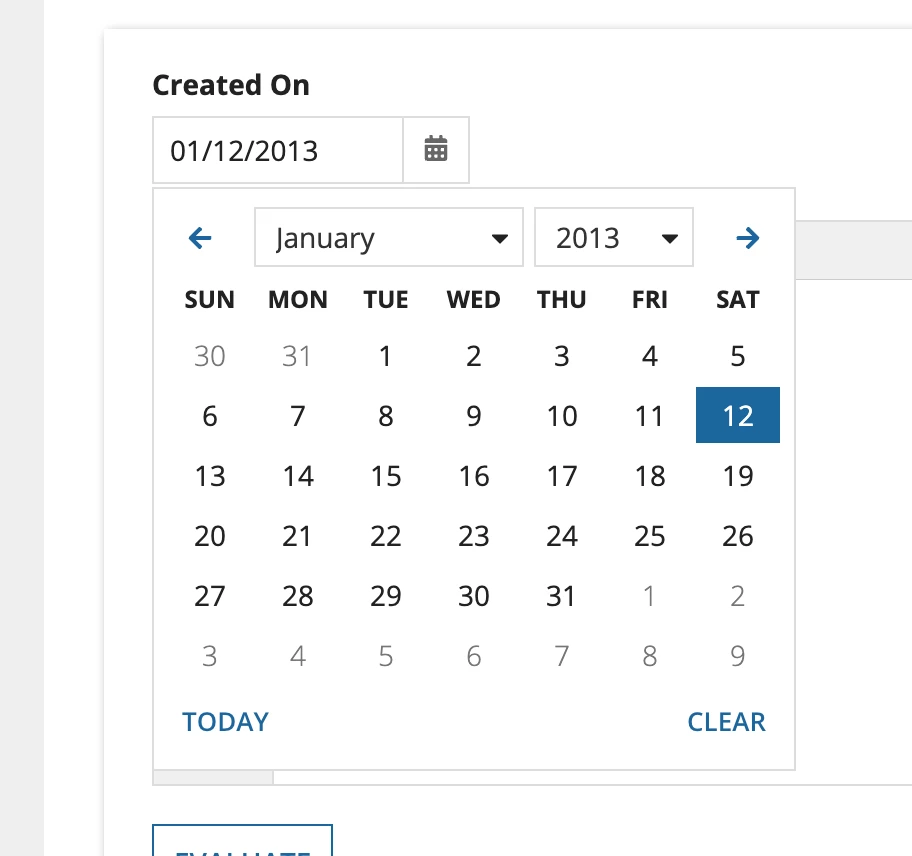
In the Appian Docs, the dateField date-picker allows the user to select the month or year in pull-downs as well as tab through the items in the date picker.  The user can tab to the "today" and "cancel" items as well.

In my application, the dateField date-picker does not allow the user to select the month/year with pulldowns nor can the user tab through the items in the date picker. 

Is there something I'm missing that would allow me to enable the full functionality of the date picker?  I can't seem to find it anywhere.

Screenshots from my application and the Appian docs below.
    7 replies

    mikes0011
    Brainy
    May 6, 2022

    The date picker was updated in 21.3 - your version (which as you noted is 21.2, and a heartfelt thanks for clarifying in advance) just doesn't have this version yet.

    The Expression Guru
    May 6, 2022

    Okay...that makes sense.  I did, however, change the version in the appian docs and the calendar still looks different.  Is that something that would be reflected?

    mikes0011
    Brainy
    May 6, 2022
    I did, however, change the version in the appian docs

    If you're referring to the section where it gives you a test implementation that you can interact with - components rarely receive such visually dramatic updates, and my assumption is that the documentation always refers to the current version of a component (except in cases where the update to a component is so massive that they create a whole new version and the original functionality lives on in a deprecated one, which is not what happened with the date picker after 21.3.)

    The Expression Guru
    stewart.burchell
    May 6, 2022

    Looking at your implementation I think you're misunderstanding how Appian components work.

    If you want a value from an input component (such as this date field) saved into a target variable the user has to interact with the form e.g. change the date. That is: your saveInto configuration will not get triggered until the user does something to that component.

    Also, if you want the value you've saved into a variable then subsequently displayed in your component you need to reference that same variable.

    I can see you're trying to default the value of your date to fn!today(). So:

    {
      a!dateField(
        label: "Date",
        labelPosition: "ABOVE",
        value: ri!map.logDate,
        saveInto: { ri!map.logDate,  },
        validations: {}
      )
    }
     

    and to have the value defaulted set it in the process that calls invokes interface so that ri!map.logDate is pre-filled when the interface loads.

    May 6, 2022

    The interface and dateFields we have definitely works as intended (and was not written by me), but I just included the code to ensure I wasn't missing anything when it came to keyboard nav in the date picker (which is what I'm focused on).  

    mikes0011
    Brainy
    May 6, 2022

    I assume Stewart just noticed (and was referring to) this part.

      If the intent is that "ri!map.logDate" will be populated with a value of "today()" when it's blank (as opposed to just having the date field display today()), then Stewart is correct that this code as-is will never actually cause that populating operation to happen, until/unless the user interacts with the field.  (I do know that wasn't the point of your post, of course.)

    The Expression Guru