March 7, 2023
Solved

Displaying Related Data Values

  • March 7, 2023
  • 6 replies
  • 0 views

Hello Community:

This probably a dumb question but here is my dilemma.  I have two tables 'Consolidated Product List' and 'Brand Owners' (fields: brandIdentifier, brandOwner).  The field 'brandIdentifier' in Brand Owner is the foreign-key in 'Consolidated Product List'.

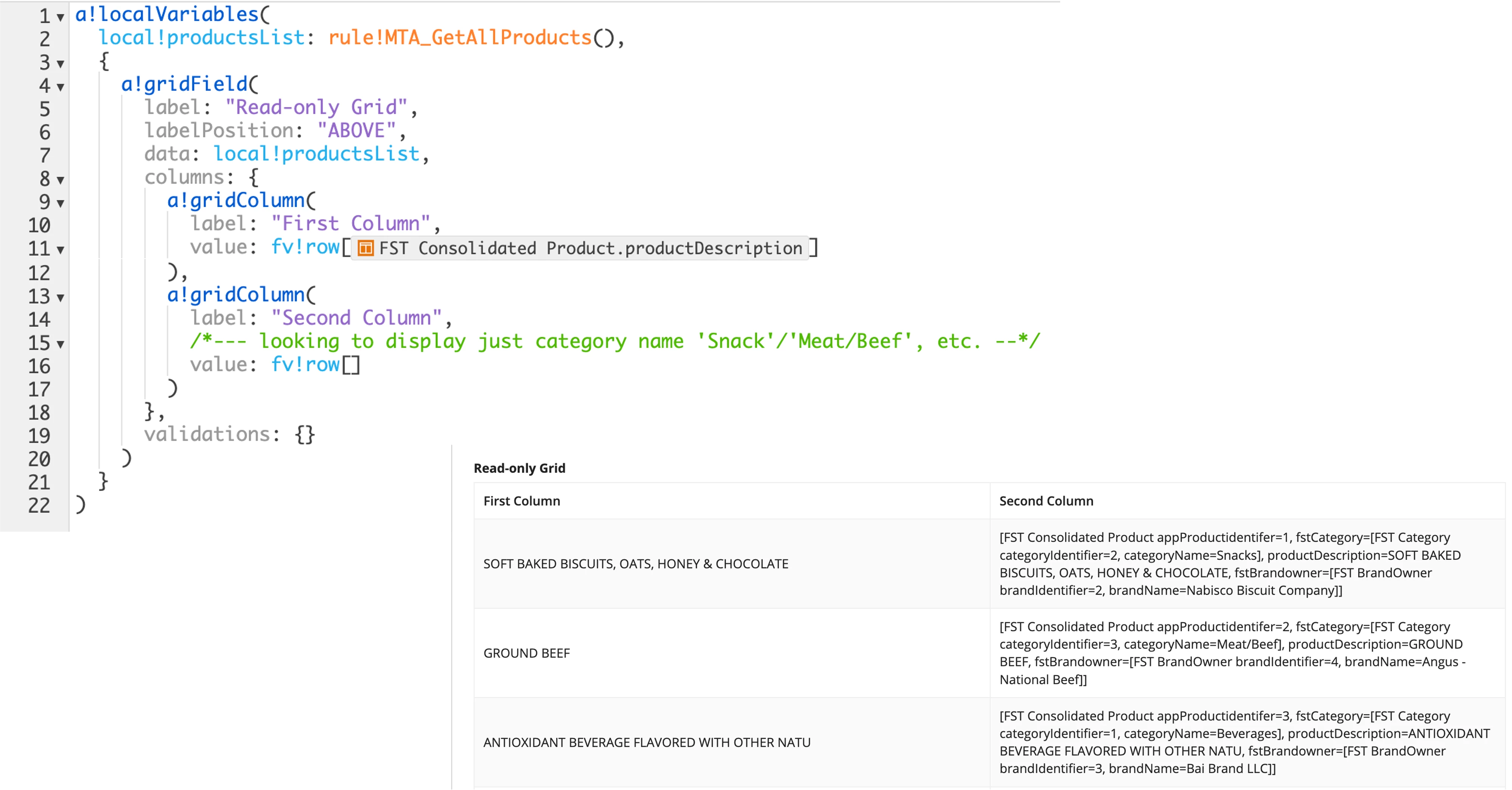
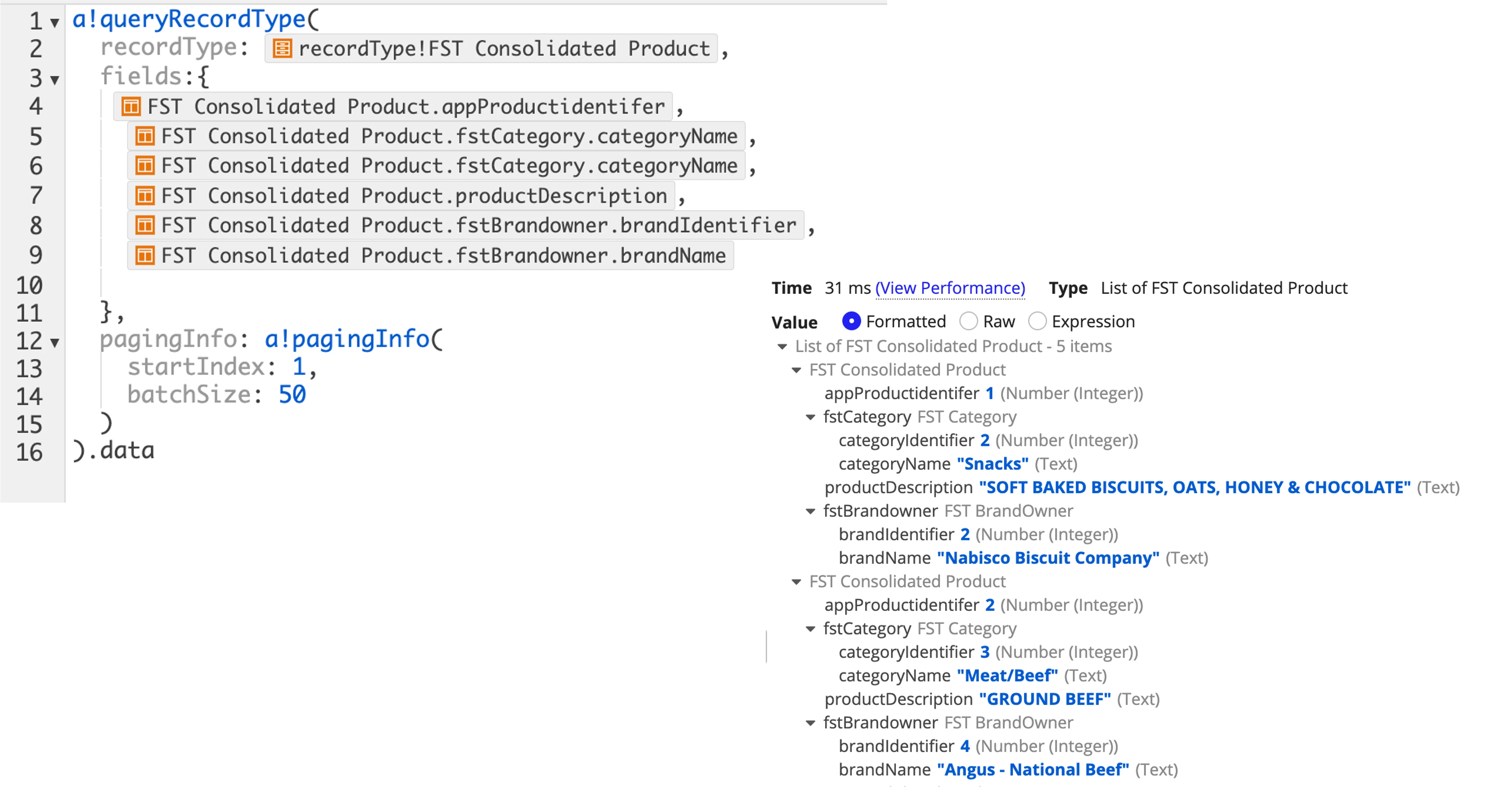
I am trying to populate a grid with brandOwner for each product in 'Consolidated Product List' but having a heck of time display the brandOwner.  Here are images of my query, my interface, and my debugging screens.

Any help would be appreciated.

Ma
Best answer by pragnaj0001

value: fv!row[recordtype!record.relationship.field], which is fv!row[recordtype!FST Consolidated Product.fstCategory.CategoryName]. for best practice we use rich text field for display values. and null checks. 

6 replies

stefanhelzle0001
Brainy
March 7, 2023

I think this should get you started.

docs.appian.com/.../reference-records.html

peter.lewis
Employee
March 7, 2023

Agreed with Stefan - can you also provide some more context on what you have tried already? Generally you can index data from records or related records using the `recordType!` syntax and referencing the field or related field you want to use.

pragnaj0001
March 7, 2023

value: fv!row[recordtype!record.relationship.field], which is fv!row[recordtype!FST Consolidated Product.fstCategory.CategoryName]. for best practice we use rich text field for display values. and null checks. 

man0001Author
March 7, 2023

Hi All:

First, thank you to all of you.

Stefan:  I had gone through the documentation that you linked to but the example there for 'interface' was for one-level.  I tried to extrapolate from the other examples to interface and I kept getting errors messages of various kinds.  I was looking to access nested CDT(?).

Peter:  As for things I tried, I tried 'fv!row, fv!index, fv!items, '.fstcategory' and various combinations of that.  I know that some of them weren't appropriate but I was throwing darts and hoping that one of them would hit.  I didn't think of using 'RecordType' for the fstCategory because I didn't that was of the RecordType fstCategory.  I guess, when I use relationship to extract data, I need to use RecordType.

Pragna:  Your code did do what I was looking for - so, thanks.

Here was the original task that I was trying to do.

I was trying to use the lesson/tutorial example from Appian Learning Course on Web Integration to extract data from USDA food database and create two tables - one for the list of products and the other a list of nutrition information for each of the products - with gtinUpc as the key relating the two.

So, in the example below, I was trying to access the 'foodNutrients' elements but I don't know the 'record!Type' because that entire dictionary is the result from an API call to USDA Food Database.  That is were I am stuck.  

When I try .foodNutrients[1], I get the foodNutrients for gtinUpc"028749448709" - Ground Beef.  However, I can not seem to access the individual nutrients like protein, etc. 

Any help/hints would be appreciated.  

Thank you.

Ma

pragnaj0001
March 8, 2023

use index function. index(). which is index(local!integrationResponse.result.body, "foodNutrients", {})