

vinayj0006
May 14, 2024
Question

document function is working to get size and extenstion

  • May 14, 2024
  • 15 replies
  • 0 views

HI team,

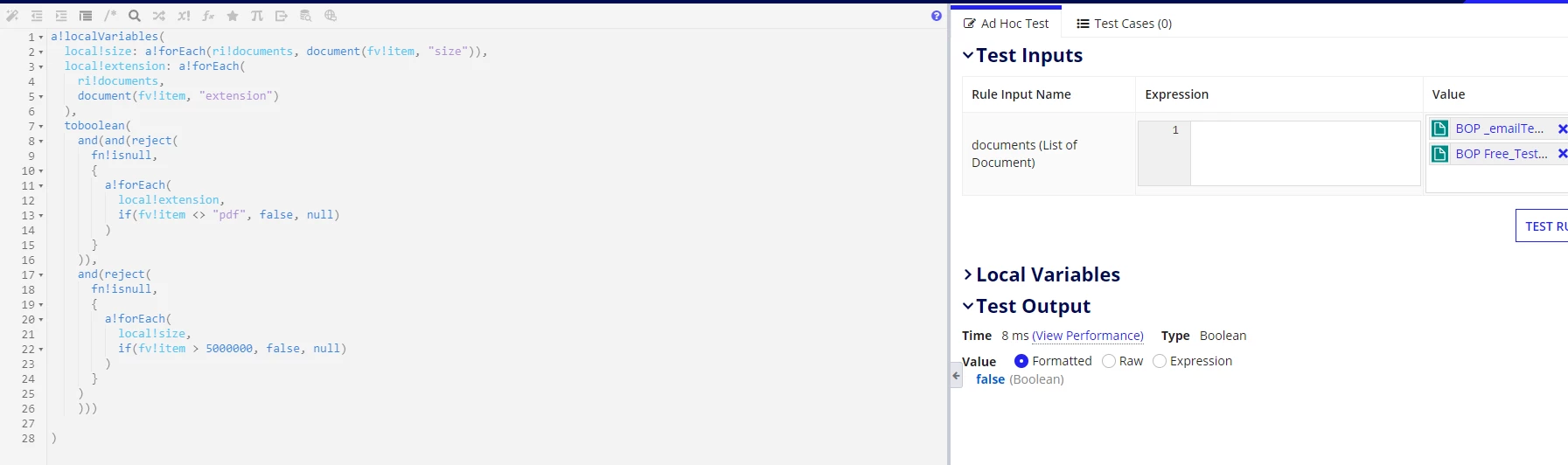
i want to find the type of extension and Size of list of documents and i have used document function and build an expression rule it is working fine in expression rule as expected when i call that expression in an interfcae  it is shoowing error as document function is deleted. 

a!localVariables(
  local!size: a!forEach(ri!documents, document(fv!item, "size")),
  local!extension: a!forEach(
    ri!documents,
    document(fv!item, "extension")
  ),
  toboolean(
    and(and(reject(
      fn!isnull,
      {
        a!forEach(
          local!extension,
          if(fv!item <> "pdf", false, null)
        )
      }
    )),
    and(reject(
      fn!isnull,
      {
        a!forEach(
          local!size,
          if(fv!item > 5000000, false, null)
        )
      }
    )
    )))
  
)
when i use in interface getting error as shown below

15 replies

stewart.burchell
May 14, 2024

Does the User who is logged in an using this interface have the correct security to access the document that is throwing this error?

vinayj0006
May 14, 2024

yes,Stewart Burchell

shubhama926776
May 14, 2024

Hello [mention:99a4b0672a1e4da487be0139d2399079:e9ed411860ed4f2ba0265705b8793d05] 
Even though the document exists, it might not be able to retrieve information if the user lacks the necessary permissions to access the specific document.
Check the security settings of the documents listed in ri!documents. Verify if the user's role or group has read access to these documents.

mikes0011
Brainy
May 14, 2024

Was the document just uploaded by the user on the very same interface?

vinayj0006
May 14, 2024

yes

mikes0011
Brainy
May 14, 2024

This is what I expected based on your error description.  Documents which have just been uploaded on the same interface are not available to the normal set of document parsing functions, including "document()", and trying to call it will result in an error. 

This is because, prior to the form being submitted, the documents are actually stored in a special place in the Appian File System that we don't have access to from the front-end (including the design side). 

Only after the task is submitted, are they moved out of that reserved space and into their target upload folder, at which point you can call "document()" on them.