
June 3, 2024
Question

Exercise 8: Error when doing "Start Process for Debugging"

  • June 3, 2024
  • 6 replies
  • 0 views

In exercise 8, when I want to do "Start Process for Debugging", I get the following error whenever I try to enter values into the fields

"Expression evaluation error [evaluation ID = FI5GM] in rule 'wsaa_addvehicleform' at function a!fileUploadField [line 107]: WSAA Vehicle can only be indexed into using square brackets or the index function"
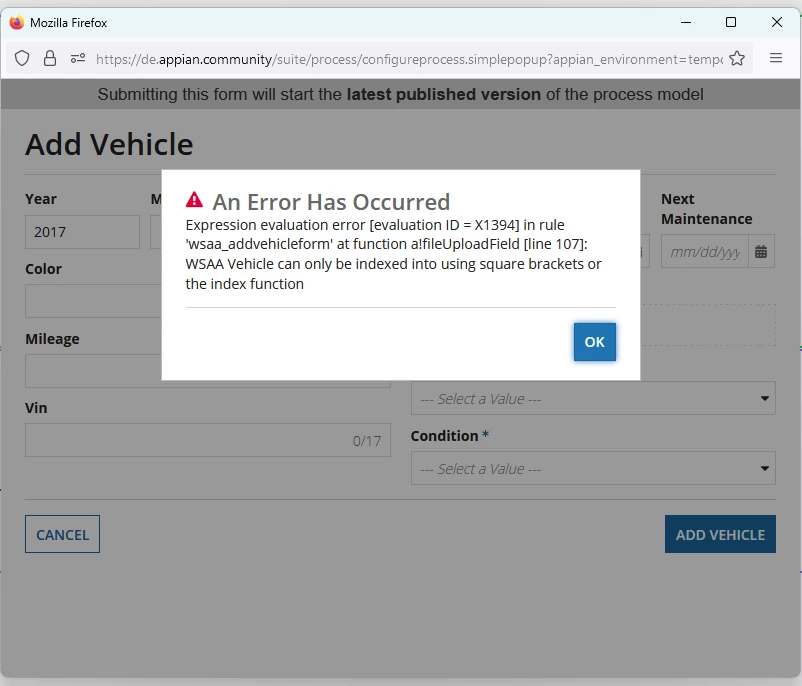
Could someone help me to fix this?

    6 replies

    stefanhelzle0001
    June 3, 2024

    It seems like you try to use the dot-notation to access fields. Try this: https://docs.appian.com/suite/help/24.2/reference-records.html

    jayaprakashr0001
    June 3, 2024

    Adding to Stefan,

    In this community exercise you need to  solve  the error .  While debugging go the interface make the necessary changes and run the process again.

    Attach the code to get the issue solved.

    shubhama926776
    June 3, 2024

    Sharing the code for the fileUploadField on line 107 would help diagnose the issue. As others have suggested, using the dot notation (.) to access the field or the index function might be the solution.

    karthikk538
    June 3, 2024

    Can you please attach the code at line 107 of file upload field, that would help to suggest exact solution.

    looks like issue is with come unmatched syntax, where the index needs to be used i guess.

    June 4, 2024

    Thank you for all the replies. I managed to solve the problem by editing the expression of the AddVehicleForm interface. The dot notation in the expression had not been automatically formatted:

    Old version

    Corrected version

    lokeshk0623
    June 4, 2024

    [mention:12d1f71817114f2bad9ec7824f7c6809:e9ed411860ed4f2ba0265705b8793d05]  since the variable type is record, you have now mapped it in correct format