March 25, 2025
Solved

How to create a record type from an excel table ?

  • March 25, 2025
  • 10 replies
  • 0 views

Hello, 

I am new to Appian, wanted to check if we can create a record type from an excel table. For example, the excel table has over 22 columns and this is should be reflected in Appian Record Type. 

    Best answer by varuntejg243705

    Hi [mention:723a41e681a04c0b91dd7a154b66c821:e9ed411860ed4f2ba0265705b8793d05] ,

    We cannot directly create RecordType from excel file, instead we can do this:

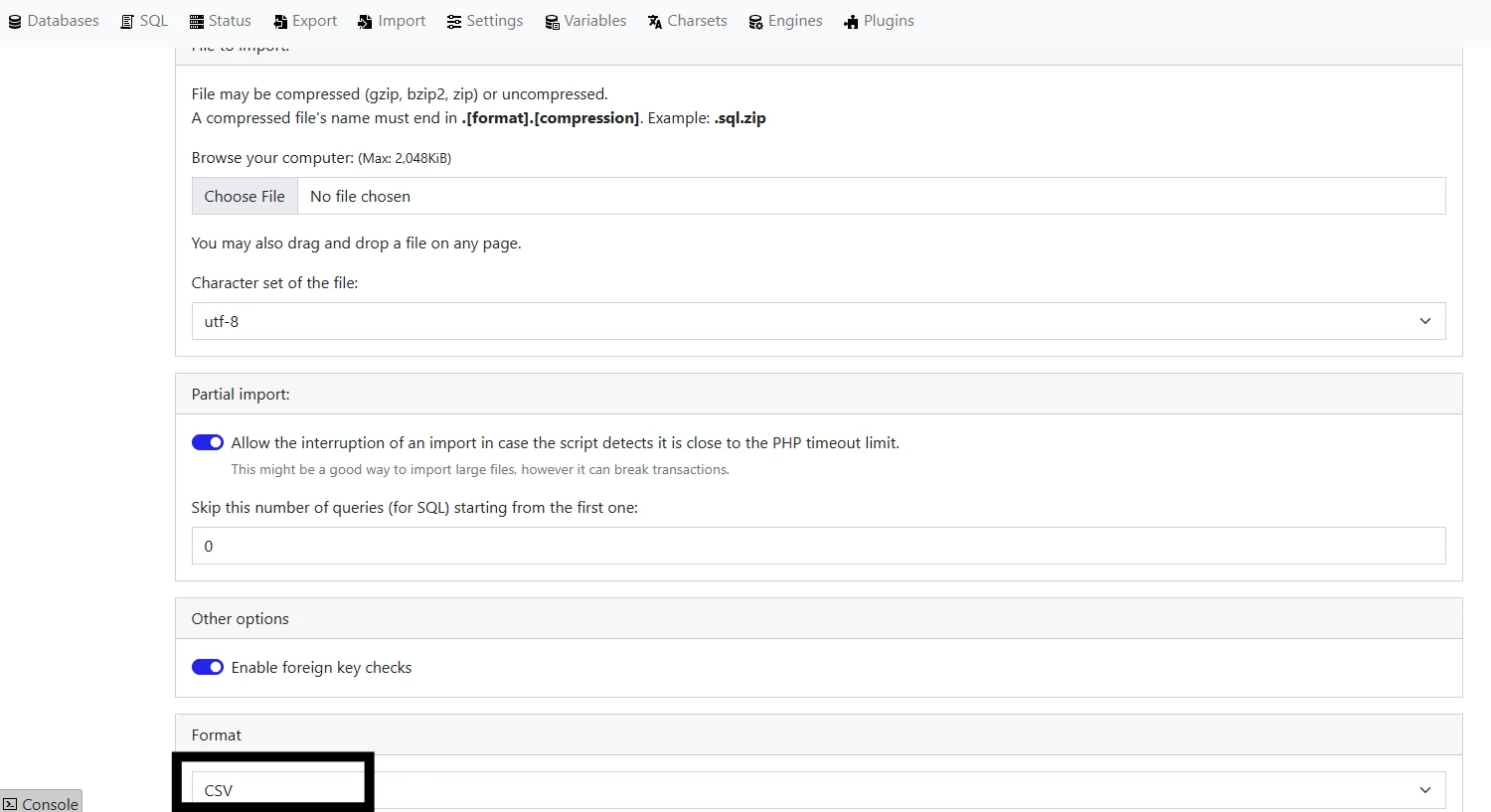
    If the Excel file is CSV we can directly import it into Cloud db or if it in .xls or .xlsx we need to convert into .csv

    Then in format, select as CSV


    After creating the table, go into Appian Designer then, create a recordtype and select

    I want to start with existing data - Database & Select your db.

    Hope this Helps you!!!

    10 replies

    varuntejg243705
    March 25, 2025

    Hi [mention:723a41e681a04c0b91dd7a154b66c821:e9ed411860ed4f2ba0265705b8793d05] ,

    We cannot directly create RecordType from excel file, instead we can do this:

    If the Excel file is CSV we can directly import it into Cloud db or if it in .xls or .xlsx we need to convert into .csv

    Then in format, select as CSV


    After creating the table, go into Appian Designer then, create a recordtype and select

    I want to start with existing data - Database & Select your db.

    Hope this Helps you!!!

    March 25, 2025

    Thanks, this is very helpful. 

    varuntejg243705
    March 25, 2025

    You're Welcome!!

    Happy to help [emoticon:c4563cd7d5574777a71c318021cbbcc8]

    davidj137213
    March 25, 2025

    I don't thinlk this can be done in Appian OOTB