May 3, 2021
Solved

How to download only selected rows from grid to Excel?

  • May 3, 2021
  • 2 replies
  • 0 views

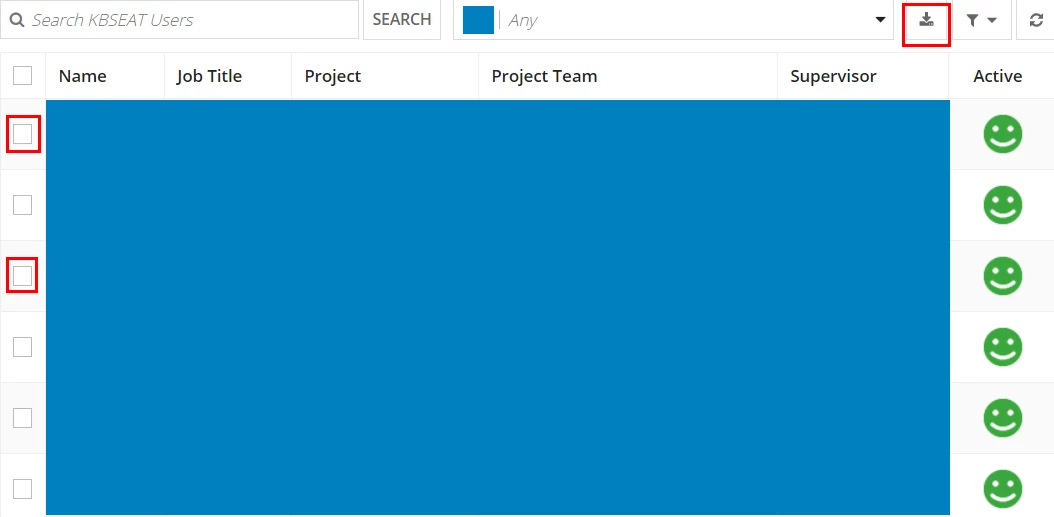
I see that there is a excel download button in read-only grid.

And can use filter to download what I want.

To go one more step from that and want to download only the selected rows to excel.

How could I do it? 

Would be great to have example too!!

Thank you

Best answer by danny.verb

Since the download to excel button takes filters into account, the quickest solution would be adding a button above or below the grid which only displays selected rows. 

a!localVariables(
  local!selectedRows: {},
  local!filterSelectedRows: false,
  {
    a!gridField(
      label: "Read-only Grid",
      labelPosition: "ABOVE",
      data: a!recordData(
        'recordType!{SYSTEM_RECORD_TYPE_USER}User',
        {
          a!queryFilter(
            "myField",
            "in",
            local!selectedRows["RecordType.fields.id"],
            local!filterSelectedRows
          )
        }
      ),
      columns: {},
      selectable: true,
      selectionValue: local!selectedRows,
      selectionSaveInto: {
        local!selectedRows
      },
      validations: {}
    ),
    a!linkfield(
      links: {
        a!dynamicLink(
          label: if(
            local!filterSelectedRows,
            "Unfilter selected rows",
            "Filter selected rows"
          ),
          value: not(local!filterSelectedRows),
          saveInto: local!filterSelectedRows
        )
      }
    )
  }
)

2 replies

danny.verb
May 3, 2021

Since the download to excel button takes filters into account, the quickest solution would be adding a button above or below the grid which only displays selected rows. 

a!localVariables(
  local!selectedRows: {},
  local!filterSelectedRows: false,
  {
    a!gridField(
      label: "Read-only Grid",
      labelPosition: "ABOVE",
      data: a!recordData(
        'recordType!{SYSTEM_RECORD_TYPE_USER}User',
        {
          a!queryFilter(
            "myField",
            "in",
            local!selectedRows["RecordType.fields.id"],
            local!filterSelectedRows
          )
        }
      ),
      columns: {},
      selectable: true,
      selectionValue: local!selectedRows,
      selectionSaveInto: {
        local!selectedRows
      },
      validations: {}
    ),
    a!linkfield(
      links: {
        a!dynamicLink(
          label: if(
            local!filterSelectedRows,
            "Unfilter selected rows",
            "Filter selected rows"
          ),
          value: not(local!filterSelectedRows),
          saveInto: local!filterSelectedRows
        )
      }
    )
  }
)

May 4, 2021

Thank you!!

Got it done simply.
Was REALLY helpful!!