
February 24, 2025
Question

How to filter array of data from one id in grid

  • February 24, 2025
  • 7 replies
  • 0 views

Hi All,

I have a requirement tehre is column in a table story multiple values with text datatype
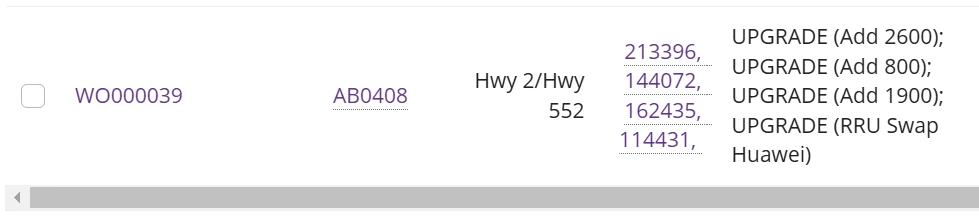
 

and when I'm trying to filter them on grid using filters then I'm using this code to show on filter dropdown: line 68-82
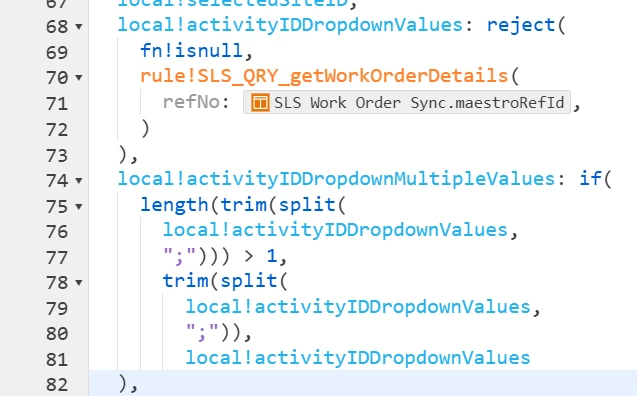
 

then getting dropdown as this:
:
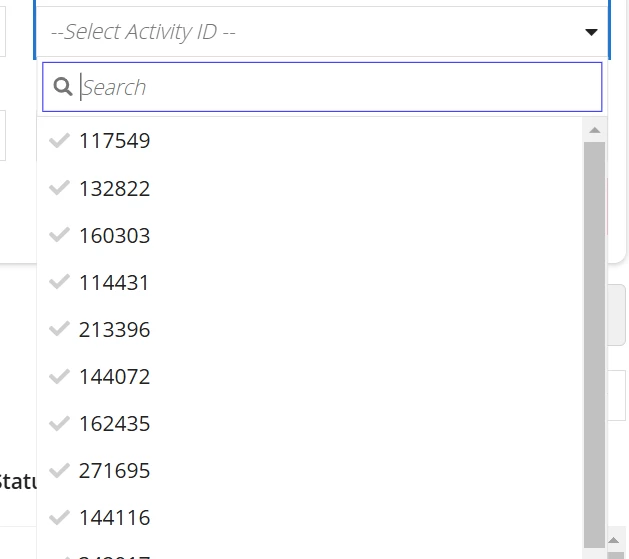
But from first screenshot when I'm trying to search any one of the data from array example: 213396 then my grid is displaying empty data and for other data as well who are in array in grid

help me achieve this,
Thankyou!


    7 replies

    nandhakums961772
    February 25, 2025

    Hi [mention:f1719cb23da54416a6a4f5f27f3942cf:e9ed411860ed4f2ba0265705b8793d05] , 

    I'm not clear with your expectation, But let me try solving based on my understanding.

    So, you want a dropdown filter. In which, it should filter the record. And on that particular record, you just need to display only the selected value from that list of values in the array of that respective record. Am I right?

    If that was the case. In the particular column of that grid, use the index function. Here, Provide the data as that Array list and Index as that Selected value. 

    Hope it helps[emoticon:33306c418930400bac28808410f8ac8b]

    stefanhelzle0001
    February 25, 2025

    Can you share the code of your filter?

    February 25, 2025

    sure here is the code for filter:

    here SLS_QRY_getWorkOrderDropdownData is ER for calling field of that particular table , I have attached code for this ER as well

    a!localVariables(
      local!queryResult:
      a!queryRecordType(
        recordType: 'recordType!{ea92f291-a913-4e02-be7b-c4de2844fe08}SLS Work Order Sync',
        fields: a!aggregationFields(
          groupings: {
            a!grouping(
              field:ri!fieldName,
              alias: "data"
            )
          }
        ),
        pagingInfo: a!pagingInfo(
          startIndex: 1,
          batchSize: 5000
        )
      ).data,
      local!data:Index(local!queryResult,"data",{}),
      union(local!data,local!data)
    )

     local!activityIDDropdownValues: reject(
        fn!isnull,
        rule!SLS_QRY_getWorkOrderDropdownData(
          FieldName: 'recordType!{ea92f291-a913-4e02-be7b-c4de2844fe08}SLS Work Order Sync.fields.{526678f5-f98a-4f93-a22c-aa7c05df57ab}maestroRefId'
        ),
      ),
      local!activityIDDropdownMultipleValues: if(
        length(trim(split(
          local!activityIDDropdownValues,
          ";"))) > 1,
          trim(split(
            local!activityIDDropdownValues,
            ";")),
            local!activityIDDropdownValues
      ),
     
     a!columnLayout(
                        contents: {
                          a!multipleDropdownField(
                            choiceLabels: union(local!activityIDDropdownMultipleValues,local!activityIDDropdownMultipleValues),
                            choiceValues: union(local!activityIDDropdownMultipleValues,local!activityIDDropdownMultipleValues),
                            label: "Activity ID",
                            placeholder: "--Select Activity ID --",
                            value: local!currentActivityID,
                            saveInto: {
                              local!currentActivityID,
                              a!save(local!selectedActivityID, null)
                            },
                            searchDisplay: "ON"
                          )
                        },
                        width: "AUTO"
                      ),

    stefanhelzle0001
    February 25, 2025

    Where and how do you apply that filter? I would expect to see an a!queryFilter() somewhere.