
shubhamk0004
May 25, 2022
Question

How to resolve error while importing a package?

  • May 25, 2022
  • 10 replies
  • 0 views

Hi all,

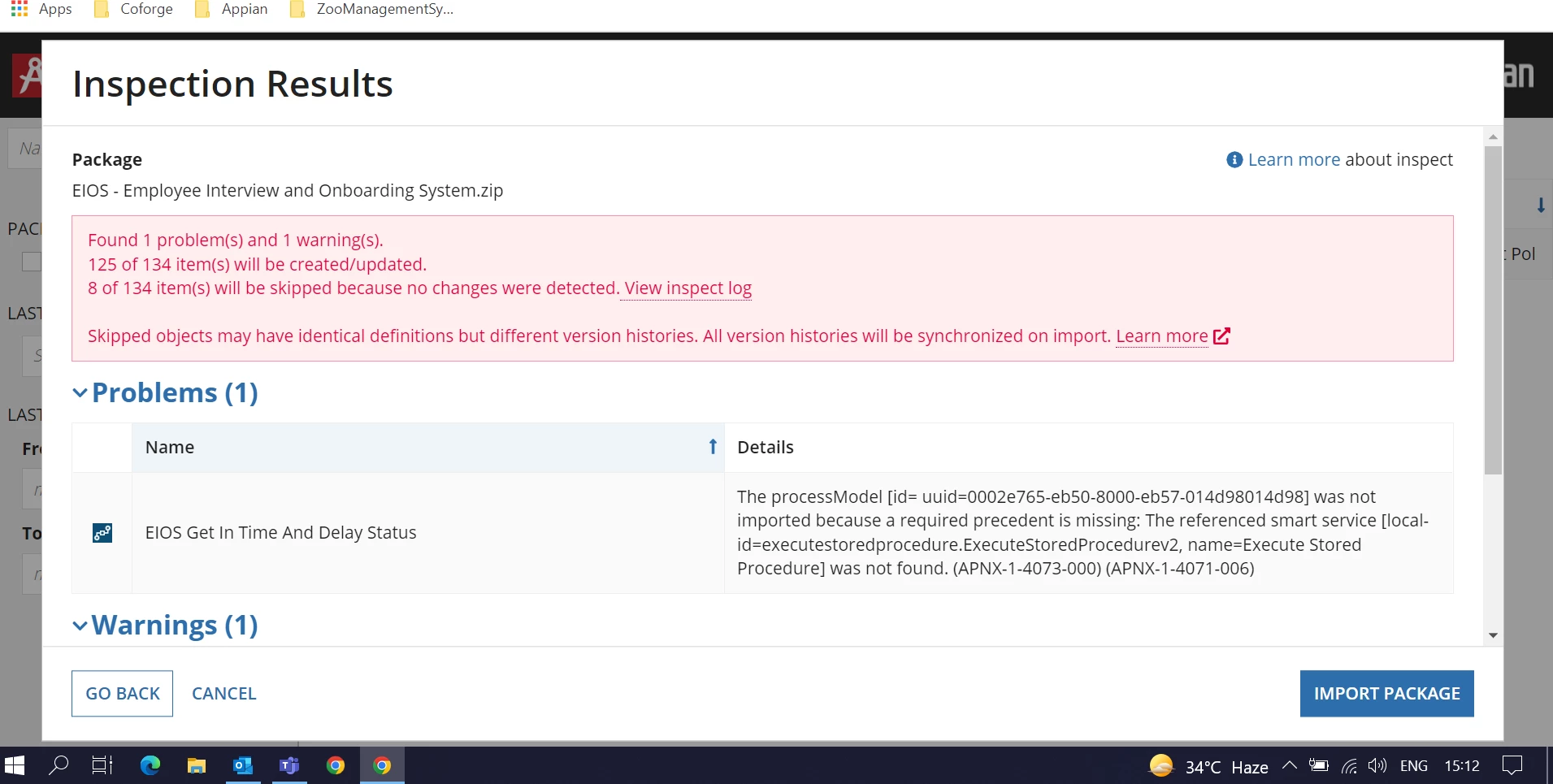
I am importing my application first time on Appian and getting the errors as below screenshot.

Kindly help me on this to resolve... Thank you in advance!
10 replies

vikashk739
May 25, 2022

Hi Shubham, you need to go through each error once. In the problem, there is a precedent missing. The process model is using a stored procedure which was not found. Try to check the stored procedure in the database, if not found, you need to create one. 

Check the logs for more details

shubhamk0004
May 25, 2022

I checked and stored procedure is exist in the database.

stefanhelzle0001
Brainy
May 25, 2022

I think that you use a plugin to call the SP and this plugin is missing.

Inspiring
May 25, 2022

Hi Shubham,

Before importing you can validate if you have the required objects in your patch which are required for executing your SP i.e constant used for DataSourceName and Procedure name.

Also Appian suggest you to use out of box functionality of Appian to call StoredProcedures

community.appian.com/.../upgrade-from-execute-stored-procedure-plug-in-to-ootb-features

shubhamk0004
May 25, 2022

Hi Gaurav,

Thanks for sharing the URL, it seems to be helpful.

I will try and update you accordingly.

Regards,

Inspiring
May 25, 2022

Sure.. if it is acceptable mark the previous reply as a answer.
