
May 17, 2022
Question

If you use "Delete" among "related actions", an error message always appears. Is this right?

  • May 17, 2022
  • 4 replies
  • 0 views

If you use "Delete" among "related actions", an error message always appears. Is this right?

1. In [Record Type], there is a function called [Generate a record action] in [Record Action].
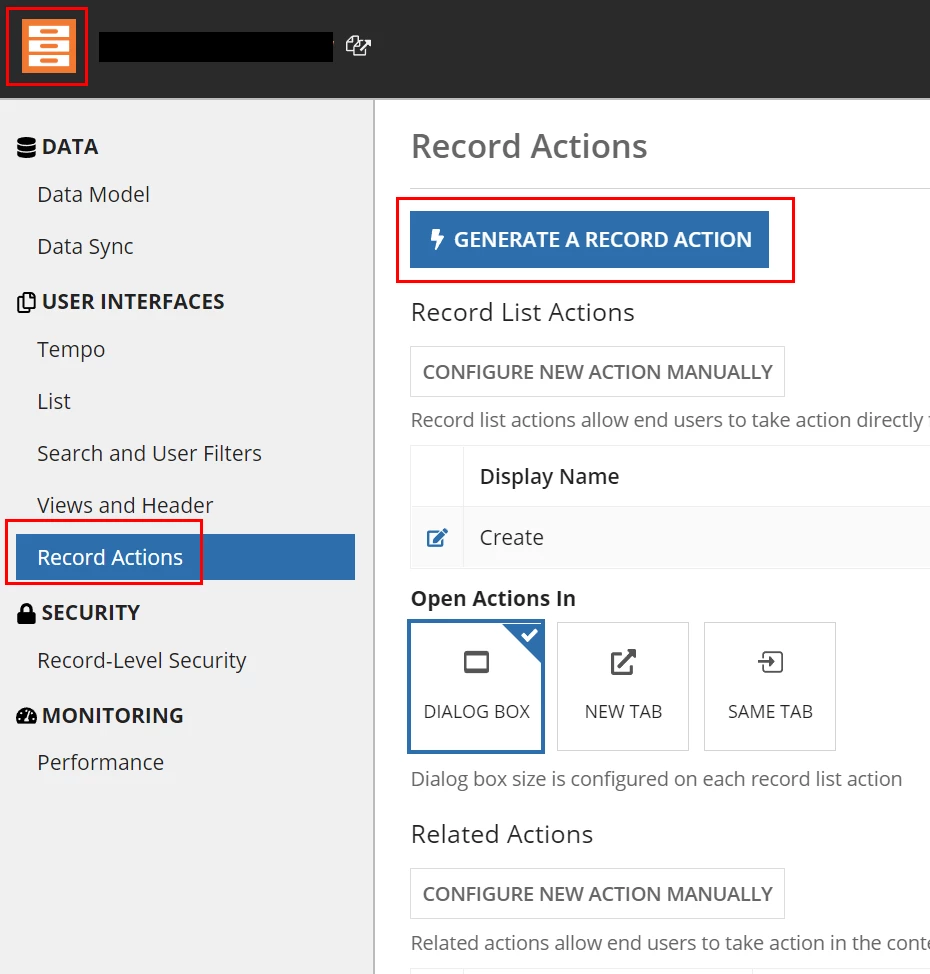
2. I created a [DELETE action] using [Related Action]. 
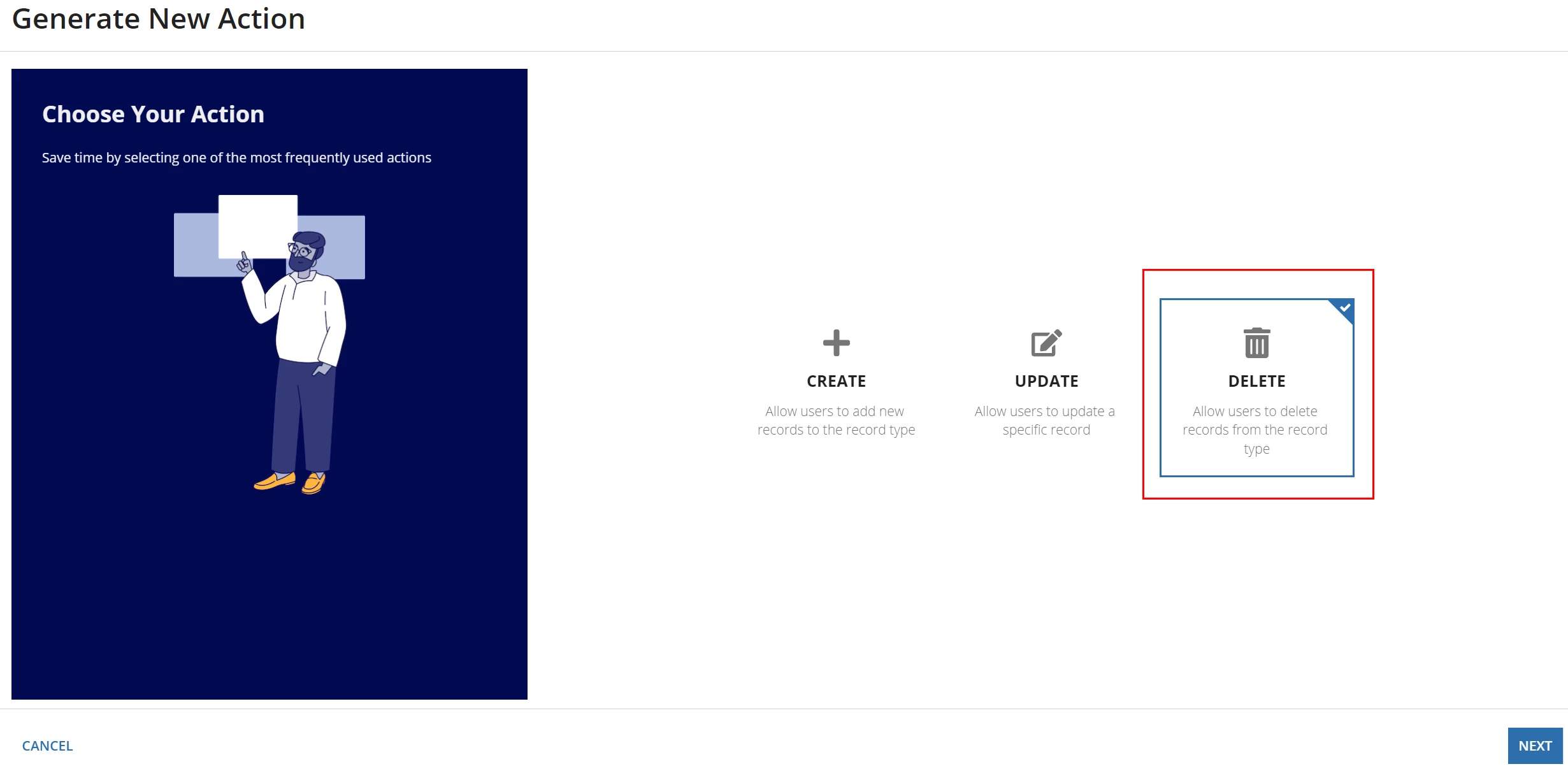
 

3. When this [Delete action] is used, deletion works fine, but an error message like the picture below appears.

Error message = [An Error Has Occurred The record data does not exist, has been deleted, or you do not have sufficient privileges to access it. (APNX-1-4205-006)]

4. Is this right? Can't I just go back to the list once the deletion is done?

It really doesn't seem right to show error message every time, when delete action is triggered.

5. I really believe this is not right. I'd appreciate it if you could give me a solution to this problem.

Thank you

    4 replies

    stefanhelzle0001
    Brainy
    May 17, 2022

    The default behaviour of a record action, is to return to the previous interface. After the delete, this specific record does not exist anymore, hence the error message.

    You can try to start the delete action from the record list using a recordActionField. Another option is to display a confirmation dialog which shows a link pointing to the record list to allow the user to navigate back to the list.

    Another option is to implement a soft-delete which does not really delete the date, but sets a flag. Then add a user filter to the record with a default of only showing active records.

    stewart.burchell
    May 17, 2022

    Soft-delete is the most common pattern I encounter and not just for this scenario. A "soft delete" allows you to retain the record for reporting purposes and allows for a recovery of the delete was inadvertently triggered. If you truly want a hard delete you can implement a utility process that conducts the relevant housekeeping during a quiet period (e.g. overnight)

    May 17, 2022

    Thank you all for your kind replies.

    When soft_delete is performed, the related action is executed and the screen that is set to be deleted is displayed once more, doesn't it?