New Participant
Nov 20, 2026 5:28 PM UTC
Solved

Introduction to Expressions - Working with Record Data - Hands-On Practice - Step 2

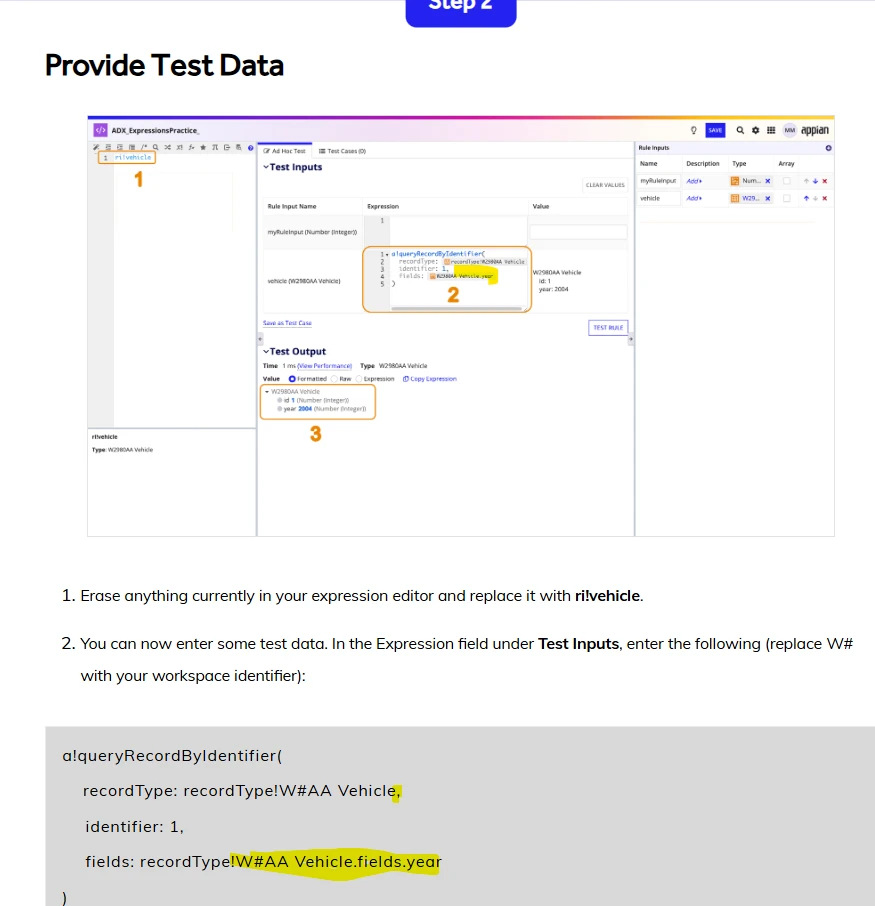
I am trying to complete the exercise, however, I keep getting an expression error. I tried both copy and pasting and typing expression as instructed. The instructions don’t match the screen shots, but neither work. There is no field “W#AA Vehicle.year” to select. Please let me know if I am doing something wrong. Thank you!
 

mathieud0001
Genius
Nov 20, 2026 6:18 PM UTC

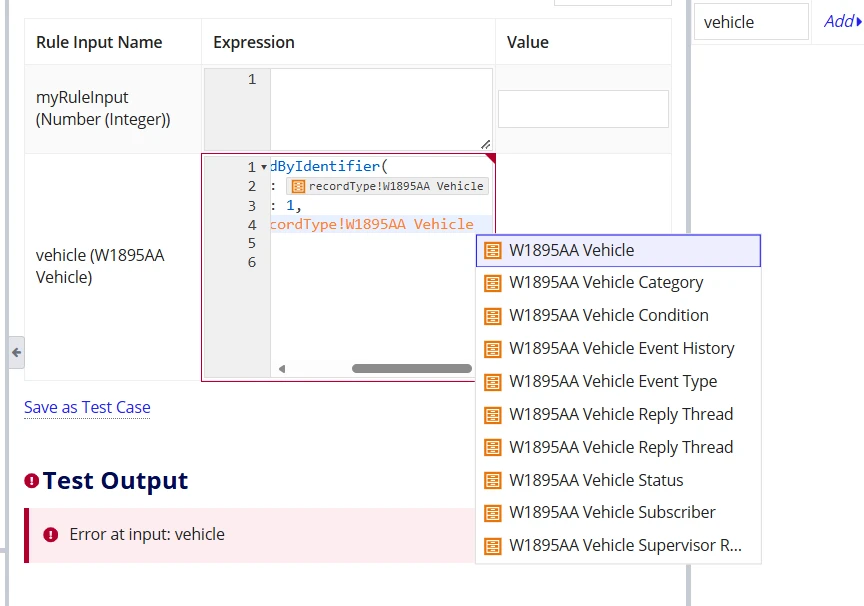
That looks like a list of Record Types. First choose “W1895AA Vehicule” and then you will have the list of fields.

You have to select the Record and put a dot (.) to access the next level


6 replies

mathieud0001
Genius
Nov 20, 2026 6:04 PM UTC

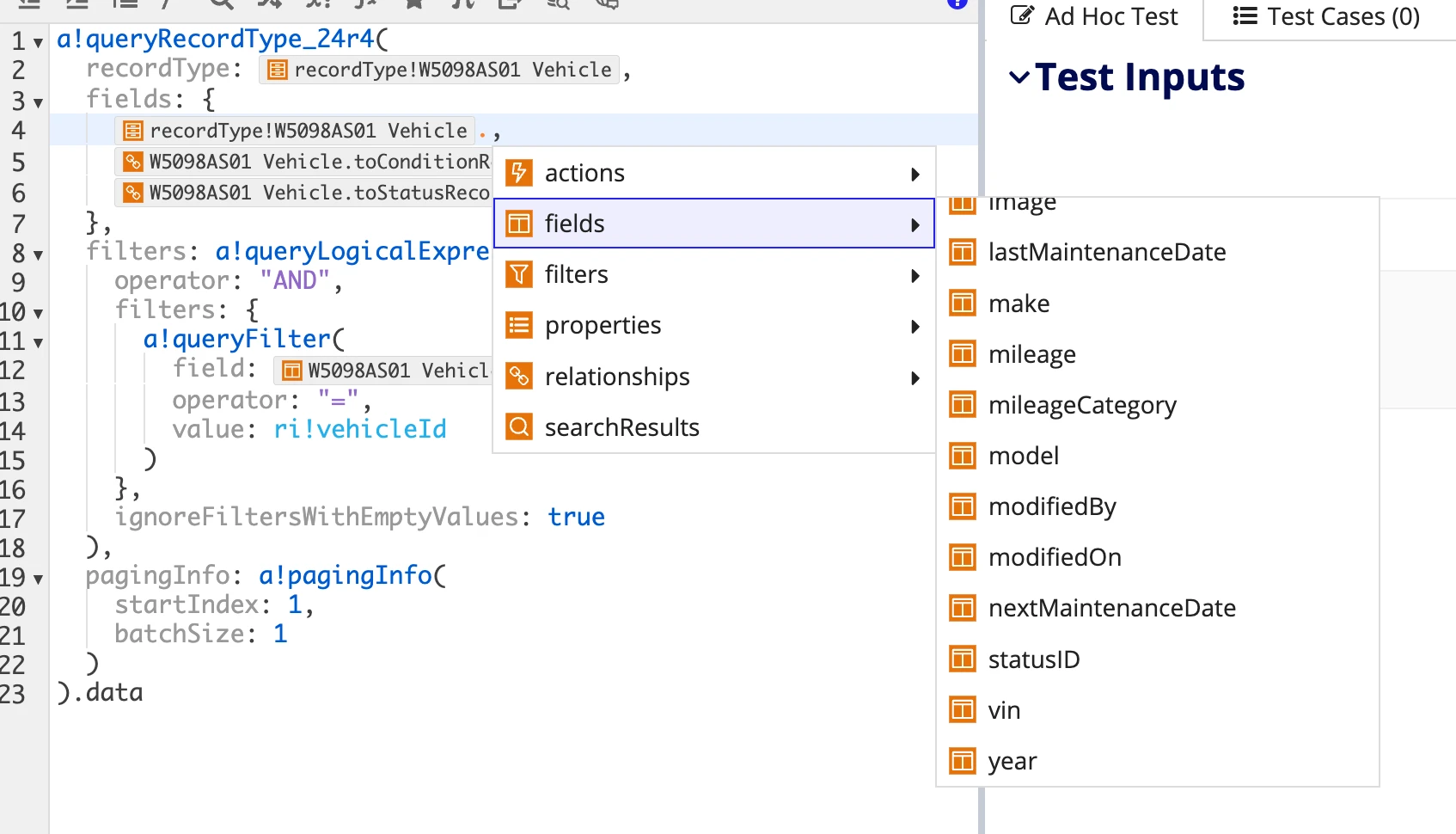
That means that there is no “year” field in your Record Type. What fields do you see? Are you sure its properly named?

New Participant
Nov 20, 2026 6:17 PM UTC

Thank you for your response. I am just following the steps as laid out in the exercise. When I look at the Acme Auto Solution Site, there is a vehicle year field. The screen shot above shows what options I have. 

mathieud0001
Genius
Nov 20, 2026 6:18 PM UTC

That looks like a list of Record Types. First choose “W1895AA Vehicule” and then you will have the list of fields.

You have to select the Record and put a dot (.) to access the next level