
January 17, 2022
Question

IS IT POSSIBLE TO Upload MULTIPLE DOCUMENTS WITH DYNAMIC UPLOAD COMPONENT

  • January 17, 2022
  • 8 replies
  • 0 views

HI EVERYONE  I AM NEW WITH APPIAN ,

I AM LOOKING TO UPLOAD MULTIPLE DOCUMENTS BUT I AM STRUGGLING TO FIND A SOLUTION.

I HAVE A LIST OF DOCUMENTS  ITEMS THAT I RECEIVE FROM A QUERY ( BECAUSE  I NEED TO DISPLAY ON THE INTERFACE THOSE DOCUMENTS FOR THE USER TO UPLOAD , SOME TIMES THE AMOUNT OF DOCUMENTS TO DISPLAY CAN BE DIFFERENTS  BASED ON WHAT THE USER CLICK IN THE INTERFACE).

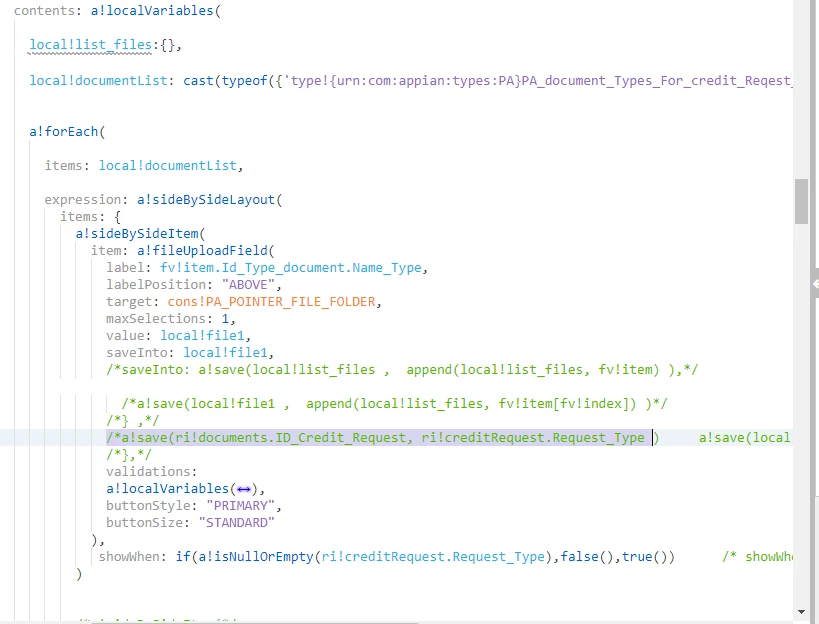
NOW I LOOP THROUGH THE LIST THAT I HAVE AND CREATE A UPLOAD COMPONENT IN THE DYNAMIC WAY AND DISPLAY ON EACH LABEL OF THE COMPONENTS 'S DATA.

BUT HOW CAN I SAVE EVERY DOCUMENTS IN LOCALVARIABLE  ??  tHE THING IS THAT I NEED AFTER THAT TO SAVE THOSE FILES DB , SO I CREATE  A  RULE INPUT DOCUMENT WITH CDT.

THERE IS A BETTER  TO DOING THIS ?? 
8 replies

harshitb6843
January 17, 2022

Hi there,

There are 2 approaches to the problem statement. 

  1. Use one file upload field to upload multiple documents instead of creating multiple(dynamic) file upload components. But as I see the screenshots, looks like every upload field has a different label so I am not sure if you can use this approach. 
  2. Continue using a!forEach loop to render multiple file upload fields. In this, you can use local!documentList variable to generate a list of null values of the same length and then use every index of it to save to the corresponding file. I will also add a code snippet below for better understanding. And at the end, when a user submits the form, you can save that local to RI. 
January 17, 2022

thank you harshit for your response , can you add the code snippet for better understanding ? 

thank you 

harshitb6843
January 17, 2022

a!localVariables(
  local!documentList: {1,2,3,4},
  local!documentValues: a!forEach(
    items: local!documentList,
    expression: null()
    
  ),
  {
    a!forEach(
      items: local!documentList,
      expression: a!fileUploadField(
        maxSelections: 1,
        value: local!documentValues[fv!index],
        saveInto: local!documentValues[fv!index]
      )
    ),
    a!buttonLayout(
      primaryButtons: a!buttonWidget(
        label: "SUBMIT",
        saveInto: {
          a!save(
            ri!documentValues,
            local!documentValues
          )
        }
      )
    )
  }
)

stefanhelzle0001
January 17, 2022

Welcome to the Appian community. As in any other online community, writing in UPPER case means shouting. Not sure whether that was your intention.

January 17, 2022

not it wasnt , i apologize