
amerayanaa709622
August 26, 2025
Question

Issue in format Image column

  • August 26, 2025
  • 3 replies
  • 0 views

I am following Steps-by-step Guide (#5) using Community Edition, and facing this issue 
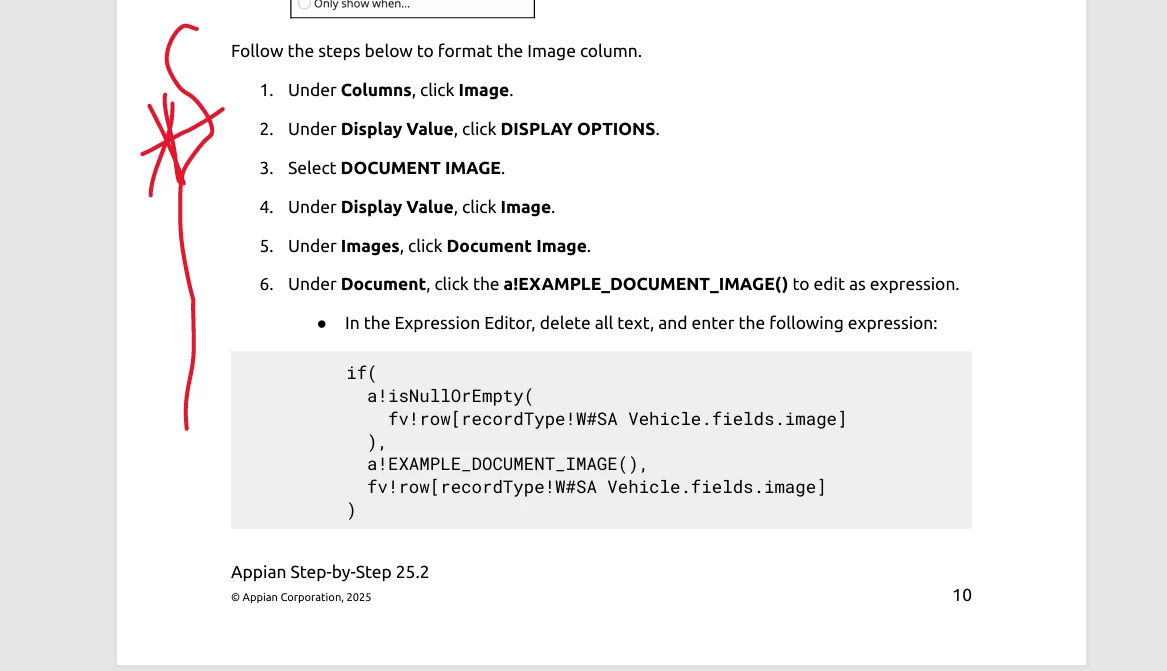

can anyone help? 

3 replies

harshas2775
August 26, 2025

According to the error the reference in the condition is not configured properly. Would be good if you share/check  code within the a!isNullOrEmpty condition

ricardan396607
August 26, 2025

Hello,

As I am facing the same problem, I can confirm, that with all right entering the part for W#SA... it's not working.

Has there been an update?

All my images are not displayed when I test. 

Help would be highly appreciated!

Thanks in advance...

shubhama926776
August 27, 2025

Your screenshot shows recordType!W2246AMA Vehicle in the left panel, but you typed recordType!W#SA Vehicle 

Try both format

Using Index

if(
  a!isNullOrEmpty(
    index(fv!row, "image", null)
  ),
  a!EXAMPLE_DOCUMENT_IMAGE(),
  index(fv!row, "image", null)
)


Using record 
if(
  a!isNullOrEmpty(
    fv!row[recordType!W2246AMA Vehicle.fields.image]
  ),
  a!EXAMPLE_DOCUMENT_IMAGE(),
  fv!row[recordType!W2246AMA Vehicle.fields.image]
)