swapnar6405
March 9, 2023
Question

Issue with Export Data Store Entity to Excel

  • March 9, 2023
  • 12 replies
  • 1 view

Hi,

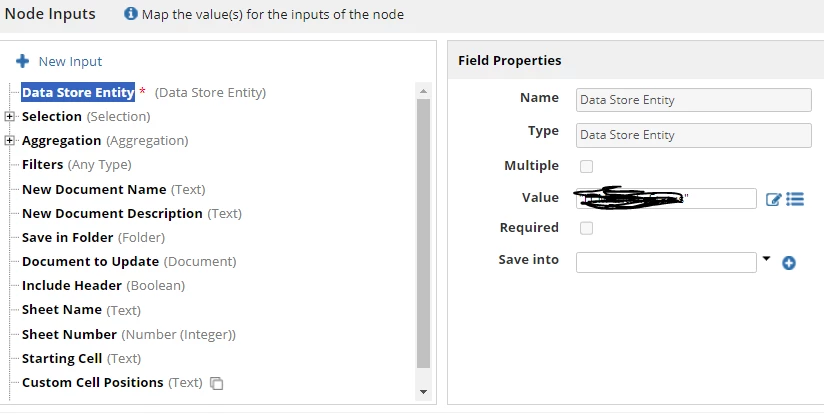
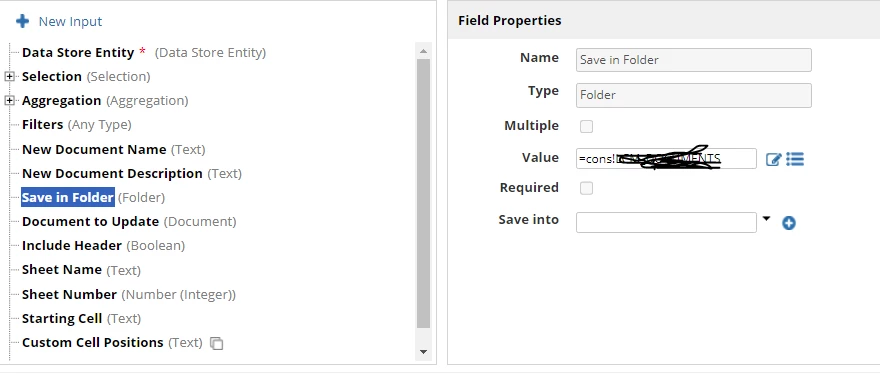
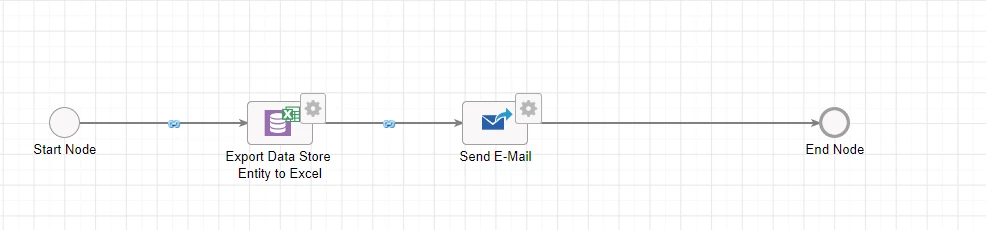
I have below process model where I am trying to use "Export Data Store Entity to Excel".

It was throwing an error when I try to use. I have not used any crazy setups related to this smart service, but still I am getting an error like ":  An error occurred when attempting to write the document Excel Export 3_9_2023 7_10 PM GMT+00_00. Please contact your system administrator for additional details. (APNX-1-4505-056) ".

This error message is not giving any kind of clue to trace exact issue.
12 replies

abhayd3663
March 9, 2023

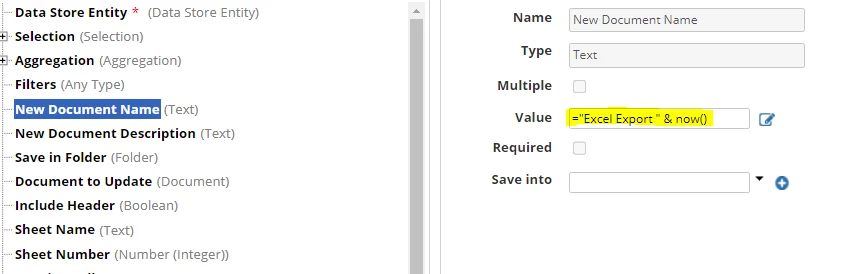
Try to have the simple file name without any special characters. Just remove the now() from the file name and see if it works.

swapnar6405
March 9, 2023

I tried the same, but error remain as is.

arulk0002
March 10, 2023

Hi swapnar6405,

I can see here the "New Document Name" was text. But the value was text with datetime format. Pls add few more conditions to make that as text.

swapnar6405
March 10, 2023

Same is the error even I try to give a simple text like "ExcelExport"

mikes0011
Brainy
March 10, 2023

Check tomcat-stdOut.log for the error (you might need to reproduce the error then load the log file afresh, and just scroll to the bottom, in order to find it).  My first guess is that the query might be malfunctioning or timing out somehow, though this node is supposed to handle that.  Hopefully if it's this or some other error, it might give slightly more detail there as to what the underlying issue is.

As a first order of troubleshooting, what happens if you replace the Data Store Entity with a different one, and try it again?  At first I'd suggest using one that points to a small table (both in column width as well as data length), to rule out any size / timeout issues, and see if the error persists.

The Expression Guru
swapnar6405
March 13, 2023

When I look into the "tomcat-stdOut.log", I found several line of errors. Not sure where went wrong.

Any advises please.

at org.apache.tomcat.util.net.NioEndpoint$SocketProcessor.doRun(NioEndpoint.java:1693)

        at org.apache.tomcat.util.net.SocketProcessorBase.run(SocketProcessorBase.java:49)

        at org.apache.tomcat.util.threads.ThreadPoolExecutor.runWorker(ThreadPoolExecutor.java:1191)

        at org.apache.tomcat.util.threads.ThreadPoolExecutor$Worker.run(ThreadPoolExecutor.java:659)

        at org.apache.tomcat.util.threads.TaskThread$WrappingRunnable.run(TaskThread.java:61)

        at java.lang.Thread.run(Thread.java:750)

Caused by: java.lang.NullPointerException

        at sun.awt.FontConfiguration.getVersion(FontConfiguration.java:1264)

        at sun.awt.FontConfiguration.readFontConfigFile(FontConfiguration.java:219)

        at sun.awt.FontConfiguration.init(FontConfiguration.java:107)

        at sun.awt.X11FontManager.createFontConfiguration(X11FontManager.java:774)

        at sun.font.SunFontManager$2.run(SunFontManager.java:441)

        at java.security.AccessController.doPrivileged(Native Method)

        at sun.font.SunFontManager.<init>(SunFontManager.java:386)

        at sun.awt.FcFontManager.<init>(FcFontManager.java:35)

        at sun.awt.X11FontManager.<init>(X11FontManager.java:57)

        at sun.reflect.NativeConstructorAccessorImpl.newInstance0(Native Method)

        at sun.reflect.NativeConstructorAccessorImpl.newInstance(NativeConstructorAccessorImpl.java:62)

        at sun.reflect.DelegatingConstructorAccessorImpl.newInstance(DelegatingConstructorAccessorImpl.java:45)

        at java.lang.reflect.Constructor.newInstance(Constructor.java:423)

        at java.lang.Class.newInstance(Class.java:442)

        at sun.font.FontManagerFactory$1.run(FontManagerFactory.java:83)

        at java.security.AccessController.doPrivileged(Native Method)

        at sun.font.FontManagerFactory.getInstance(FontManagerFactory.java:74)

        at java.awt.Font.getFont2D(Font.java:491)

        at java.awt.Font.canDisplayUpTo(Font.java:2064)

        at java.awt.font.TextLayout.singleFont(TextLayout.java:470)

        at java.awt.font.TextLayout.<init>(TextLayout.java:531)

        at org.apache.poi.ss.util.SheetUtil.getDefaultCharWidth(SheetUtil.java:273)

        at org.apache.poi.xssf.streaming.AutoSizeColumnTracker.<init>(AutoSizeColumnTracker.java:117)

        at org.apache.poi.xssf.streaming.SXSSFSheet.<init>(SXSSFSheet.java:82)

        at org.apache.poi.xssf.streaming.SXSSFWorkbook.createAndRegisterSXSSFSheet(SXSSFWorkbook.java:684)

        at org.apache.poi.xssf.streaming.SXSSFWorkbook.createSheet(SXSSFWorkbook.java:705)

        at com.appiancorp.dataexport.ExcelDocumentCreator.addSheet(ExcelDocumentCreator.java:380)

        at com.appiancorp.dataexport.ExcelDocumentCreator.addSheetOrCopyExisting(ExcelDocumentCreator.java:326)

        at com.appiancorp.dataexport.ExcelDocumentCreator.createOrCopyDocumentAndExportNewData(ExcelDocumentCreator.java:309)

abhayd3663
March 13, 2023

Again, what Appian version are you using? Are you using the latest version of the plug-in?