March 7, 2023
Solved

MNI - Data filled by first user showing to other user in MNI

  • March 7, 2023
  • 15 replies
  • 0 views

I have created a MNI in a user Input task 
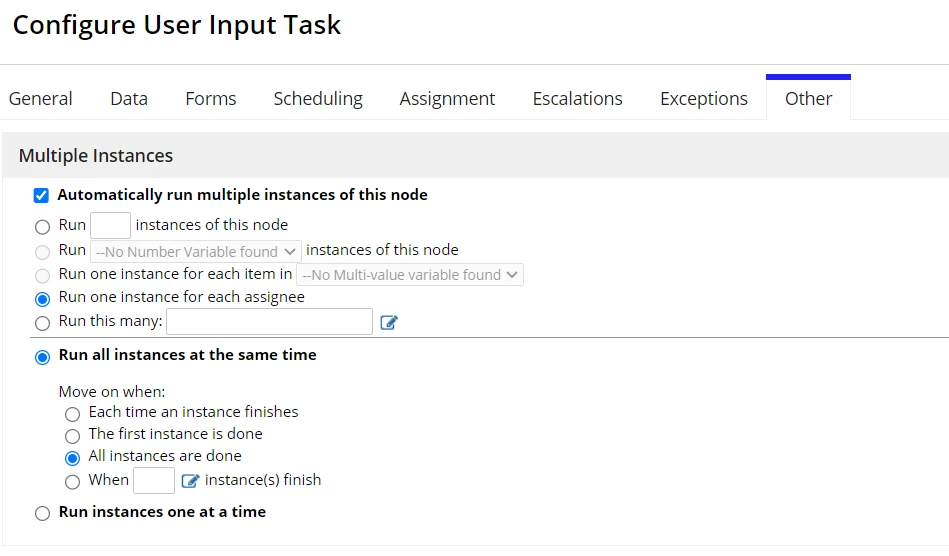
In the assignment Tab, set the assignment to one to one as well
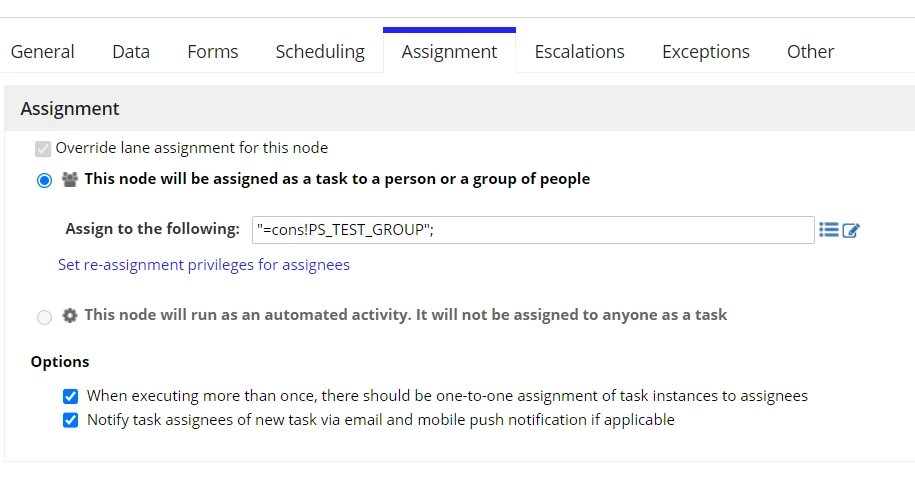
The above group contains two users. But as soon as one user completes the task, whatever the data filled by that user is showing to the other user as well. 

Could you please help me to resolve this error
Best answer by mikes0011

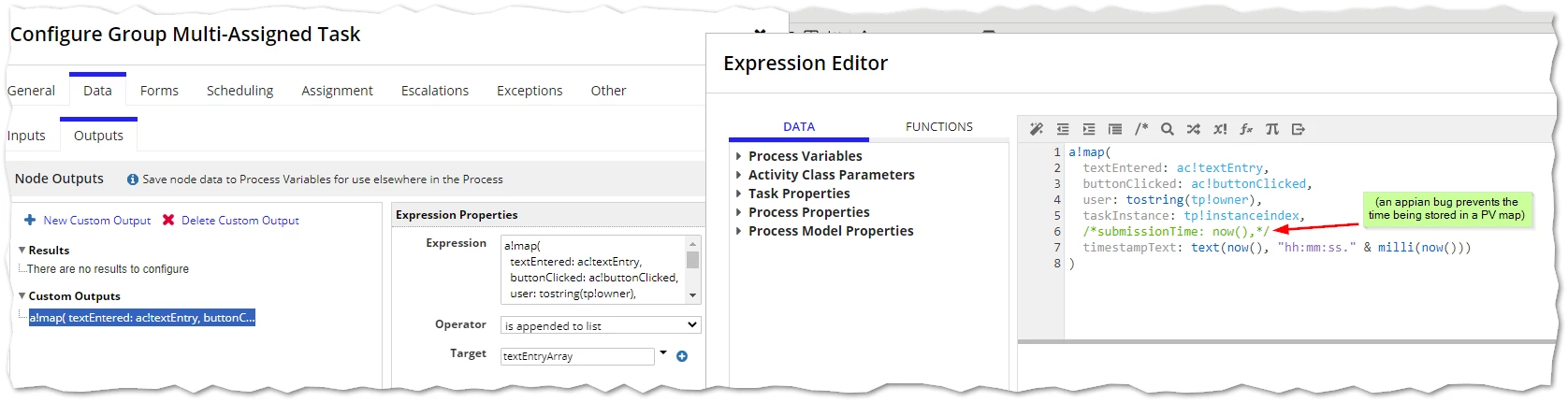
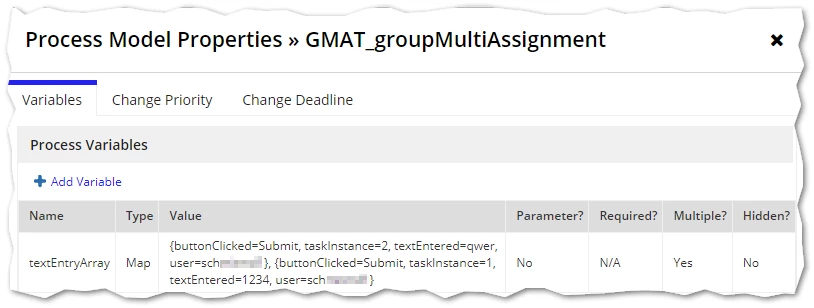
Please reference the attached sample application (23.1 export fyi) which successfully reproduces the individual-assignment-by-group-membership, and writes each individual user's text input (as well as their username and a timestamp) into an individual Map entry and appends it all to a list of map stored as a PV.  After import and prior to running, you'll need to add one or more assignees to the "GMAT Assignees" group.

[View:/cfs-file/__key/communityserver-discussions-components-files/62/Group-Multi_2D00_Assignment-Test-_2800_23.1-export_2900_.zip:320:240]

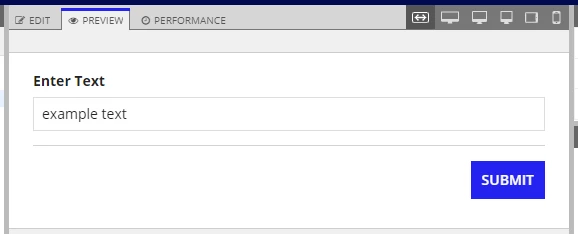
Configuration Preview

Task Form:

Data Output:

Result:

15 replies

abhayd3663
March 7, 2023

For this particular use case the Assignment should be one to one for each instance. Since both the users are member of group they are able to see the task.

March 7, 2023

Hi Abhay, In the second screenshot attached I have checked the box for the one to one assignment. I hope you're referring this only. But still when one user fills the form with some data, for the other user the data filled by him is displayed.

In the above screen shot, I submitted the task by one user. When other user opened the task he is already seeing data filled by other user.

Could you please suggest on this?

pragnaj0001
March 7, 2023

May be try this way take process variable multiple values. save each user input values  in index wise.  

mikes0011
Brainy
March 9, 2023

Is the task set to save to an array?  I believe you need to do this (and handle it with unusual care) to get the result you desire.

I suspect what's happening instead is that you're saving the data into a singular PV, and if that PV is also set as the value for the ACP in the data inputs tab, then the next person to load their instance of the task would automatically see the value completed by the prior user.

The Expression Guru
March 10, 2023

Hi Mike, thanks for the suggestion. I have already tried with this. Please refer the below screenshots.

In the ACP

Data in PV after 1st Instance

In second Task, I put these details

After submitting the data,

I have made it multiple but still the data is not populated and it's replaced by new data. 

Usually how if a task need to assigned to multiple users and collect their feedback how it is done. Is there any other way of doing this.

Thanks

mikes0011
Brainy
March 10, 2023

You would need to save the form data in the Data Outputs tab in a way that can actually handle arrays. Your ACP would need to be single, whereas the PV it saves into would need to be Multiple.  Then you should save the current instance's value, either appending it into the list, or saving it at a specific location in the array (assuming that works).

(or)

The Expression Guru
mikes0011
mikes0011Answer
Brainy
March 10, 2023

Please reference the attached sample application (23.1 export fyi) which successfully reproduces the individual-assignment-by-group-membership, and writes each individual user's text input (as well as their username and a timestamp) into an individual Map entry and appends it all to a list of map stored as a PV.  After import and prior to running, you'll need to add one or more assignees to the "GMAT Assignees" group.

[View:/cfs-file/__key/communityserver-discussions-components-files/62/Group-Multi_2D00_Assignment-Test-_2800_23.1-export_2900_.zip:320:240]

Configuration Preview

Task Form:

Data Output:

Result:

The Expression Guru
March 11, 2023

Hi Mike, thanks a lot for the answer. Now that the data is saved as map which gives more flexibility to extract it as well. Appreciated for your efforts.

stefanhelzle0001
Brainy
March 11, 2023

Another function in Appian to specifically support your use case is this:

docs.appian.com/.../Process_Model_Recipes.html