
June 23, 2022
Question

Now in Add Vehicle Process Model in the last part of Exercise 8: Process Modeling 101, Part 1-- Need help. Thanks

  • June 23, 2022
  • 2 replies
  • 0 views

Hi Team

I am in last part of Exercise  8: Process Modeling 101, Part 1, where I have completed the Edit and Add Vehicle Process Model 

While "Start Process for Debugging" only Cancel (Yes) of Add Vehicle is getting debugged and getting right results 
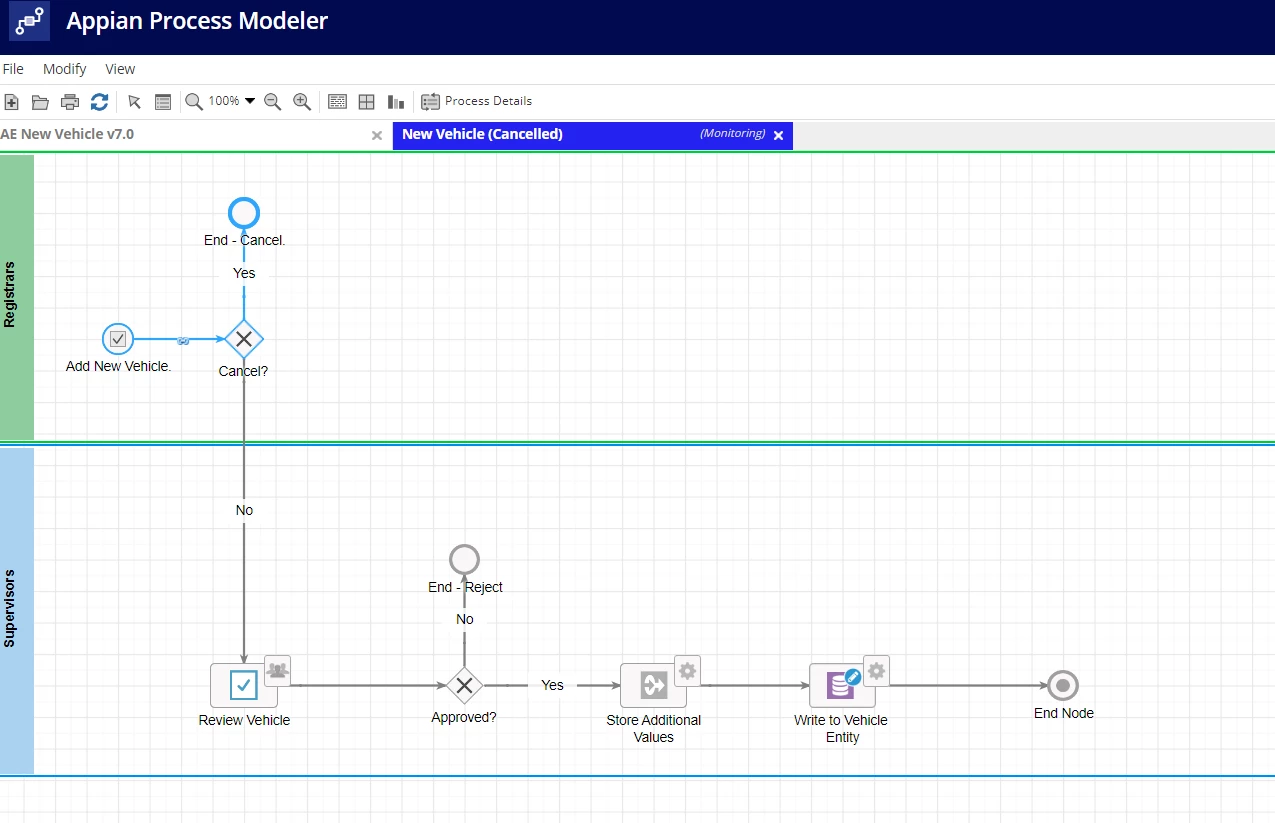
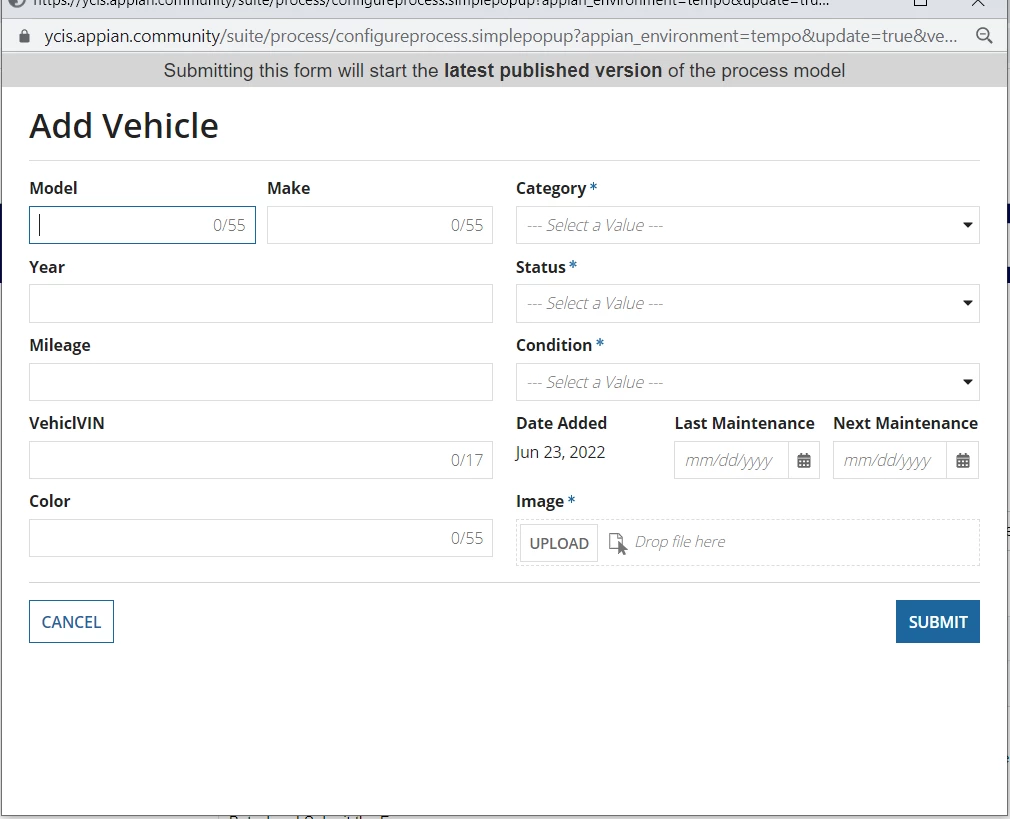
But when I Submit the Form using Submit button - No results. (Not able to proceed).

Also Ones I enter data in one field the other field data is disappearing. Not able to fill the form at one go .

When I press Submit button empty form. getting submitted and a new process instance has Not started in the Monitoring Mode and No new tab in the Process Modeler. Please Help. Thanks
    2 replies

    stevene0005
    June 23, 2022
    Also Ones I enter data in one field the other field data is disappearing. Not able to fill the form at one go .

    In that Process Model, double click the "Review Vehicle" node > "Forms" tab > "Edit Interface" button. Click on each field & in the Component Configuration (right side), make sure you set the value: & saveInto: parameters. You should have added a rule input to that interface (top right), so when setting those parameters on each field (& assuming your rule input is named "vehicle", data type being the related CDT), should be setting the parameters on "Model" field to vehicle > model or ri!vehicle.model.

    June 27, 2022

    Thanks Stevene

    I got it. It was a great help