

venkataharishd0002
May 27, 2021
Question

Populate values grid Layout

  • May 27, 2021
  • 4 replies
  • 0 views

Hi All

I have the following selectable grid layout. Here my requirement is 

I have a status field with two types status's

1) Completed and

2) Not Completed

In a rule input I'm maintaining the status Field

Initially the status for all the grid rows will be Not Completed. What ever the rows I have selected those status value should be updated as Completed, if i uncheck some rows. those should revert back to original status Not Completed
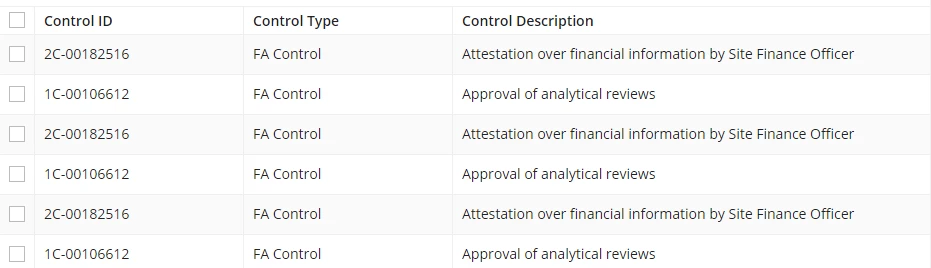
Please help me in this.

Note : Grid rows are dynamic

Thanks in advance

    4 replies

    stefanhelzle0001
    Brainy
    May 27, 2021

    What did you try? Did it work? What did not work?

    My approach would be like

    Have a local variable storing selected rows, then for each cell, check whether the row is in that local and either show one text or the other.

    docs.appian.com/.../recipe-show-calculated-columns-in-a-grid.html

    vinitaj0002
    May 27, 2021

    Hi Harris,

    The best way to do this is via local variables. Based on the selection the indexes of those selected values will be saved in the local variables and you can run if else condition on that Status column to manipulate or change your status.

    Regards,

    Vinita

    venkataharishd0002
    May 27, 2021

    Can you please brief me with some sample code.

    Thanks

    vinitaj0002
    May 27, 2021

    Harris ,

    Here is a sample code of how you can achieve this.

    a!localVariables(
    local!array:{id:1,status:"Not Completed"},
    local!selection,
    a!gridField(
    selectable: true,
    selectionValue: local!selection,
    selectionSaveInto: local!selection,
    label: "Read-only Grid",
    labelPosition: "ABOVE",
    data: local!array,
    columns: {
    a!gridColumn(
    label:"id",
    value:fv!row.id
    ),
    a!gridColumn(
    label:"Status",
    value: if(contains(cast(101,local!selection),fv!identifier),"Completed","Not Completed")
    )
    },

    )
    )