

steffena0001
December 15, 2021
Question

Rule input renaming

  • December 15, 2021
  • 3 replies
  • 0 views

Hello!

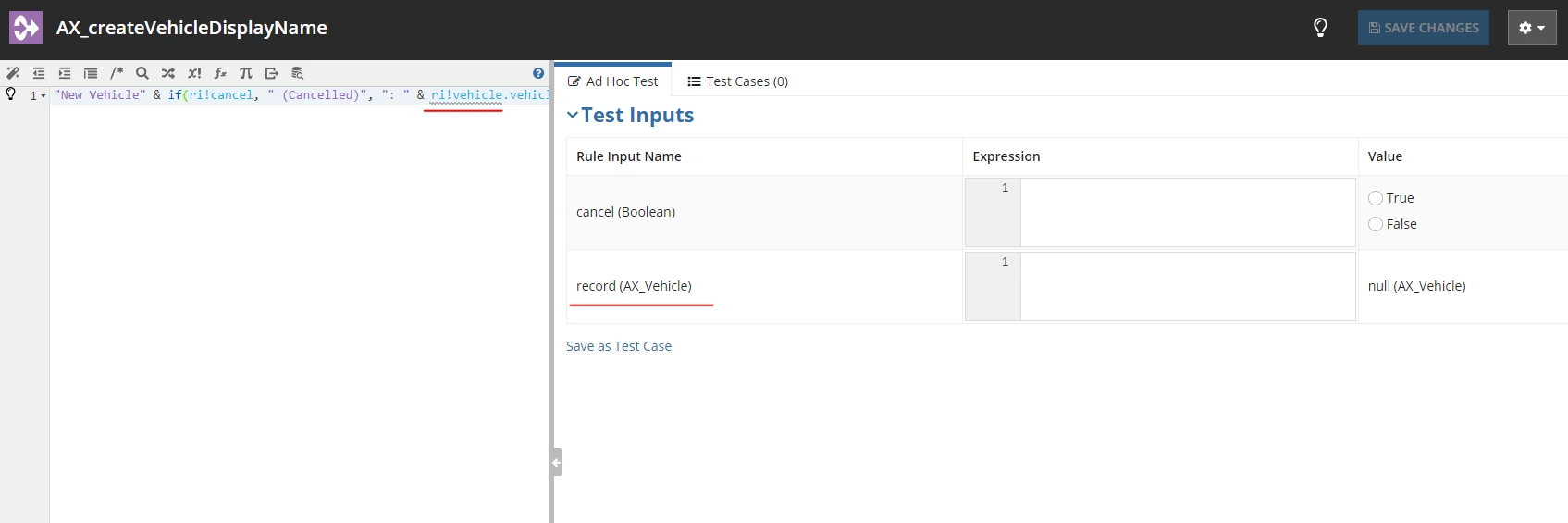
I am not able to rename my rule input. In the exercise that was given to us, we were asked to rename the rule input to vehicle. Would like to know as to why this is the case?

I need to rename this as I am also using this expression rule in another process. Thank you!
3 replies

steffena0001
December 15, 2021

It's already OK. This is resolved. Thanks!

mikes0011
Brainy
December 15, 2021

In case anyone stumbles upon this in the future and is unsure how to solve it themselves: rules, constants and interfaces can be renamed form the App Package and/or Objects List, by checking the item and then opening the "More" menu, where one of the options will be "Rename".  It will make things easier if any referring objects are closed already before executing the rename.

The Expression Guru
August 2, 2022

I stumbled upon this when I encountered the same issue but none of the replies were helpful. I was able to solve this by expanding the rule input pane. Use the small arrow (pointing to the left) located to the right of the screen to expand the rule input pane. I hope this helps.