
December 16, 2021
Solved

Send an email from a text variable

  • December 16, 2021
  • 4 replies
  • 0 views

Hi everyone,

I was trying to send an email from a process model (with the "send e-mail" node) where the text to be sent is a text variable that you write in a a!paragraphField. The problem is that in email that you recieve, the linebreaks of the text variable disappears.

This is what you see in the a!paragraphField
And this is what you recieve in the email

In the setup of the email node, in the message body, I only put the process variable that I get from the interface with the text.

So can anybody help me to see the same structure in the a!paragraphField and in the final email?

Thank you!

Sergio.

Best answer by mikes0011

Emails use HTML formatting, which inherently ignores basic line breaks (i.e. the char(10) and char(13) characters or any combination of the two).  You would need to write functionality to find and replace any char(10) linebreaks with the html equivalent, "<br/>".  While you're at it, it's also a good idea to sanitize 3 other problematic characters - "<", ">", and "&", each of which should be replaced by their HTML equivalents.

What I've gradually come up with is a "sanitization" expression rule that usually looks something like this:

a!localVariables(
  local!characters: {
    "&",
    ">",
    "<",
    char(10),
    char(13)
  }, /* the ordering of these is important. */

  local!replacements: {
    tohtml("&"),
    tohtml(">"),
    tohtml("<"),
    "
", "" }, reduce( fn!substitute, trim(ri!input), a!forEach( local!characters, { fv!item, local!replacements[fv!index] } ) ) )

4 replies

mikes0011
mikes0011Answer
Brainy
December 16, 2021

Emails use HTML formatting, which inherently ignores basic line breaks (i.e. the char(10) and char(13) characters or any combination of the two).  You would need to write functionality to find and replace any char(10) linebreaks with the html equivalent, "<br/>".  While you're at it, it's also a good idea to sanitize 3 other problematic characters - "<", ">", and "&", each of which should be replaced by their HTML equivalents.

What I've gradually come up with is a "sanitization" expression rule that usually looks something like this:

a!localVariables(
  local!characters: {
    "&",
    ">",
    "<",
    char(10),
    char(13)
  }, /* the ordering of these is important. */

  local!replacements: {
    tohtml("&"),
    tohtml(">"),
    tohtml("<"),
    "
", "" }, reduce( fn!substitute, trim(ri!input), a!forEach( local!characters, { fv!item, local!replacements[fv!index] } ) ) )

The Expression Guru
sergioiAuthor
December 16, 2021

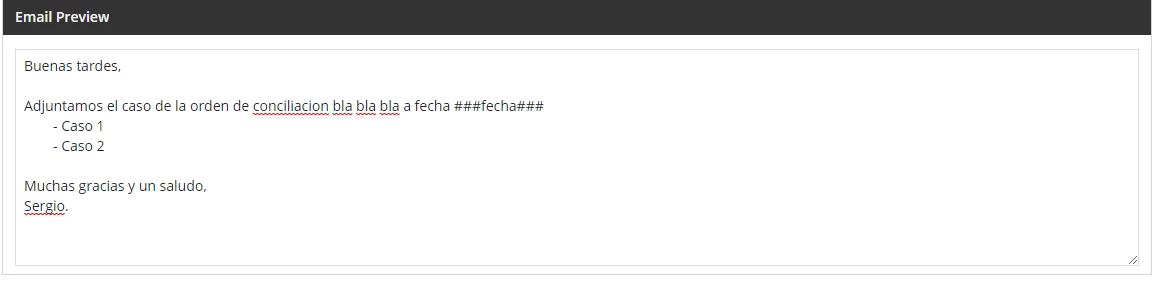
Thanks it is what I want. The only problem is that when you try to put more than one space (like tab), it dosn't show in the email. Here I show you an example:

The a!paragraphField

The email:

Thank you very much for your answer!

Sergio

mikes0011
Brainy
December 16, 2021

HTML also inherently ignores multiple consecutive spaces.  However my function above uses trim() on the input which would have the same effect.  I'd say remove the trim() command from the above code and see if that improves anything on your end (i'm not 100% sure one way or the other).  If that doesn't work, you could probably also add another character to the "replacements" list for the "space" character and replace it with the HTML equivalent, which, off the top of my head, is something like "&nbsp;" ... though you might need to look that one up to verify.

The Expression Guru