
January 10, 2025
Question

Step-By-Step # 5 - "The data source cannot be reached or its configuration is invalid. Please contact your system administrator."

  • January 10, 2025
  • 5 replies
  • 0 views

Hi all,

I am following the Appian Developer path and for Step-By-Step # 5 I encounter a problem with selecting the database for the "Vehicle" Record Type.
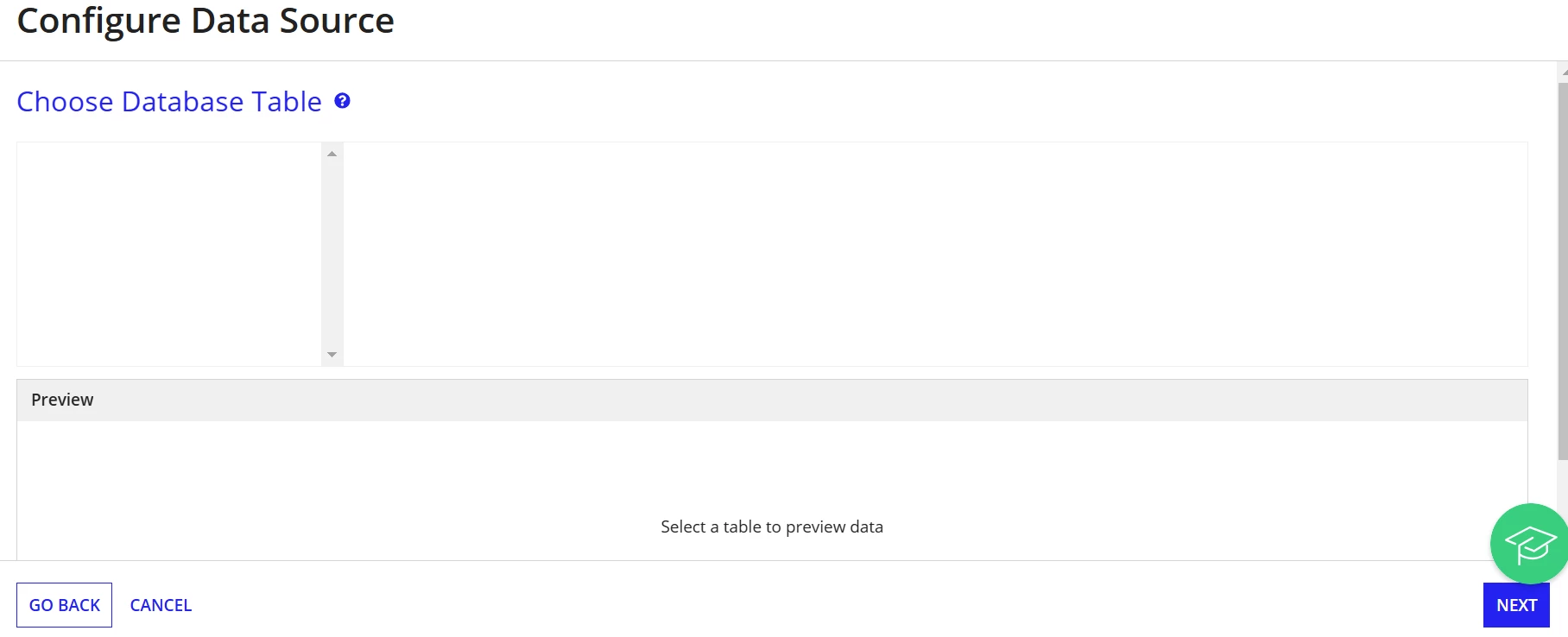
I do not see any database tables.

When I go to the reference app and want to see record type source configuration I get: "The data source cannot be reached or its configuration is invalid. Please contact your system administrator."

I am using us.appian.community edition.

Could you please let me know how to resolve this issue? thank you.

    5 replies

    hishoren
    January 10, 2025

    May be you have not configured the data sources in the admin console. Add the business database in the addmin console. If it is already added, you don't have the connection to the DB server from the Appian.

    stefanhelzle0001
    January 10, 2025

    I suggest to contact communityedition@appian.com.

    January 17, 2025

    Hello, i have the same problem, could you fix it? Thx

    karumurua531442
    January 18, 2025

    hi [mention:7e6ac76d41274a4fa3e9911c1f322a34:e9ed411860ed4f2ba0265705b8793d05]  you can reach out to communityedition@appian.com.

    samuelm599357
    June 18, 2026

    Hi, ondrejk0001, did you manage to get this sorted? I'm running into the same thing.