
ridaa9460
August 30, 2022
Solved

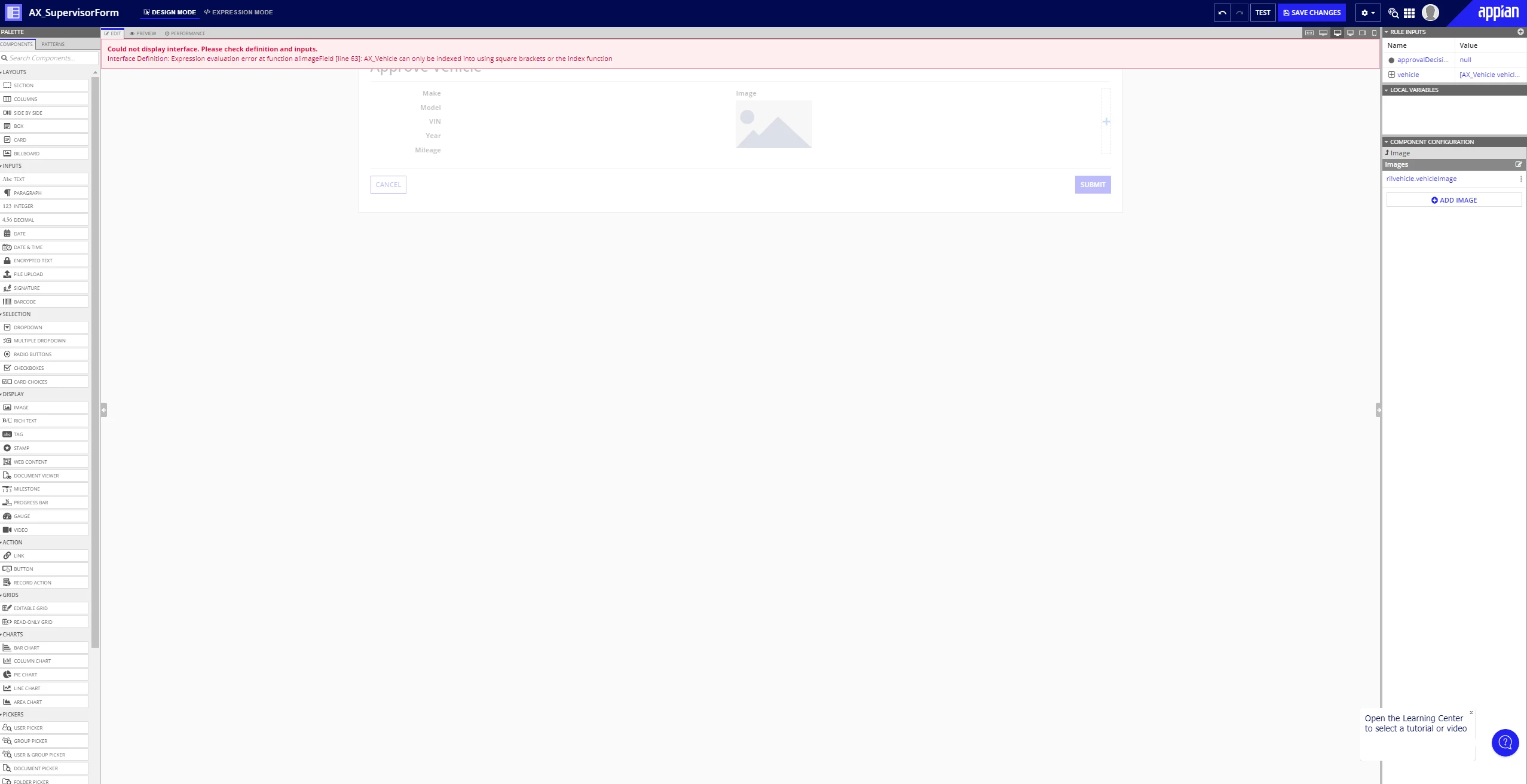
Stuck on the Approve Vehicle interface
  • August 30, 2022
  • 6 replies
  • 0 views

Hi!
I create the interface as advised in the exercise, however, after I add the image component, the error message that displays does not disappear after I test the values. I type the following expression: : rule!AX_GetVehicleByID(1), I click Set as Default Test Values, then click Test Interface. After all this the error message is still there and prevents me from moving forward. Please advise!

Thank you

Rida 

    Best answer by stefanhelzle0001

    The record type is correct. You need to change the syntax in line 68 as the error message suggests.

    6 replies

    August 30, 2022

    Could you please show us the rule code as well.

    ridaa9460
    ridaa9460Author
    August 30, 2022


    Thanks for the response, Here is the snapshot of the code, if I understood you correctly.

    stefanhelzle0001
    Brainy
    August 30, 2022

    Seems like you try to use dot-notation to access fields. If this is a record type, you need to use the other syntax as the error message implies.

    In case you selected the record type for your rule input accidentally, I suggest to change this to the CDT type.

    ridaa9460
    ridaa9460Author
    August 30, 2022

    Hi Stefan, I seem I am unsure how could the rule input be changed to CDT. The exercise advised to save the rule input into the AX Vehicle record type, I understood you correctly.

    stefanhelzle0001
    Brainy
    August 30, 2022

    The record type is correct. You need to change the syntax in line 68 as the error message suggests.