
April 28, 2022
Solved

Submit Link - functionality for cancel button

  • April 28, 2022
  • 3 replies
  • 0 views

Hi,

Can we include logic so that when we click cancel, the other local variable logic changes?
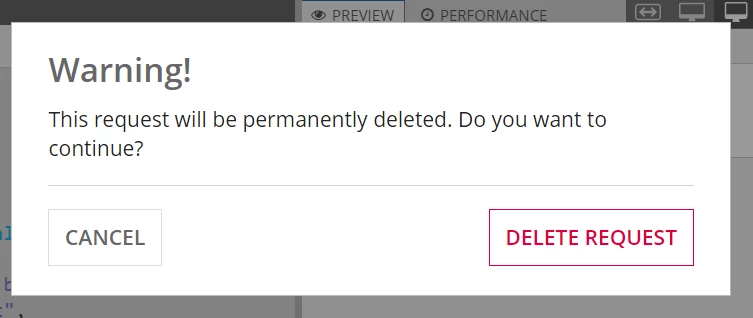
a!localVariables(
  local!val:2,
  a!linkField(
    links: {
      a!submitLink(
        label: "Delete Request",
        saveInto: a!save(local!val,local!val+1),
        confirmHeader: "Warning!",
        confirmMessage: "This request will be permanently deleted. Do you want to continue?",
        confirmButtonLabel: "Delete Request",
        confirmButtonStyle: "DESTRUCTIVE",
        cancelButtonLabel: "Cancel"
      )
    }
  )
)

Best answer by harshitb6843

No. If you're talking about the buttons on the confirmation message, then no, you cannot do it. Rather place two buttons on the screen itself? 

3 replies

harshitb6843
April 28, 2022

I didn't get the quite well but the code you have attached works well. 
Each time you click on the button, the value of the local variable increases by 1

April 28, 2022

yes [mention:ef600ff8f5d2497eb2def2126dc89484:e9ed411860ed4f2ba0265705b8793d05]

for example. when I click on cancel button it should decrease the value by 1.

I want to include both logic, when the update or cancel buttons is clicked. Is that possible using submit link?

harshitb6843
April 28, 2022

No. If you're talking about the buttons on the confirmation message, then no, you cannot do it. Rather place two buttons on the screen itself?