May 29, 2024
Question

Sync Record Smart Service how to work

  • May 29, 2024
  • 6 replies
  • 0 views

Hi 


Please tell me how to use sync record smart service.

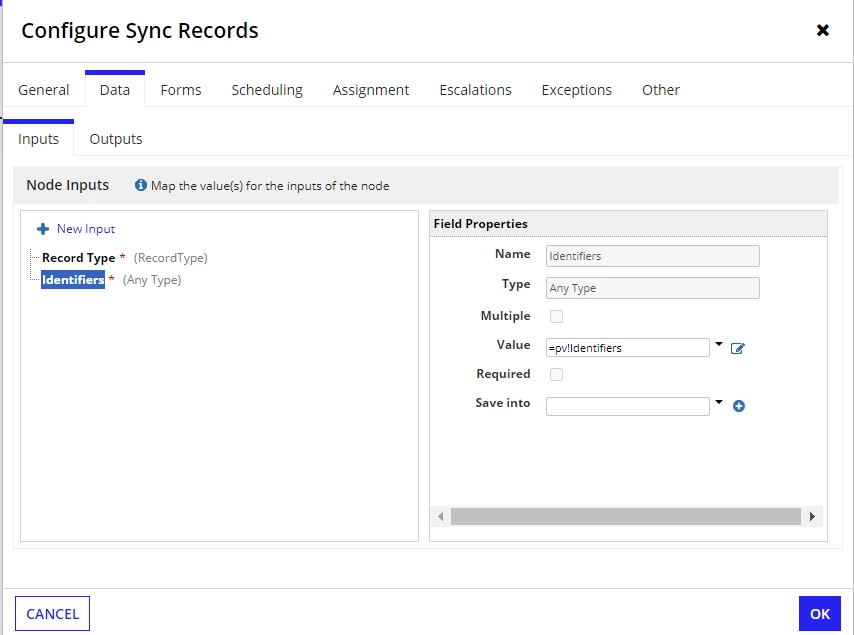
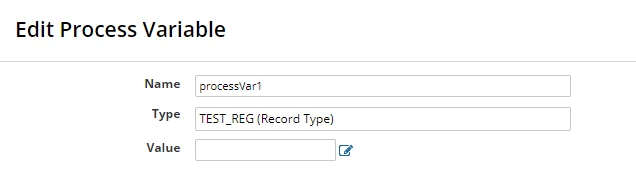
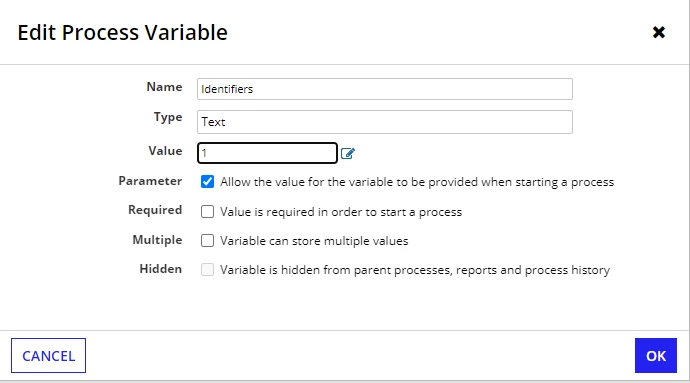
here is my configure result.
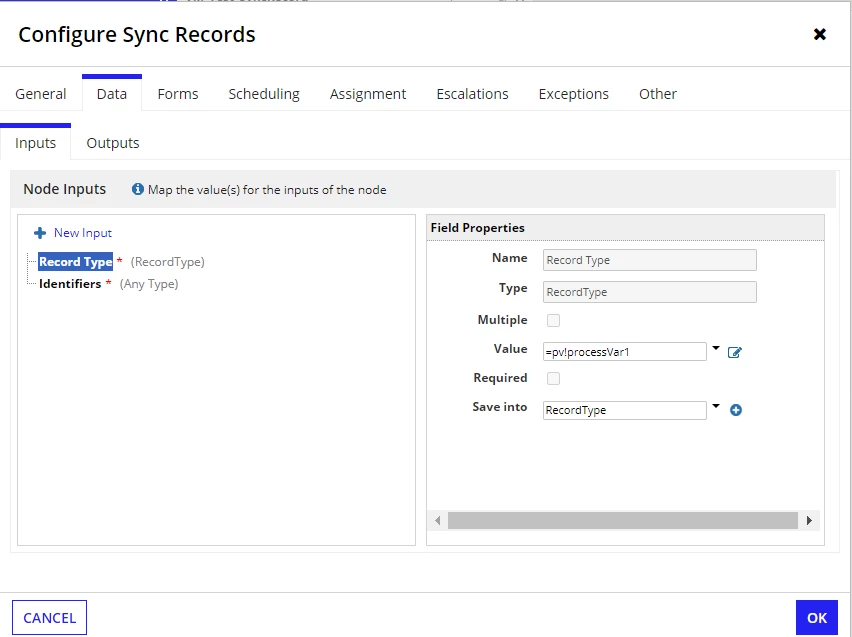
I got a error. I do not know what is causing issue

6 replies

shubhama926776
May 29, 2024

You need to use the primary key of the TEST_REG record type as the identifier.
Does '1' represent a primary key for any record?
Additionally, verify that the data type of pv!identifiers matches the data type of the TEST_REG record type's primary key.

girlc0001Author
June 1, 2024

[mention:dea33493db6342c9a73dc108d45120c0:e9ed411860ed4f2ba0265705b8793d05] 

Thanks, it worked for me

shubhama926776
June 3, 2024

[mention:4187e9f2c0404e4aa25182e3f69c4c03:e9ed411860ed4f2ba0265705b8793d05]  For future reference, could you tell us what the issue was?

stefanhelzle0001
May 29, 2024

The field "Record Type" is named like this, because it expects you to pass a reference to a record type. Use "recordtype!ABC_YourRecord" to do so.

BTW, the documentation is pretty clear on how to use this smart service.

https://docs.appian.com/suite/help/24.2/Sync_Records_Smart_Service.html

peter.lewis
Employee
June 3, 2024

Yeah agreed with Stefan - you should just pass in the record type directly. I think it's really unlikely that you would need a process variable for the record type, since you don't really need to dynamically choose the record type to sync here.

Also even though the message mentions "Invalid record type [identifer=]", this actually has nothing to do with the "identifiers" parameter, it's just saying that your record type isn't provided.