
March 29, 2025
Solved

Take out the Summary icon

  • March 29, 2025
  • 4 replies
  • 0 views

Hi there.

Is there any way to take out the "Summary" icon when I see the Summary record?
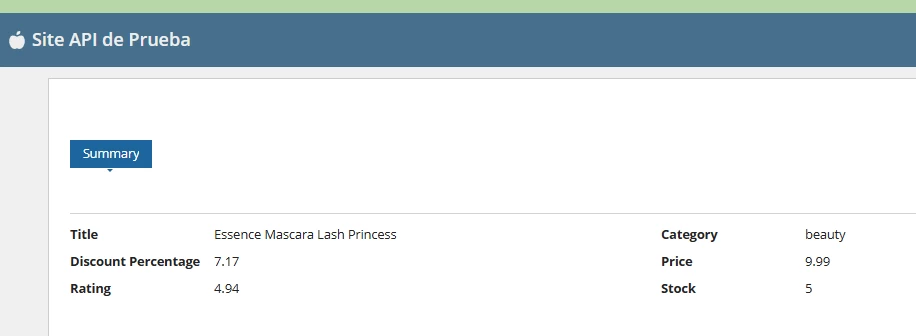
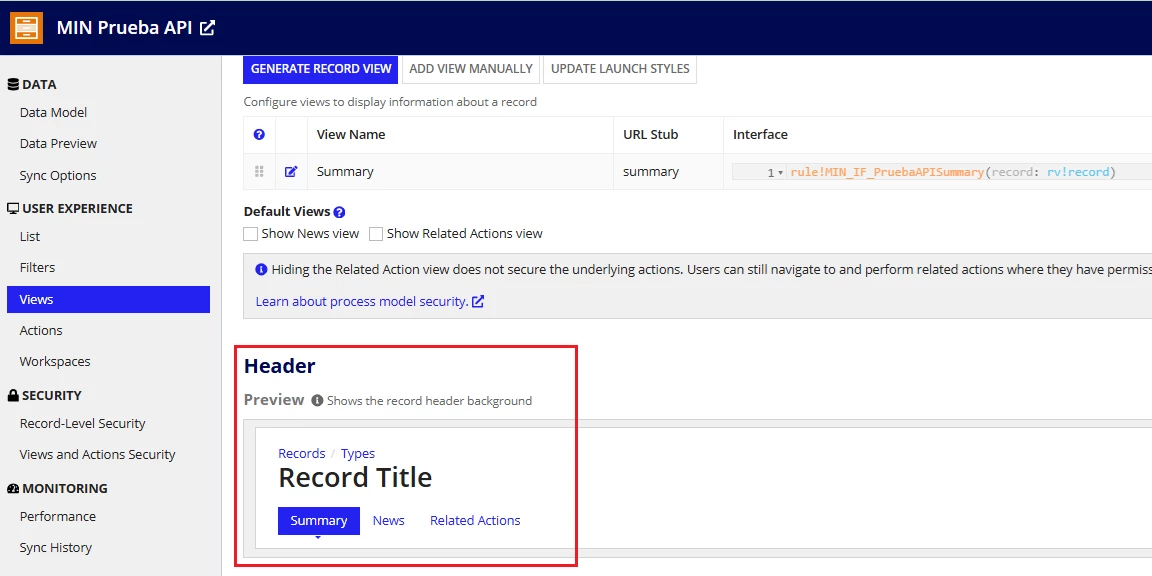
I have exploring the Views section in the Record Type but I don't know how to set this feature to remove the Header:
Thanks in advance!

    Best answer by venkatrea696188

    Sorry you can't do that when you want to use Record views, But you can rename it as you wish . If you don't want that only option is to creating your own custom design to replicate record views functionality(Providing a link and upon clicking opening a interface like a wizard ) which is lot of work and not a good approach. 

    4 replies

    venkatrea696188
    March 31, 2025

    Sorry you can't do that when you want to use Record views, But you can rename it as you wish . If you don't want that only option is to creating your own custom design to replicate record views functionality(Providing a link and upon clicking opening a interface like a wizard ) which is lot of work and not a good approach. 

    stefanhelzle0001
    March 31, 2025

    Sure. Appian 25.1 will hide the "Summary" tab when there is only a single view in the record.

    venkatrea696188
    March 31, 2025

    Thanks for correcting me , yeah just checked it https://docs.appian.com/suite/help/25.1/Appian_Release_Notes.html#cleaner-record-view-tabs [mention:8cdd6119fd07485ea8670348a7dd2045:e9ed411860ed4f2ba0265705b8793d05]  with new version you will get the desired output with certain limits

    stefanhelzle0001
    March 31, 2025

    Sure. Appian 25.1 hides that single tab if there is only one view configured.