kavyam0002
August 4, 2022
Solved

Template document
  • August 4, 2022
  • 4 replies
  • 0 views

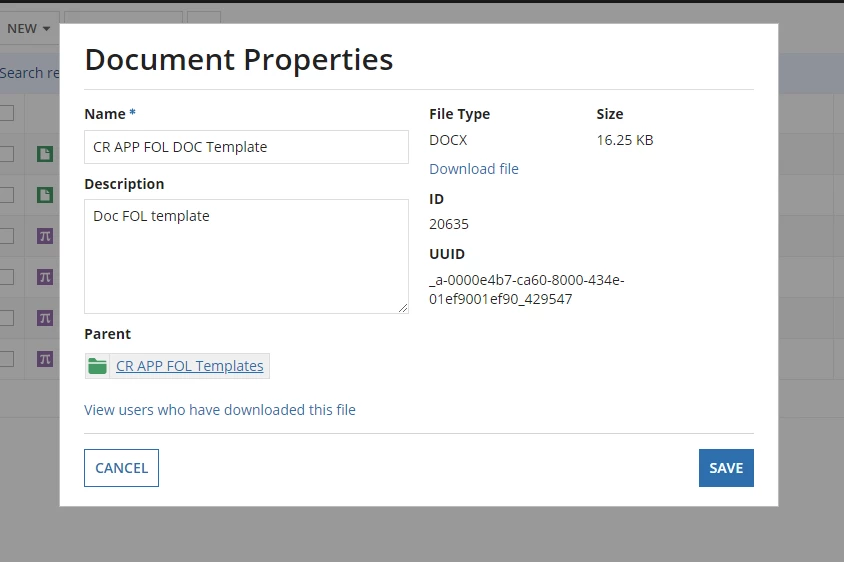
for this template i have downloaded it and made some changes to that but how can i update this template and see the changes 

here i can see only cancel and save button 

    Best answer by richardm900458

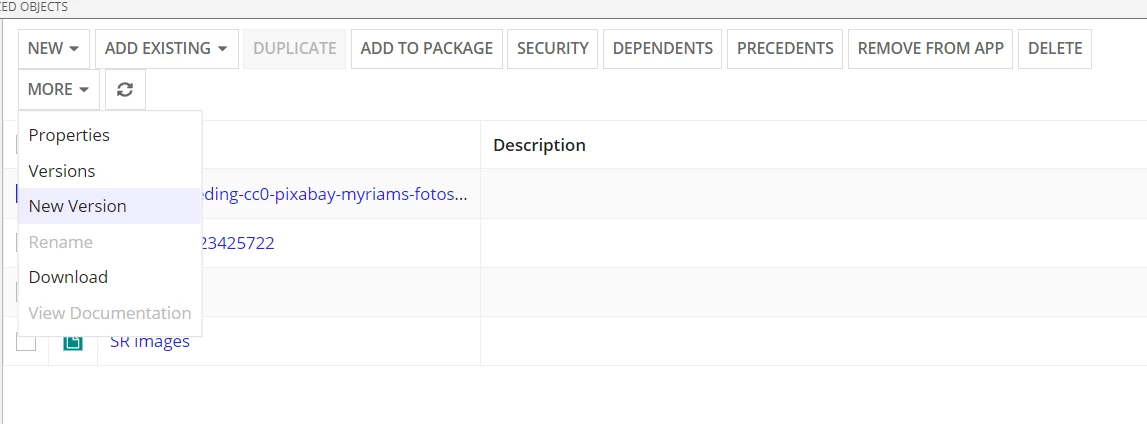
    select the document in the object view. then use the "new version" 

    4 replies

    richardm900458
    August 4, 2022

    select the document in the object view. then use the "new version" 

    August 5, 2022

    If you want to do it via code then you can use fileuploadfield and use the existing document id as the target for that component. it will create a new version of that document. If you want to do it from designer then in more we have a option to update new version of the document

    harshitb6843
    August 5, 2022

    @deepakg1538 What is the point of answering the already answered question? That too with information that might not be of any use to the OP?
    If you read the question, she asked about updating the template from the designer that Richard already answered. 

    August 7, 2022

    @Harshit I understood, she asked from the designer and i let her know about the other way out as well if she wanted to do it from the interfaces. I am sorry, if it looks weird to you. BTW, Thanks for the suggestion.