

Values not populating at Submit
Hi, I am facing a strange issue.. pls let me know if you can see where the problem is or if you need more data to answer this
feature is - when an user deletes a record in a table (noc_area) - I am trying to capture the details of noc_area to another table noc_area_audit + 3 more fields. I am triggering this inside the delete function at saveInto
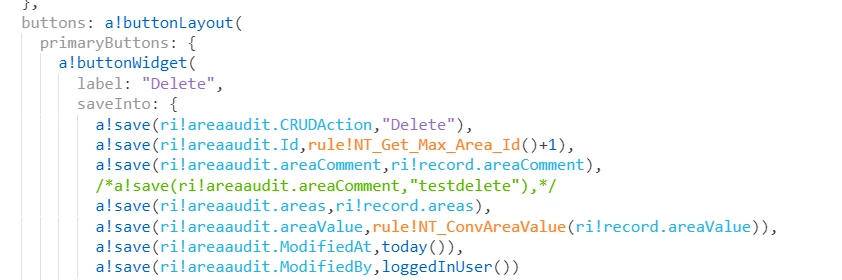
rule inputs are areaaudit and record
areaaudit is CDT
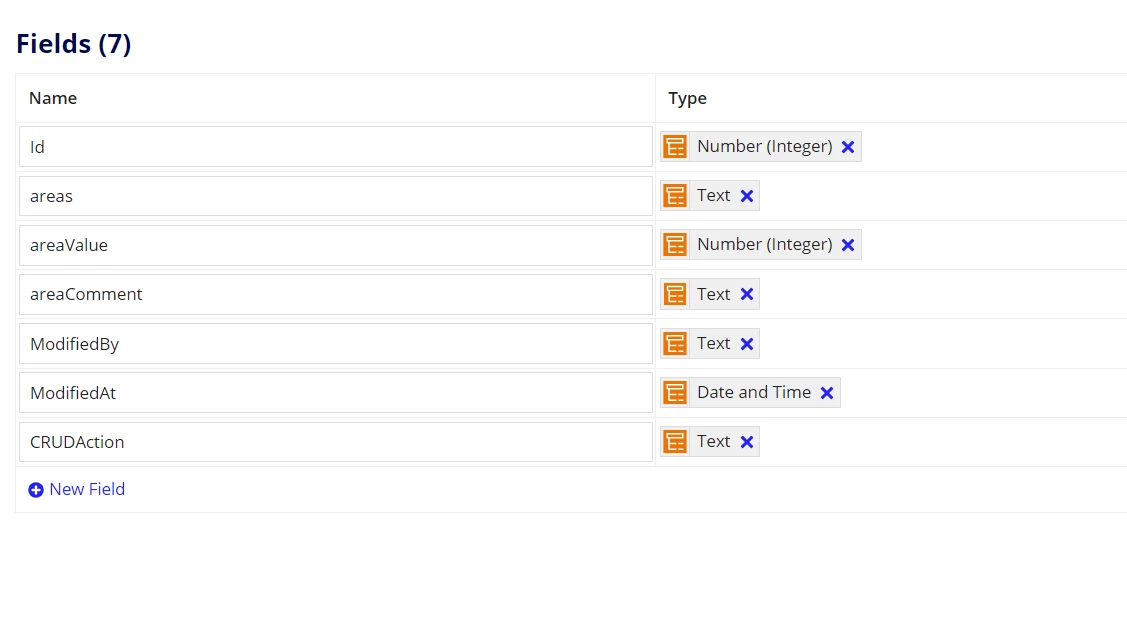
record is CDT
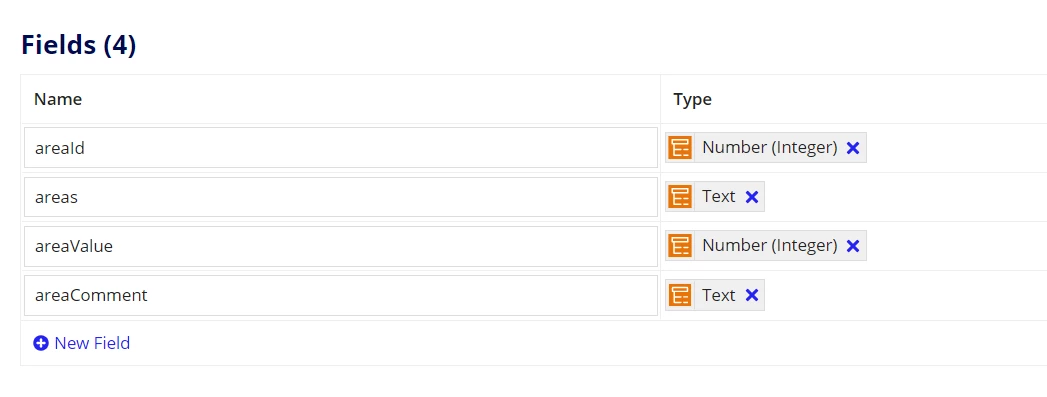
so when the user is deleting a record.. I am capturing the
1) areas (text) from record and passing it to areas (text) of areaaudit
2) areavalue (integer) from record and passing it to areavalue (integer) of areaaudit
3) areacomment (text) from record and passing it to areacomment (text) of areaaudit ------->>>>>>> not happening
and some hardcoded and system generated values to the remaining fields of areaaudit.
When I delete a specific record all values are getting successfully populated except for areacomment. It is spaces but I do have values in areacomment
For example: I have a record with the following values

I delete this record on Appian expecting all these values to be copied to areaaudit table, but the areaaudit table looks like

everything got populated correctly except Area Comment.
Let me know if you need more info.. The "Areas" field is also text - same code - and it gets successfully populated. Why not the "Area Comment" field..any help will be appreciated
thanks
jaideep