
snehalm0001
April 8, 2022
Solved

Hide a table in word Docx dynamically if creating word doc using Advanced Document Templating Smart Service

  • April 8, 2022
  • 5 replies
  • 0 views

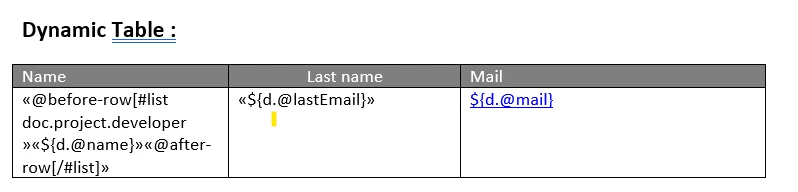
Can we hide a table along with its header dynamically in a word document if no rows are available for that table??

Best answer by mathieud0001

I found the easy way to do this was to simply calculate an additional attribute in the XML i.e. tableHasMoreThan1Row which is true or false which allowed me to conditionally show the table or not.

5 replies

mathieud0001
April 8, 2022

I found the easy way to do this was to simply calculate an additional attribute in the XML i.e. tableHasMoreThan1Row which is true or false which allowed me to conditionally show the table or not.

April 8, 2022

You can use an "if..else" statement to hide or show your table based on an attribute. The structure of the "if..else" statement should be like this: 

     [#if doc.d.showTable=='true']

            show the table
     
      [#else]
           
            hide the table
     
      [/#if].

snehalm0001
April 8, 2022

tried this one but it is giving syntax error, I am trying to compare it with a string value "N/A"

April 8, 2022

You can't compare string values. It has to be boolean or number.
