May 18, 2021
Solved

Importing Data from Excel to DB

  • May 18, 2021
  • 3 replies
  • 0 views

Hi All,

I am trying to read excel data using readExcelSheet() function to read and transform the data into cdt type to right it into DB. With less data its working perfectly fine but when the amount of data increases server goes down while reading the data itself.

I tried using Import Excel to DB smart service but it seems to have so many limitations. Is there any way possible to read the data and store it in DB.

Note:

File have 385 columns which are mandatorily to be stored.

File size is from 38-100MB.

Best answer by ranjiths0003

Hi Gaurav,

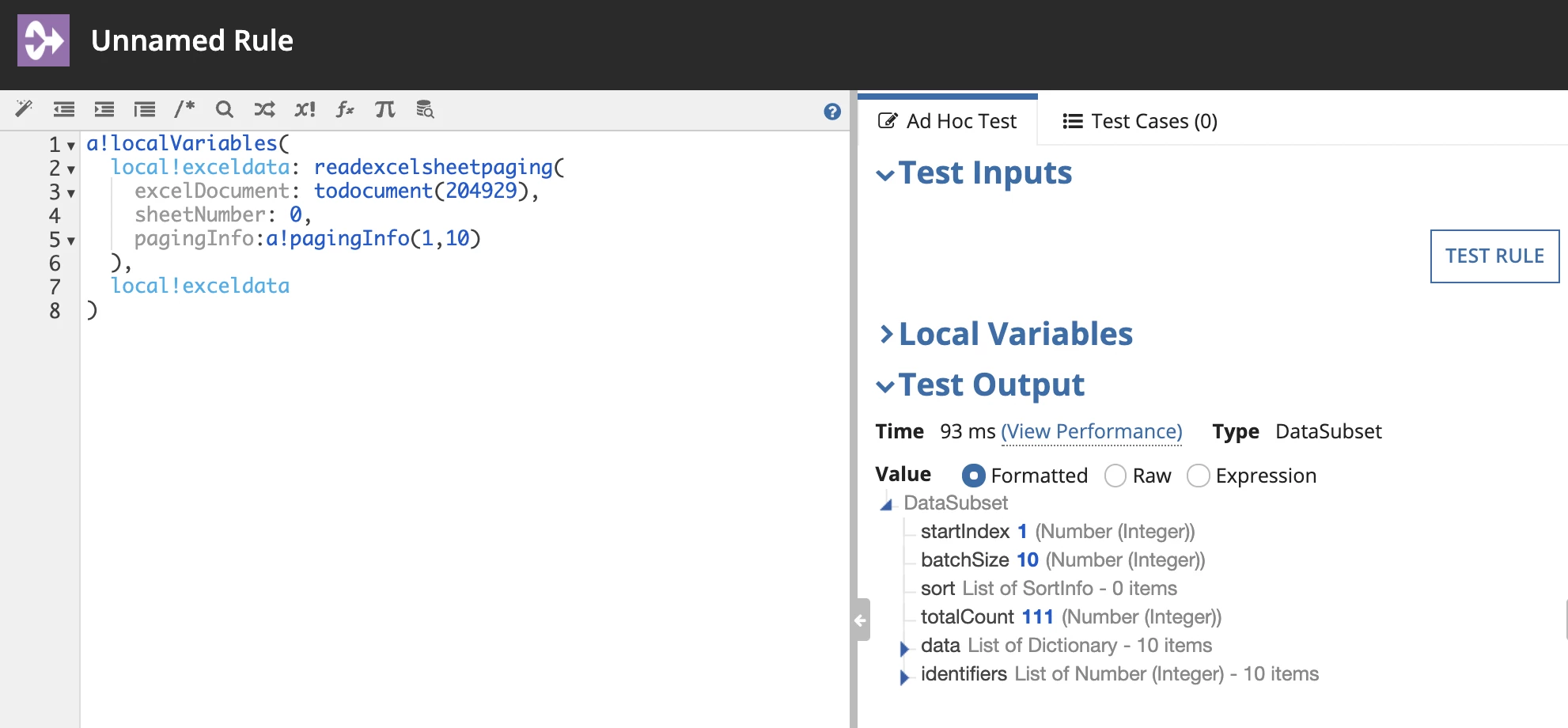
readexcelsheetpaging only returns datasubset and also there is no startrow parameter in this function.

you need to index data only not the result and it will return a list of Dictionary.

please find an image below for reference.


3 replies

ranjiths0003
May 18, 2021

Hi Gaurav,

readExcelSheet() is DEPRECATED in Excel Tool v2.2.13

there is new function called  readexcelsheetpaging(excelDocument, sheetNumber, pagingInfo, numberOfColumns, password, stopReadingAtFirstBlankRow).

this function return totalCount you can implement pagination over this function based on total count.

May 18, 2021

Hi Ranjith,

Tried using the same, but its causing the server crash. The way it used to happen in EUC, any workaround..?

Also not sure why getting this error 

while using below code snippet.

ranjiths0003
May 18, 2021

Hi Gaurav,

readexcelsheetpaging only returns datasubset and also there is no startrow parameter in this function.

you need to index data only not the result and it will return a list of Dictionary.

please find an image below for reference.