June 19, 2023
Solved

Merge PDF

  • June 19, 2023
  • 6 replies
  • 0 views

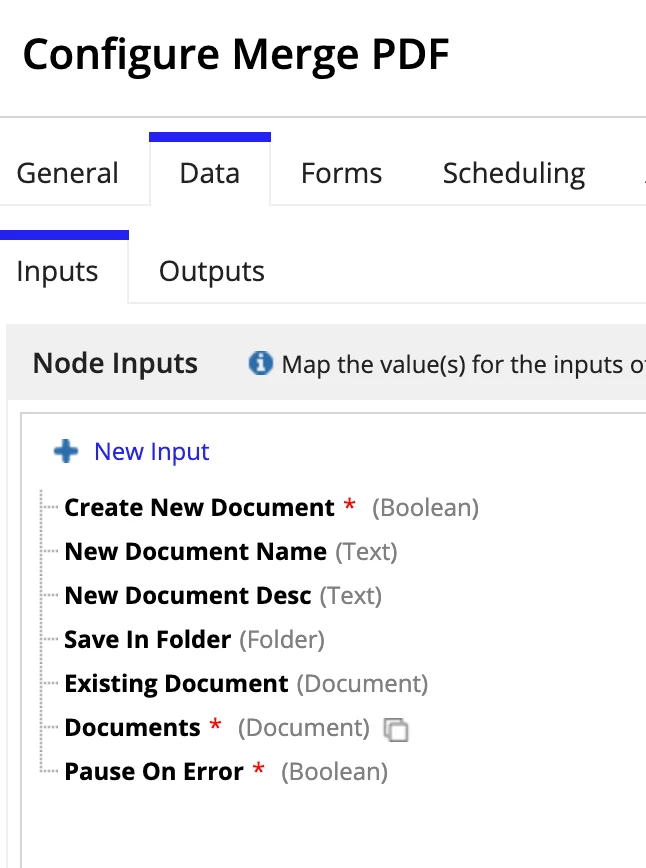
Hello, Im using the Smart Service Merge PDF and Im trying to use a record were I saved the documents (CO Documents).

Im having trouble to put the existing document and Documents. Can someone help me?

    Best answer by mathieud0001

    Simply get the document ids from the database and use todocument to convert the documentIds to documents and pass the list in the "Documents" node input.

    todocument({ 1, 2, 3, 4 })

    6 replies

    stefanhelzle0001
    June 19, 2023

    Can you elaborate in more detail on what you want to achieve?

    June 19, 2023

    I have a record (CO Documents) where i stored all of the clients documents and with the merge pdf I want to merge the same one.

    For example, Client 1 have his ID one document of the front and one of the back and i need to put those to documents into one

    mathieud0001
    June 19, 2023

    Simply get the document ids from the database and use todocument to convert the documentIds to documents and pass the list in the "Documents" node input.

    todocument({ 1, 2, 3, 4 })

    August 10, 2024

    If you want to merge your PDF files then you can use the OSTtoPSAPP PDF Merge Tool. It provides you with various functions that include it can merge one or more PDF documents easily and quickly. This application provides you with a user-friendly interface and works without Adobe Reader. It maintains the file's integrity and provides a free trial version.

    aidens0845
    August 13, 2024

    To merge PDFs you must need a solution for maintaining the integrity of the PDF files while merging them. If you want to try a tool that is trusted then you can use the Pcinfotools PDF Merge Tool, a well-known and professional tool. It can merge PDF files without taking much time. This app can merge PDF files regardless of their size and is a light tool that can store space in MBs on your device.

    March 30, 2026

    When you are using a record like CO Documents you usually need to make sure you are passing the actual document file reference and not just the record itself sometimes it helps to loop through the record and extract each document field properly before sending it into the merge action

    Also double check the mapping between existing document and documents fields because they expect specific inputs and mismatching types can cause issues

    If you just want to quickly test whether your files are correct you can try merging them manually using Free Merge Pdf Tool Online just to confirm everything is in place before wiring it back into your flow