
May 2, 2026
Solved

PDF From DOCX Not Preserving Line Breaks from Dynamic Paragraph Text

  • May 2, 2026
  • 5 replies
  • 0 views

Hi Everyone,

I’m facing an issue while generating a PDF from a dynamically generated Word document.

Requirement:

  • Capture multi-line text from an Appian UI Paragraph Field
  • Populate it into a DOCX template using DOCX From Dynamic Template
  • Convert the generated DOCX to PDF using PDF From DOCX
  • Both smart services are from the Advanced Document Templating plugin

Issue:

  • The DOCX file is generated correctly and preserves all line breaks as expected.
  • However, when converting the DOCX to PDF, the line breaks are not rendered in the PDF output.

What I’ve tried so far:

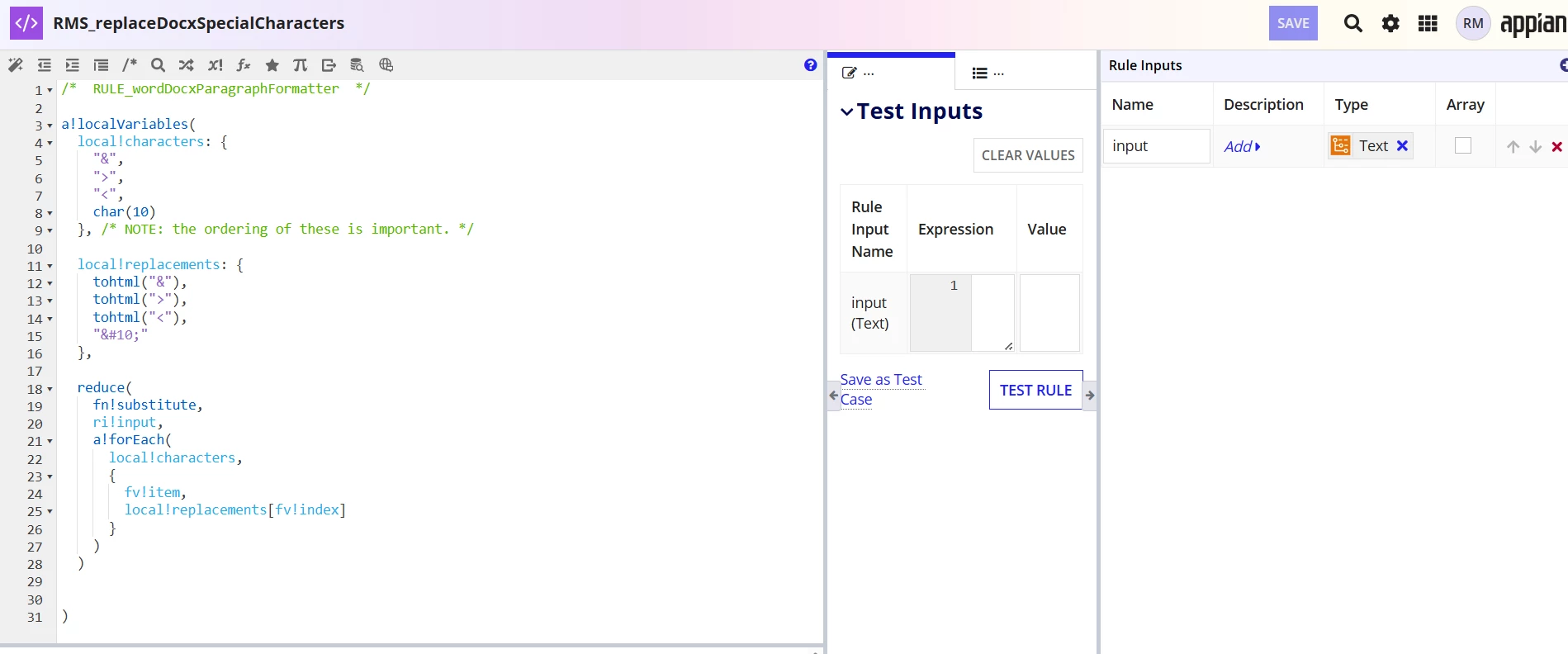
  • Replacing char(10) with the XML equivalent 

  • Tested multiple variations, but the issue still persists
  • Implemented solutions suggested in the references below

(Links referenced below)
Link 1: https://community.appian.com/discussions/f/plug-ins/28870/line-break-docx-from-dynamic-template
Link 2: https://community.appian.com/discussions/f/plug-ins/28812/next-line-not-working-when-converting-from-docx-to-pdf
Link 3: https://community.appian.com/discussions/f/general/8837/rendering-line-breaks-in-pdf

Has anyone faced a similar issue or found a reliable way to preserve line breaks when converting DOCX to PDF using this plugin?

Any help or guidance would be greatly appreciated.

Thanks in advance!
Best answer by rajeshm997371

[mention:65b14048184a4eb5aff3a76c87b97431:e9ed411860ed4f2ba0265705b8793d05] Thanks for the suggestion, unfortunately we don't have option to revert as the plugin with higher version (3.x) has been installed first.

However, I'm able to fix the issue using new smart service "DOCX From Dynamic HTML" available in latest version.

Steps followed:

  1. Generate a word DOCX document using DOCX From Dynamic HTML instead of DOCX From Dynamic Template
  2. Convert to PDF using PDF from DOCX smart service

5 replies

harshas2775
May 5, 2026

We have faced the same issue recently after updating Advanced Document Templating from version 1.1.0 to 3.2.0. As per investigation the latest plugin version has some issues and is affecting the font styling as well as formatting of pdf while docx is as per expectation. Reverting it back to the 1.x.x version resolved it. Try doing the same and check.

rajeshm997371AuthorAnswer
May 5, 2026

[mention:65b14048184a4eb5aff3a76c87b97431:e9ed411860ed4f2ba0265705b8793d05] Thanks for the suggestion, unfortunately we don't have option to revert as the plugin with higher version (3.x) has been installed first.

However, I'm able to fix the issue using new smart service "DOCX From Dynamic HTML" available in latest version.

Steps followed:

  1. Generate a word DOCX document using DOCX From Dynamic HTML instead of DOCX From Dynamic Template
  2. Convert to PDF using PDF from DOCX smart service
harshas2775
May 5, 2026

Great! Good to know

June 13, 2026

This is a classic problem with dynamic document generation, especially when dealing with line breaks. It sounds like the DOCX to PDF converter within the Advanced Document Templating plugin might be interpreting the line break character differently than how the DOCX itself renders it. Have you tried using a different method for populating the DOCX, perhaps one that specifically handles rich text or markdown? Sometimes the issue lies in how the initial data is formatted before it even hits the DOCX template. It reminds me of the unpredictable physics in Ragdoll Archers ; sometimes the simplest actions have unexpected outcomes. Exploring alternative character encodings beyond just XML entities could also be a path.