
August 11, 2024
Solved

Problem with dumping data into database using import excel smart service

  • August 11, 2024
  • 6 replies
  • 0 views

I am having same field names in database table as well as in my excel file. Also configured it in data store correctly. But while using import excel smart service to dump data, even after providing same table name as database table, data source name- "jdbc/Appian", and excel document having similar fields, there is no error populating but I cannot see my data in my database, nothing's happing there. 
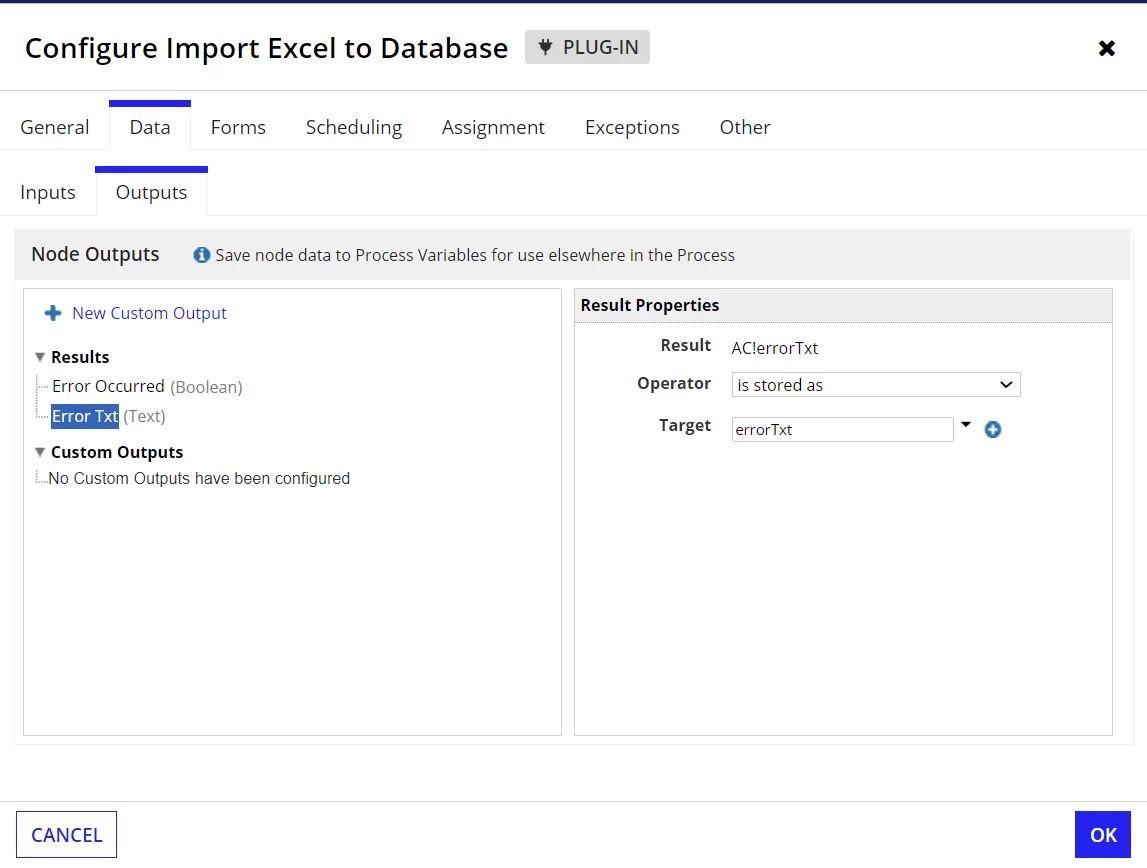
    Best answer by yogip3177

    Have you configured the 'Error Occurred' and 'Error Txt' fields in Result? If not, configure these fields to check errors if any.

    6 replies

    August 12, 2024
    If you are still facing the same issue, share the following:
    • Database table name
    • Import Excel to Database smart service configuration(Database Field Name, etc.)
    • Sample Excel file
    Without all these details, it is difficult to help.
    prasantap0900
    August 12, 2024

    As per [mention:c3d4bf332aba4695885fdc0e0110ec6e:e9ed411860ed4f2ba0265705b8793d05] , it is difficult to tell without those details, but last time I have seen same problem in community, and they have said that the reason can be for the naming convention like your excel table name in "upper case" but database table name in "camel case". I am not sure, but you can check with those. 

    August 13, 2024

    Thanks a lot for sharing. I tried but didn't help