
June 20, 2025
Question

SFTP Connection Error - Auth fail for methods 'publickey,password'

  • June 20, 2025
  • 2 replies
  • 0 views

HI Team,

We are trying to connect SFTP to Appian Server using the SFTP Smart service, We are getting the error - "  Auth fail for methods 'publickey,password' "
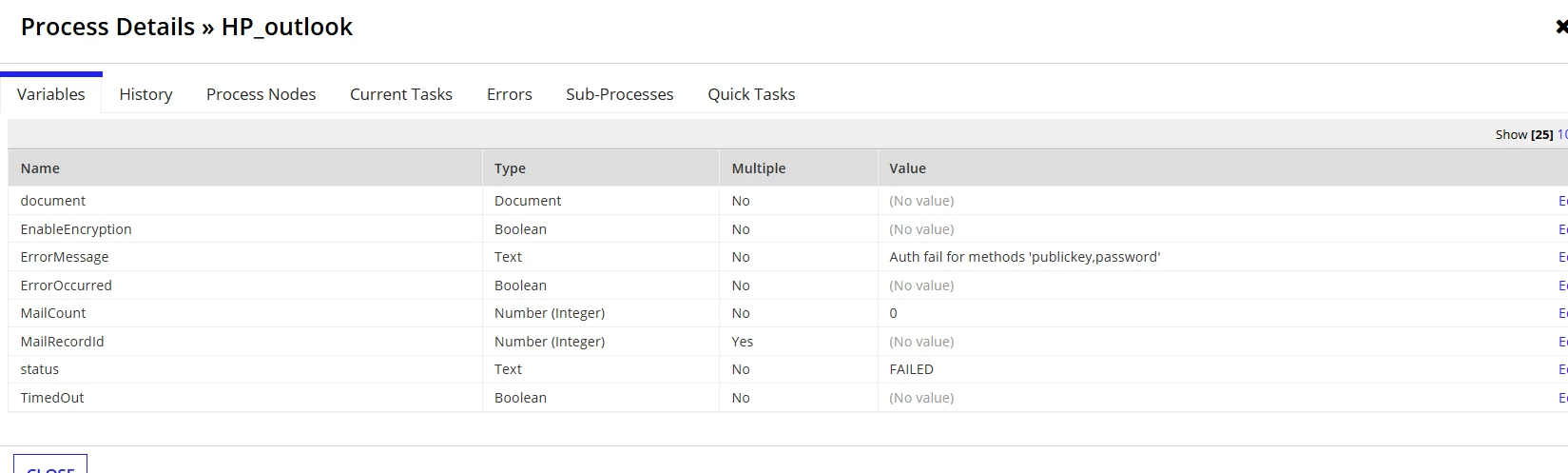
We are providing all the required configration mention below.

'type!{plugins.ps.appiancorp.com/.../}FT_Config'(
serverHostName: "hostname",
serverPort: 22,
scsExternalSystemKey: "key",
privateKeyFile: private key ,
usePerUserCredentials: false(),
)

Plugin Verions - 4.1.0

We have tried multiple times to connect using ppk , pem files , still we are getting the Auth fail issue.

Help us with some guidance , if anyone gonne throught this.

2 replies

June 24, 2025

We’ve encountered this issue before, and in our case, it was caused by an unintended space in the passkey configured in the Admin Console. Make sure that the scsExternalSystemKey is linked to a valid Third-Party Credentials entry with the correct username and passphrase, and double-check for any extra spaces or formatting issues. If the issue persists, verify that your SSH key uses a supported and modern algorithm such as rsa-sha2-256, rsa-sha2-512, or ed25519, as older algorithms like ssh-rsa may no longer be supported. For deeper troubleshooting, enable DEBUG logging by adding log4j.logger.com.botw.cmpo.plugins.sftp=DEBUG to the appian_log4j.properties file. This can provide more insight into the root cause of the authentication failure.

harshk1671
June 24, 2025

Double check the key names are correct as per expected by external system in the admin console.