
August 1, 2024
Question

SFTP Send File "No such File" error

  • August 1, 2024
  • 3 replies
  • 1 view

Good Day

I am trying to send a csv file from Appian to an external sftp server.

I have setup the username and password in the 3rd Party Credentials and I added the plug-in to the allowed Plug-In list.

In my configuration of the SFTP object: i have the following for file transfer configs:
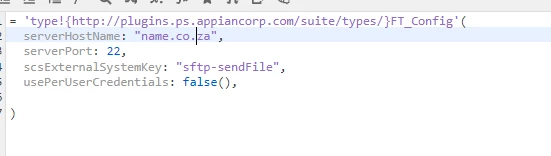
where server host name refers to the actual server name.

Remote host path: 

Document to Send : pv!stockData   ( where pv!stockData is of type document and is an output from the Export Data Entity to CSV :
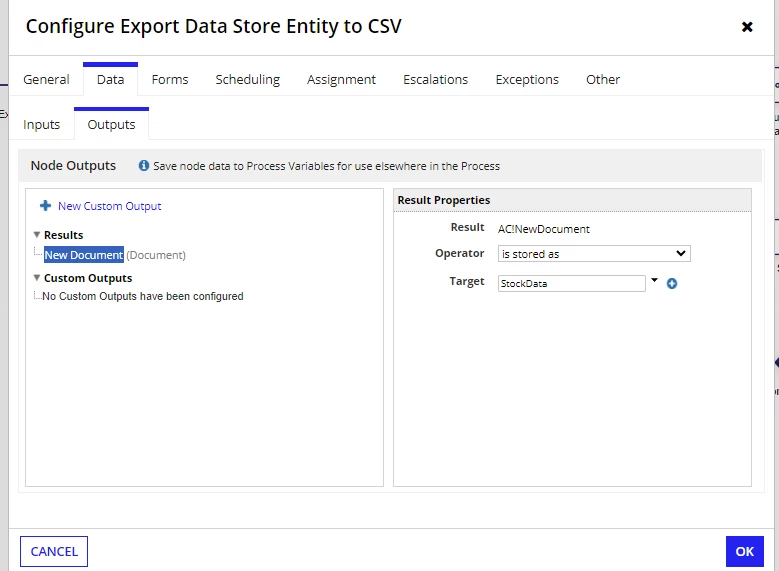
Process model runs but I am receiving : FAILED and the error is "No Such File"

Please advise what I have done incorrectly.

Thanks

    3 replies

    August 1, 2024

    It seems configuration issue. The Remote Path should not include the hostname. 

    Ex.
    =pv!targetFolder & document(pv!stockData, "name") & "." & document(pv!stockData, "extension")

    Here, pv!targetFolder is the folder on the remote host where need to upload files. Ex. /inbox/employeedata/

    mikes0011
    Brainy
    August 1, 2024
    The Remote Path should not include the hostname. 

    agreed - it should only include the path.  Also, it seems like the leading "/" is optional.

    August 2, 2024

    Thank you [mention:c3d4bf332aba4695885fdc0e0110ec6e:e9ed411860ed4f2ba0265705b8793d05]  and [mention:b45a4f6a20b14a008e4e0ec732a8bf98:e9ed411860ed4f2ba0265705b8793d05] 

    I have removed the hostname from  the Remote Path and it now works