

marcot0005
January 24, 2022
Question

using JSONpath in a query

  • January 24, 2022
  • 15 replies
  • 0 views

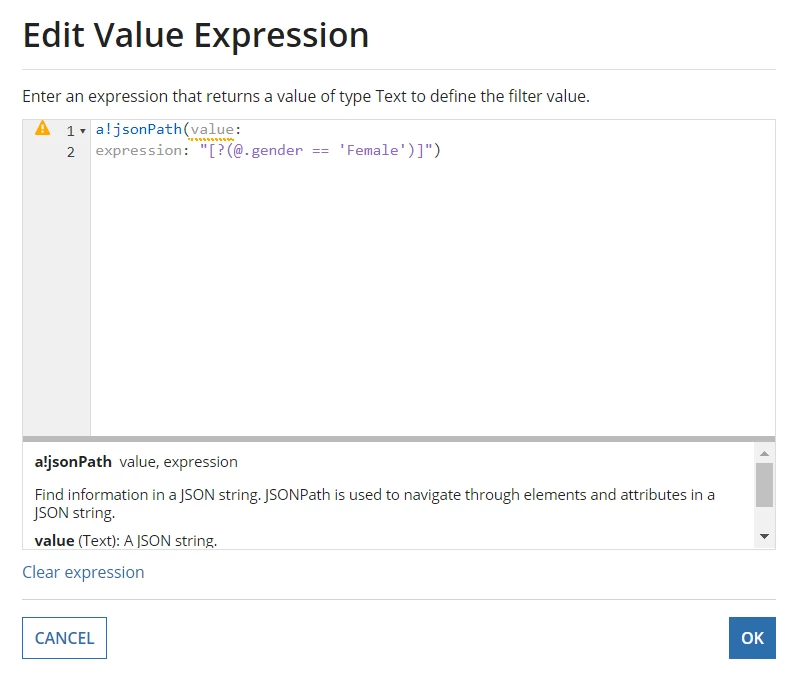
I have a setup where a particular column of a table contains a JSON object that I need to search through. I basically want to go through each row in that table and use JSONpath to filter out results, but I am unsure how to apply that to an appian query of the data. I figure I use JSONpath as an expression in a filter, something like the image below, but I don't know what I would enter for the required 'value' parameter. Is there something like fv!item which is used in foreach loops, but used in query filters that I can use here? Otherwise, if I am going about this all wrong, can someone explain how to use jsonpath within an appian query so I don't have to do something like query everything and filter it afterwards with JSONpath? 
15 replies

mikes0011
Brainy
January 24, 2022

I don't believe query filters can make use of jsonPath whatsoever.  Wouldn't it generally be sufficient to use an "includes" filter for the json attribute, i.e. where the json column includes `"gender":"female"` ?

marcot0005
January 24, 2022

I suppose that's one way to do it. I was just being told to make use of JSONpath as a possibly more performant solution. But if it won't work, it won't work. 

stewart.burchell
January 24, 2022

Could your initial query ONLY return the JSON column and the Primary Key (and any other applicable selection criteria that will work with standard filters) , and then you filter out those rows that don't match your JSONpath expression, and then make a second query to get all of the other data you need? (yes, it's two separate queries, but might perform better than fetching the full length and breadth of the table and then filtering locally)

marcot0005
January 24, 2022

The table only contains 2 fields at the moment: a primary key and a json object, so that's not necessary.

The problem is I can't seem to apply jsonpath without getting everything first and once I hit around 3,000 rows, I run out of memory. 

stewart.burchell
January 25, 2022

A possible alternative, depending on the database you're working with, is that the DB might support JSON functions and you could use that to conduct the relevant filtering. That would mean you calling a Stored Procedure and either designing it in such a way as to be generic to support any type of query, or having one Stored Proc per concrete query type you know it needs to support. But, as I said, entirely dependent upon your DB's support for JSON functions.