
April 5, 2023
Question

Appian Step-by-Step #10 Exercise

  • April 5, 2023
  • 11 replies
  • 0 views

Hello, I'm new to Appian and I'm facing an issue with Exercise 10,

I have completed all the Add New Vehicle process model successfully, except for the cancel condition because as shown below, I couldn't assign a value to the rule input cancel .. even though I have assigned it successfully in the Add New Vehicle Interface.
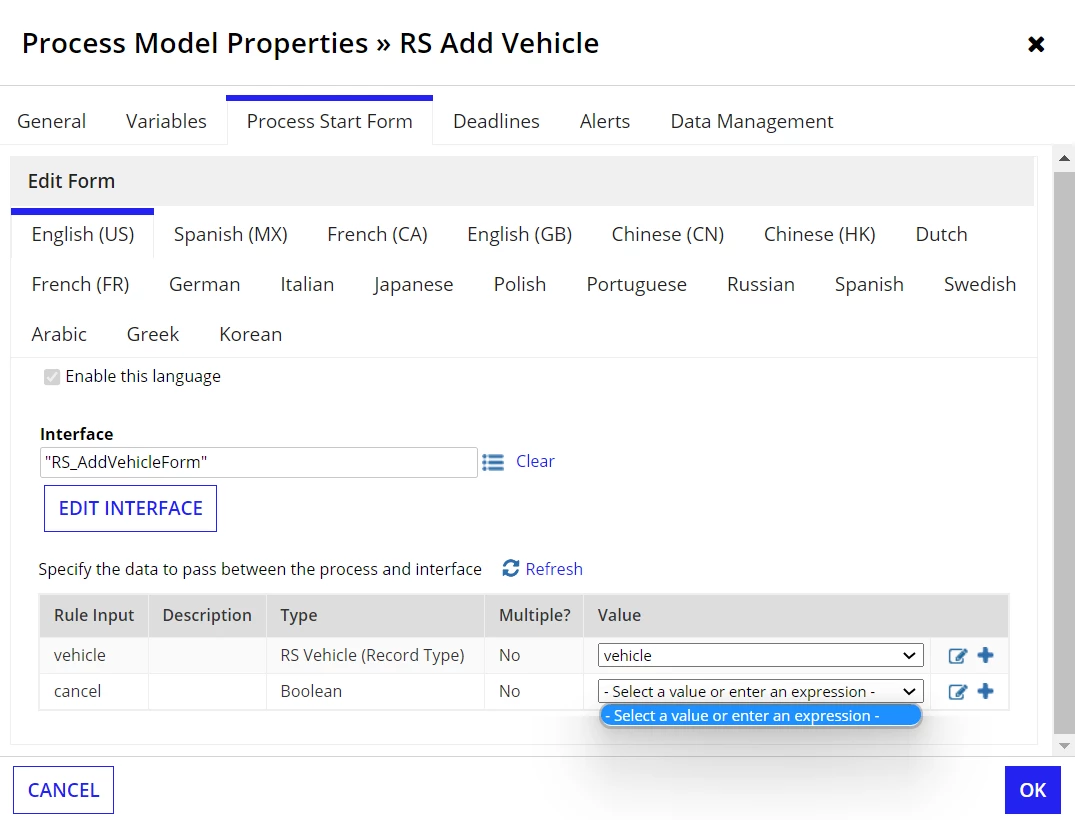

Please let me know if I can do anything else to fix it.

Thanks in advance!

11 replies

stefanhelzle0001
Brainy
April 5, 2023

You will need to create a node-local variable. Just click the + right hand side.

This might help: https://www.youtube.com/watch?v=fofrLNviRTA

April 5, 2023

I have tried the + icon to add the value but, it says : 

"A variable with the name cancel already exists."

April 5, 2023

You should be able to click the expression button next to the plus button, and find the cancel process variable in the process variables section on the left.  When you select that, it should then insert pv!cancel in the expression editor area.