
Solved
Attachments not moving to folder
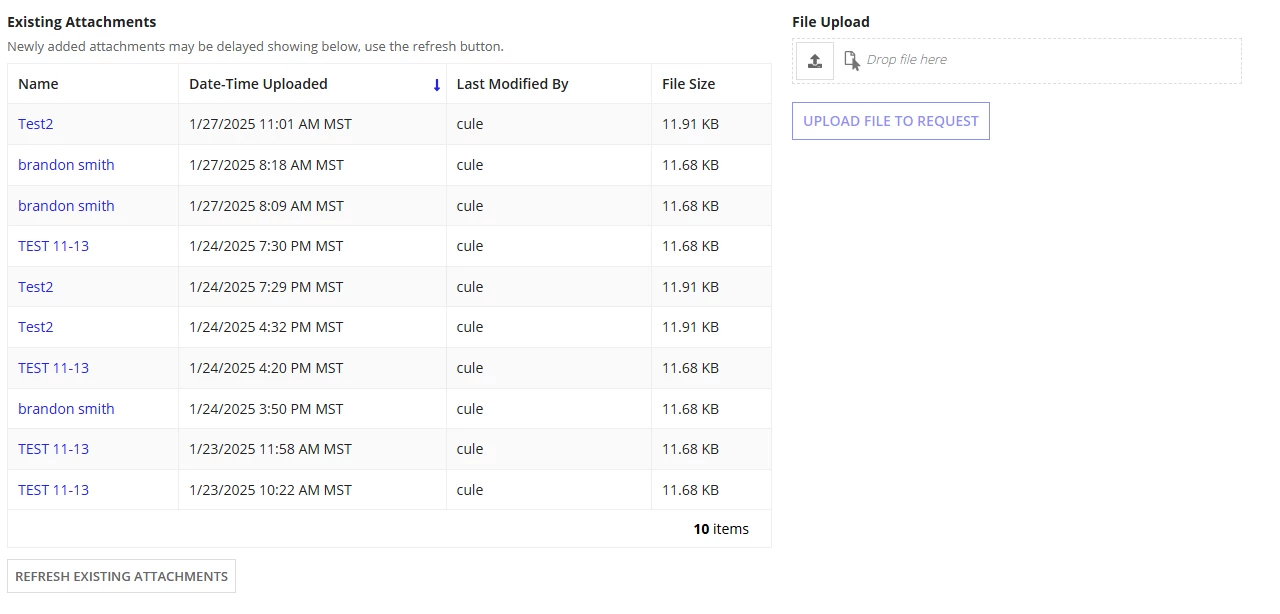
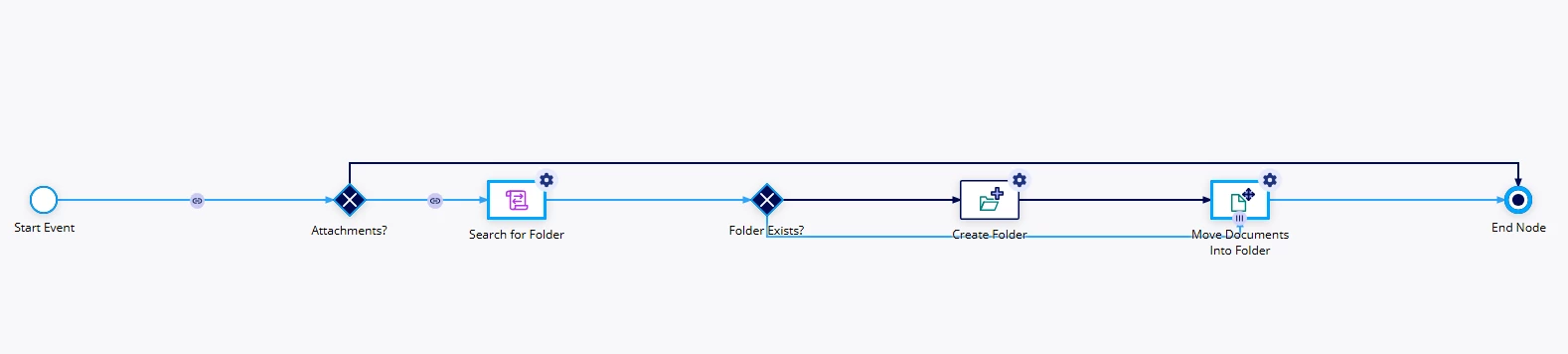
I have an interface tied to a process model via a!startprocess on the "Upload File to Request" button. In designer mode, this process works normally and moves it to the folder as expected. It does not work when I am on the site.
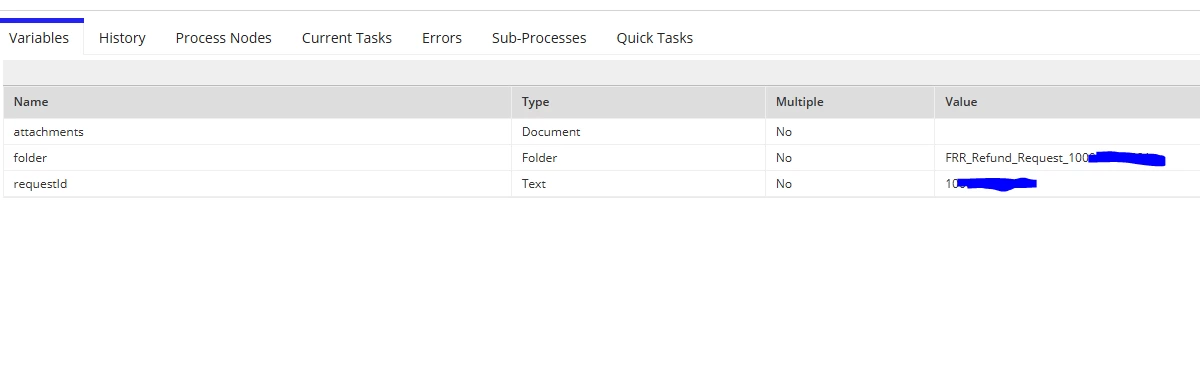
The file uploaded is saved to the ri!attachments. Everything but the attachments seem to be written to the process variables. Even with requests without folders, it creates a folder and does not move it there. Any guidance would be much appreciated. Thank you so much.
a!columnLayout(
            contents: {
              a!fileUploadField(
                label: "File Upload",
                labelPosition: "ABOVE",
                target: cons!FRR_FOLDER_RECORD_ATTACHMENTS,
                maxSelections: 1,
                value: ri!attachments,
                saveInto: ri!attachments,
                disabled: if(local!readonly = true, true, false),
                buttonDisplay: "ICON",
                buttonSize: "STANDARD"
              ),
              a!buttonArrayLayout(
                buttons: {
                  a!buttonWidget(
                    label: "Upload File to Request",
                    value: ri!attachments,
                    saveInto: a!startProcess(
                      processModel: cons!FRR_PM_ADD_ATTACHMENTS,
                      processParameters: {
                        attachments: ri!attachments,
                        requestId: ri!requestId
                      },
                      isSynchronous: false()
                    ),
                    submit: true,
                    style: "OUTLINE",
                    disabled: or(
                      if(local!readonly = true, true, false),
                      a!isNullOrEmpty(ri!attachments)
                    )
                  )
                },
                align: "START",
                marginAbove: "LESS"
              )
            }
          )