manjit.1486
January 19, 2024
Question

Convert HTML to CSV smart service(Set row 1 in csv)

  • January 19, 2024
  • 12 replies
  • 0 views

Hi there!

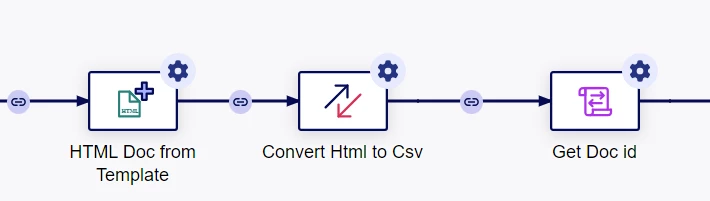
I am using this process.


When CSv file is generated, it starts from row number 2. Can anyone please guide me how to set row 1?




12 replies

manjit.1486
January 22, 2024

 [mention:126a676c85024855948336691b0a7b92:e9ed411860ed4f2ba0265705b8793d05] Please suggest.
I am using this html.

<HTML>
<BODY>

<section><table name="department" width="100%">
<tr>
<td><label> <b> Name </b> </label> </td>
<td><label> <b> date </b> </label> </td>
<td><label> <b> Side </b> </label></td>
<td><label> <b> Quantity </b> </label></td>
<td><label> <b> Address </b> </label> </td>
<td><label> <b> Account </b> </label> </td>
</tr>
###deprt_body###
</table></section>

</BODY>
</HTML>

jayaprakashr0001
January 22, 2024

 [mention:734d485eba7242aeab9bb03aafa409b0:e9ed411860ed4f2ba0265705b8793d05]  the fields Name, date, Side  etc  are they headers if yes. Use the <th> html tag. 

I think it will solve your issue

manjit.1486
January 22, 2024

Thanks for your suggestion. It worked. Great, thanks

harshitb6843
January 22, 2024

 [mention:734d485eba7242aeab9bb03aafa409b0:e9ed411860ed4f2ba0265705b8793d05] 

I just tried with the below HTML and it rendered perfect for me. 


HTML Table

Company Contact Country
Alfreds Futterkiste Maria Anders Germany
Centro comercial Moctezuma Francisco Chang Mexico
Ernst Handel Roland Mendel Austria
Island Trading Helen Bennett UK
Laughing Bacchus Winecellars Yoshi Tannamuri Canada
Magazzini Alimentari Riuniti Giovanni Rovelli Italy
 

Try replacing all the <td> with <th> in your HTML template and should work. This is also what JayaPrakash suggested

manjit.1486
January 22, 2024

Yes, it worked for me as well. Thanks for your time.

stefanhelzle0001
January 22, 2024

Why do you create a HTML just to convert it to a CSV?

manjit.1486
January 22, 2024

Because I need csv file on demand - in this case I need to fetch data from process variables not from database table. That's why I am using convert HTMl to CSV smart service.

stefanhelzle0001
January 22, 2024

OK, but using the "Text Document from Template" smart service, you can easily create that CSV directly.