October 15, 2025
Solved

Execute Stored Procedure Smart Service - missing parameter error

  • October 15, 2025
  • 4 replies
  • 0 views

Hi,

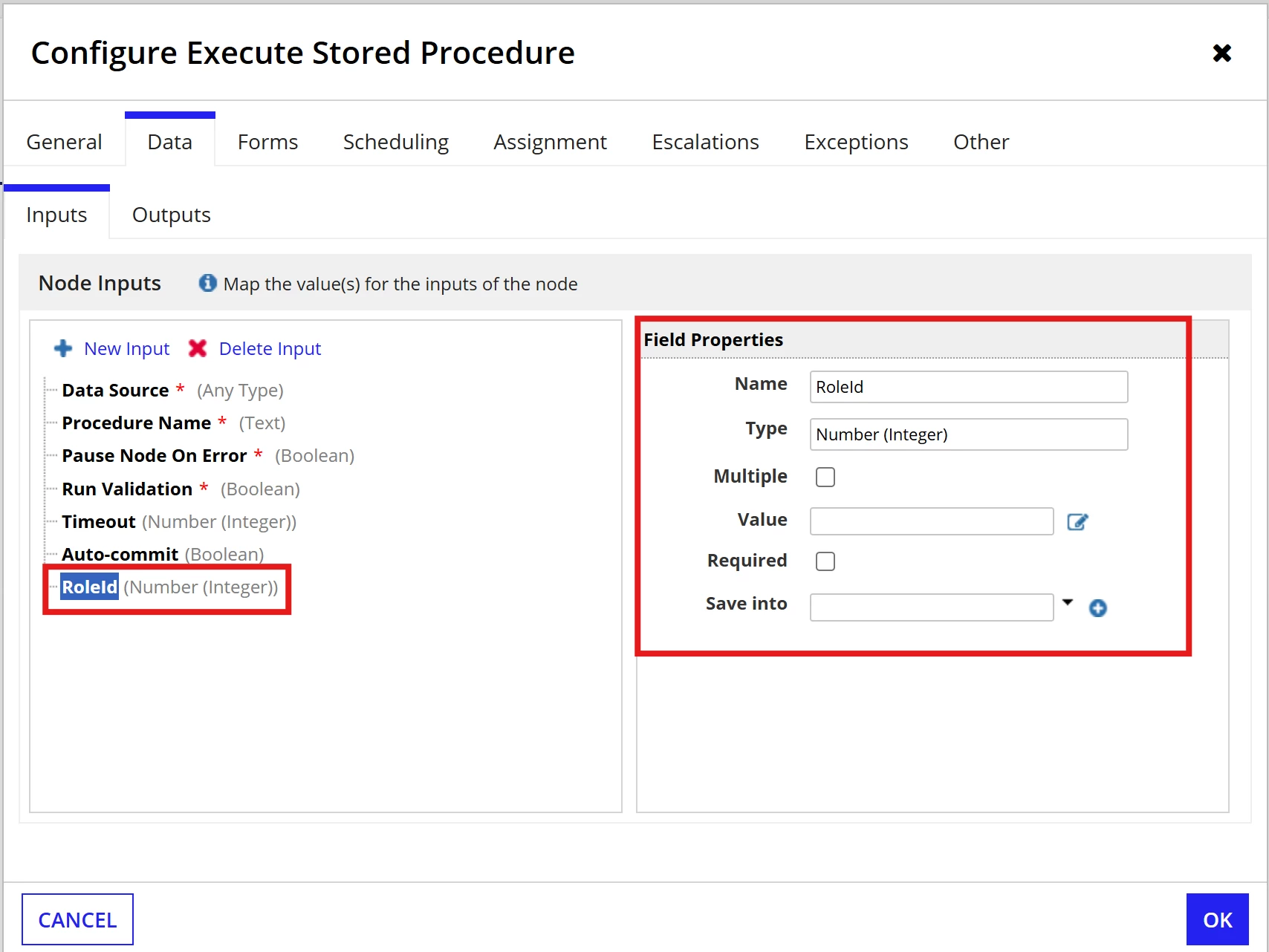
I am trying to run a process that uses the Execute Stored Procedure Smart Service. The stored procedure can run based on 3 values (either the RoleId or the RoleExternalKey and the RoleTypeCode). I am passing a value for the RoleId in the pv and have confirmed this by checking it with a new PV and passing null values for the other two parameters. I have confirmed that the data types and parameter names all match those for the Stored Proc, however I am still receiving this error message:

"One or more IN or INOUT parameters were not passed to the stored procedure. Missing parameter names: RoleId."

Has anyone received this error and how did you work through it?

Thanks

Best answer by shubhama926776

Make sure RoleId matches exactly the stored procedure parameter name, including case.
Delete the old parameter mapping and re-add it fresh in the Smart Service node.
Define all IN and INOUT parameters even if you pass null to some.

4 replies

shubhama926776
October 15, 2025

Make sure RoleId matches exactly the stored procedure parameter name, including case.
Delete the old parameter mapping and re-add it fresh in the Smart Service node.
Define all IN and INOUT parameters even if you pass null to some.

October 15, 2025

Thank you! I'm not sure how or why but deleting the input and re-adding it appears to have fixed the problem

harshas2775
October 15, 2025

It could have been a cache issue. Sometimes when everything is right yet issue occurs this is the only solution -> unplug and plug again  [emoticon:6d505171faa4497c85c5ca27290c555d]  

October 16, 2025

Thanks for your suggestion, 100% very likely [emoticon:0f36700dfeb3494fa10d47dd9e1f90a1]