
September 14, 2023
Solved

Fitnesse testing, How to add Dropdown and button code in script for testing.

  • September 14, 2023
  • 4 replies
  • 0 views


!*** Click on all the tabs

!| script |
|click on menu |News |
|click on menu |Tasks |
|click on menu |Records |
|click on menu |Reports |
|click on menu |Actions |
|click on action |IMS Order |
***!


!*** Log out and tear down

!| script |
|logout |
|tear down|
***!
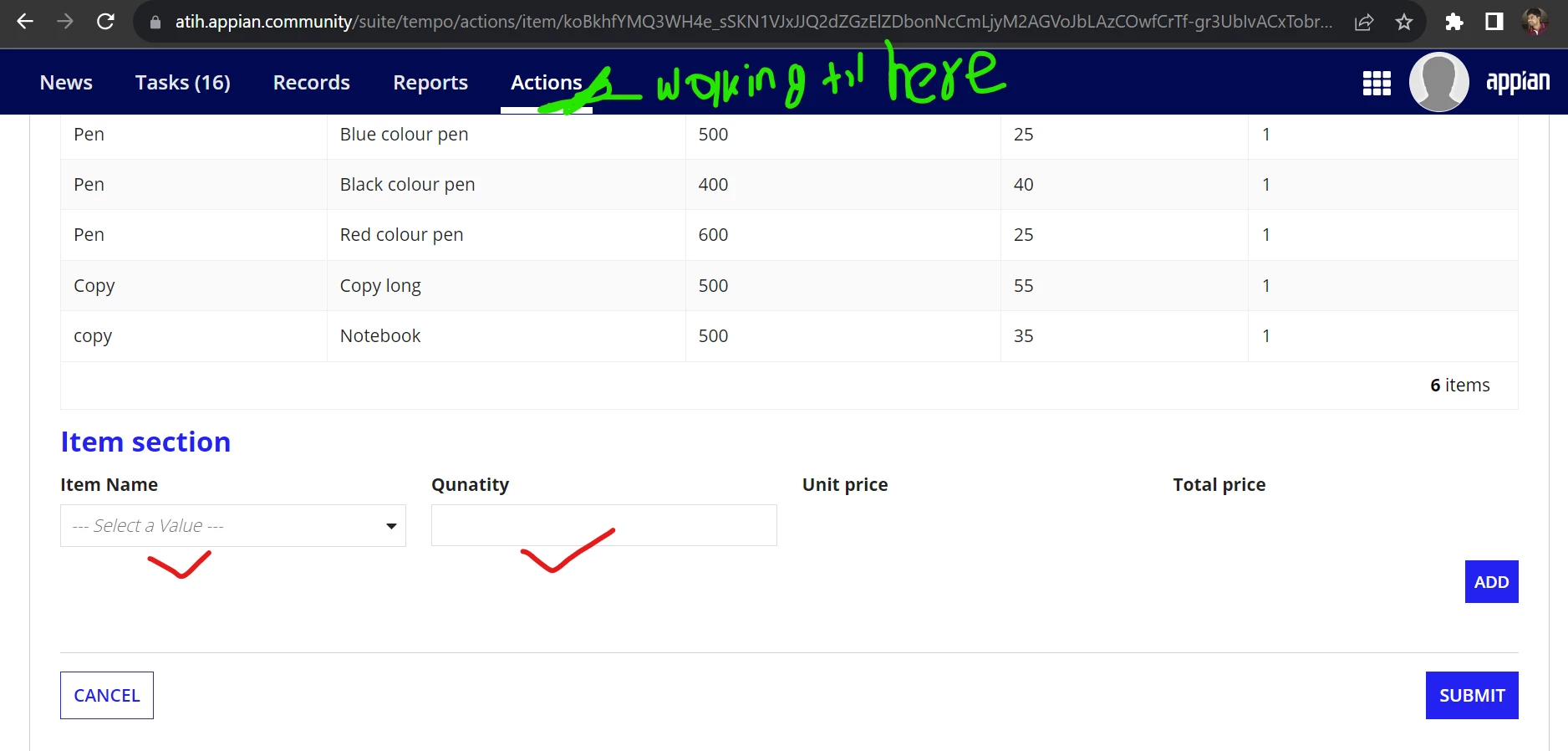

-----
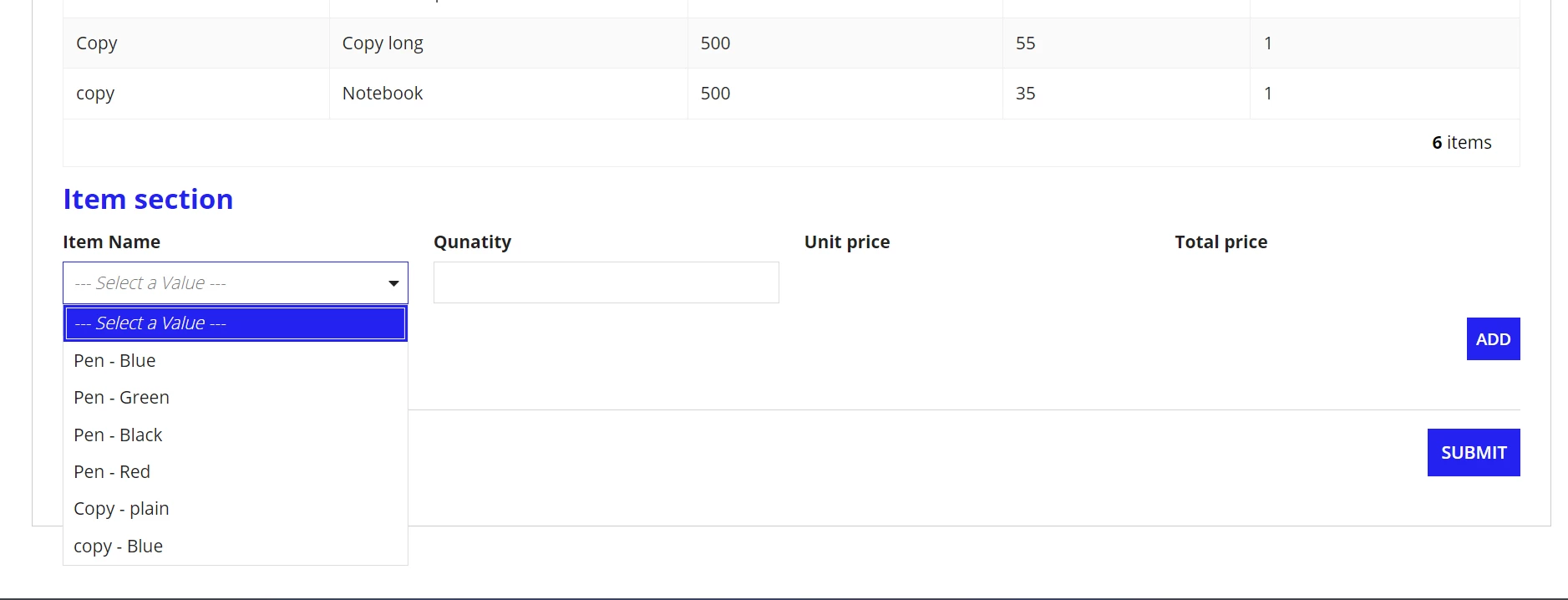
Requested you please help me to add code to take item Name, Quanlity, Unit pirce, Total Price

Best answer by mathieud0001

!| script             |
|click on menu|Actions|
|click on action|IMS Order|
|populate field|Item Name|with|Pen - Blue|

4 replies

mathieud0001
September 14, 2023

!| script             |
|click on menu|Actions|
|click on action|IMS Order|
|populate field|Item Name|with|Pen - Blue|

September 14, 2023

Thank you sir.. 

September 14, 2023

In FitNesse, which is a popular acceptance testing framework, you typically write your test scripts in the form of tables using a markup language called Wiki syntax. To add a dropdown and a button to your test script, you can use a combination of HTML and FitNesse markup. Here's how you can do it:

Create a Test Page: First, create a FitNesse test page where you want to add the dropdown and button. You can create a new page or edit an existing one also check CapCut Downloader for more guides.

buddyb6760
February 14, 2024

FitNesse is a common acceptance testing framework where test scripts are written in a markup language called Wiki syntax, usually as tables. You may use FitNesse markup with HTML to add a button and a dropdown to your test script. Here's how to accomplish it:

Make a Test Page: To add the dropdown and button, first make a FitNesse test page. You may update or add a new page, and you can find more tutorials by using picasso application.