
March 9, 2023
Question

How to Extract Excel sheet by expression rule?

  • March 9, 2023
  • 4 replies
  • 0 views

when user upload any kind of excel sheet then interface will extract data and show the user the data.

I have created a Expression rule 

readexcelsheetpaging(
excelDocument : todocument(ri!ExtratExcel),
sheetNumber : 0,
pagingInfo:a!pagingInfo(startIndex:1,batchSize:1000),)
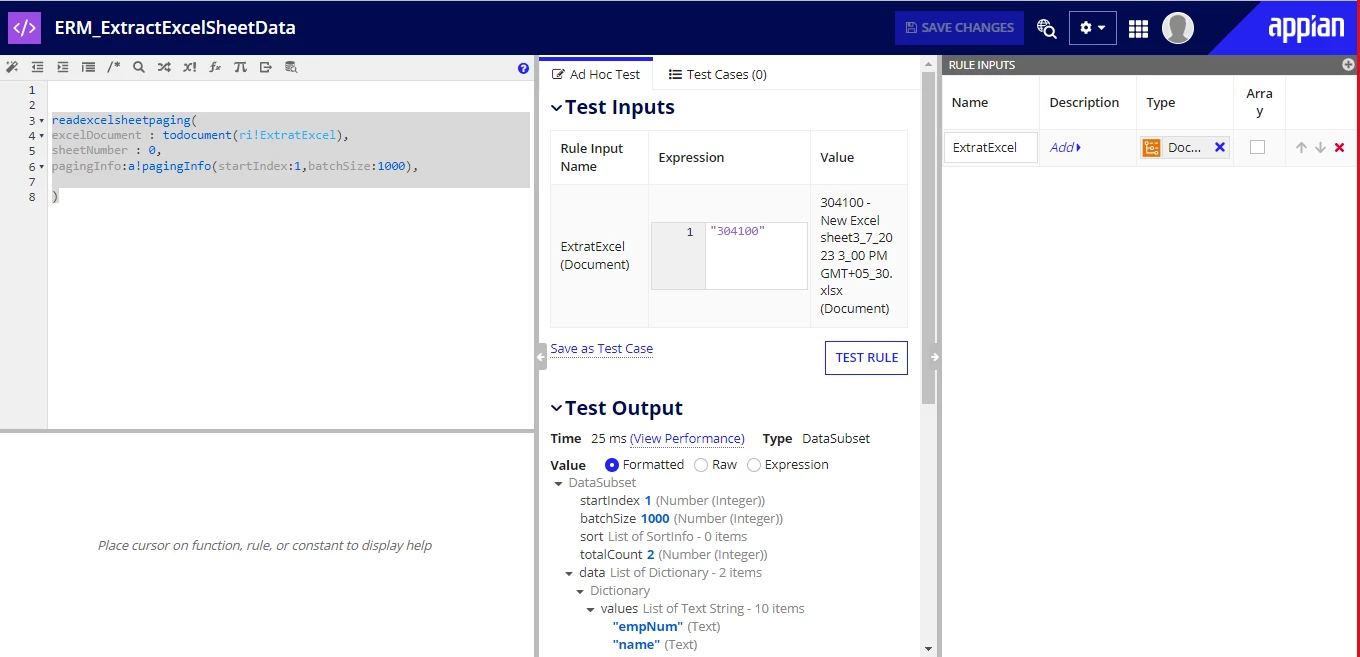
but don't know how to add it in script task and make process model out from this.

    4 replies

    March 9, 2023

    Hi, instead of fetching the data in the process model and passing it to the interface use the rule directly in the interface.

    harshitb6843
    March 9, 2023

    In the script task, go to the output node. In this node, you can assign custom values to your process variables. 

    In the value, call this expression rule using the rule! domain and pass your document type process variable in the 'ExtractExcel' rule input of the rule. 

    Next, in the save into of the output variable, create a new variable that will be of type DataSubset. 

    This is how you call in the process. Or, another way is to let the user upload the document on one screen, and in the same process, add another UIT and chain them together and call this rule on the second interface mapped as the UIT. 

    mallepup3914
    March 9, 2023

    Hi [mention:bfa329bc6ae9446b8367c349b2f1e807:e9ed411860ed4f2ba0265705b8793d05]

    You can use the below expression to extract Excel data, then you can show it in a grid without using Process model.

    a!localVariables(
      local!read: readexcelimportfile(
        excelDocument:ri!file,
        sheetNumber:0,
        startRow:2,
        numberOfColumns:7
      ).result,
      a!forEach(
        items: index(local!read,"values",null),
        expression: 'type!{urn:com:appian:types:PP}PP_XL'(
          id: fv!index,
          ename: index(fv!item,2,null()),
          dob: index(fv!item,3,null()),
          email: index(fv!item,4,null()),
        )
      )
    )

    abhayd3663
    March 9, 2023

    If your question is how to configure a script task, look at the following.