April 21, 2025
Solved

JSON to Excel converter in process model is throwing an error

  • April 21, 2025
  • 15 replies
  • 0 views

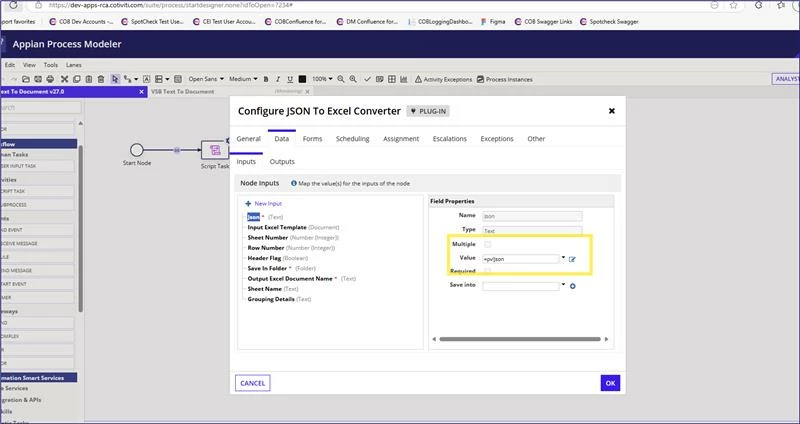
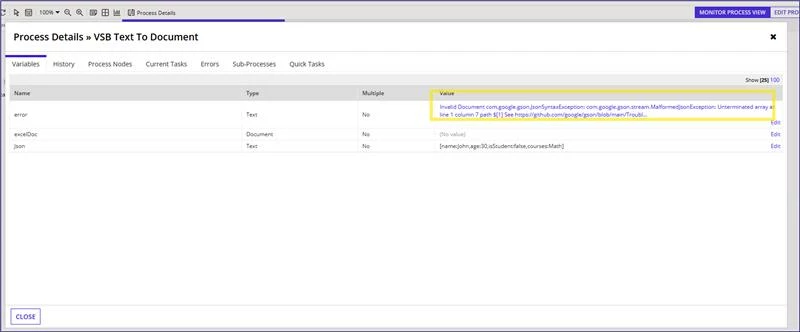
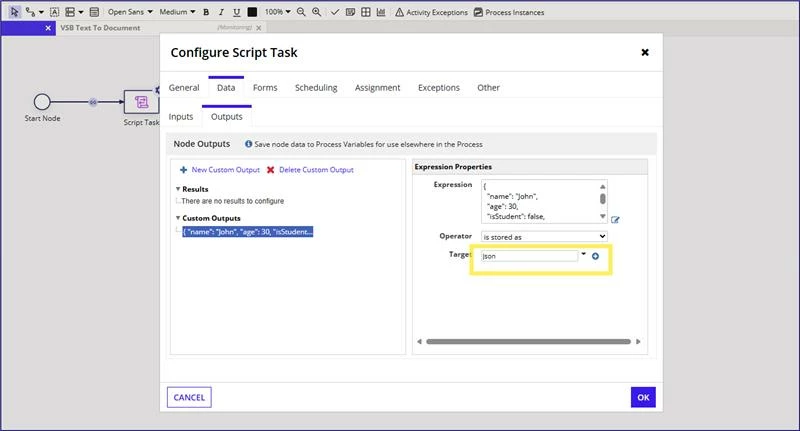
I want to generate an excel sheet using JSON to Excel converter plug in. Even though I am passing the json correctly, I am getting an error message:
    Best answer by stefanhelzle0001

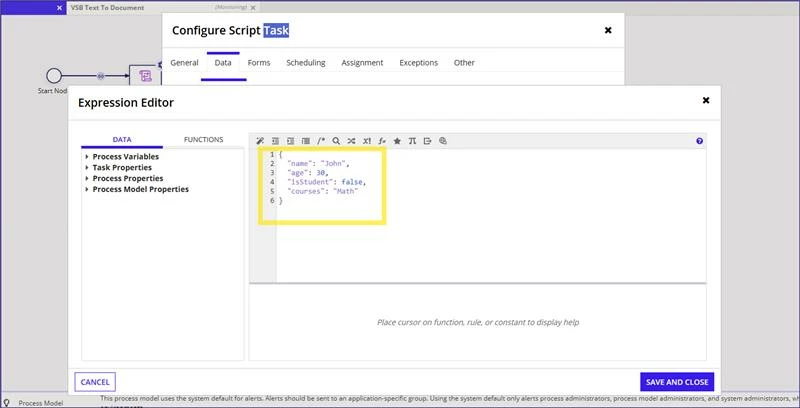
    Even if it might be confusing, the text box in which you enter your JSON is not meant to understand JSON. This is a SAIL language editor.

    If you want to directly write JSON, then you need to wrap it in quotation marks. If you want to write it in Appian SAIL syntax, then you can use the toJson() function to turn it into JSON.

    I suggest the second approach.

    15 replies

    stefanhelzle0001
    April 21, 2025

    Even if it might be confusing, the text box in which you enter your JSON is not meant to understand JSON. This is a SAIL language editor.

    If you want to directly write JSON, then you need to wrap it in quotation marks. If you want to write it in Appian SAIL syntax, then you can use the toJson() function to turn it into JSON.

    I suggest the second approach.

    mikes0011
    Brainy
    April 21, 2025

    yeah, sorry i didn't notice at first, he's definitely trying to save a plain dictionary (not json text) straight into a PV (presumably text type).  Not sure why they'd expect that to work... JSON is a specific format, which he's completely skipping.

    mikes0011
    Brainy
    April 21, 2025

    What's the full error text say?  Your screenshot is too cramped to really tell, and it may also be truncated.  Also, can you clarify what plug-in this is?  I haven't seen this smart service before, and I'm actually rather interested in it.

    April 21, 2025

    Error Message: Invalid Document com.google.gson.JsonSyntaxException: com.google.gson.stream.MalformedJsonException: Unterminated array at line 1 column 7 path $[1]
    See github.com/.../Troubleshooting.md

    mikes0011
    Brainy
    April 21, 2025

    FYI as I mentioned in my earlier reply, this appears to work when the JSON you pass in is a valid array.  Here's mine after passing it into an arbitrary pre-configured excel base template I already had sitting around in our Dev environment (with a "name" column and some other columns with irrelevant names).  Note my JSON is an array of items, not a single dictionary.  Also even though the smart service doesn't let you choose the starting column (just row), you can accomplish this by formatting the JSON such that the first column is left blank (just mentioning this since my templates mostly have a blank "spacer" column first).