
May 27, 2022
Solved

My approval Task duplicates the item with a new value in the Status field instead of udating it only with the new value in Status field

  • May 27, 2022
  • 12 replies
  • 2 views

Hello everyone!

So when I create a new product It has the value "New" as default in the Status field.

After that it goes throw a Approval Task where the Supervisor has to decide if it is ACCEPTED or REJECTED.

Then it should update the Status field Changing its value from "New" to "Accepted" or "Rejected".

Instead of that it duplicates the item: the old item stays with the value "New" and the new item has the value "Accepted" or "Rejected".
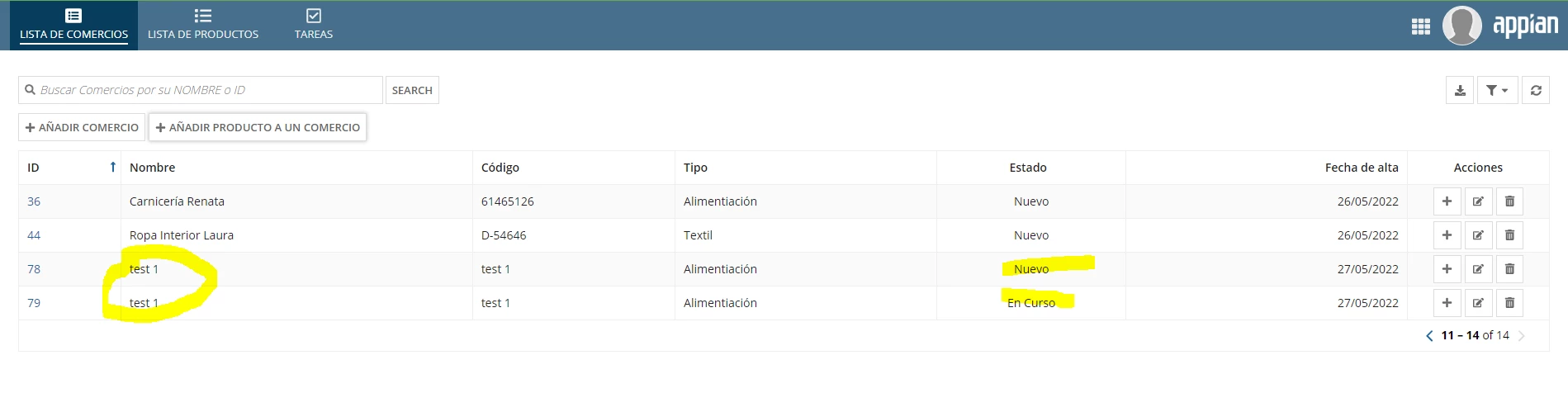
How can i fix that?

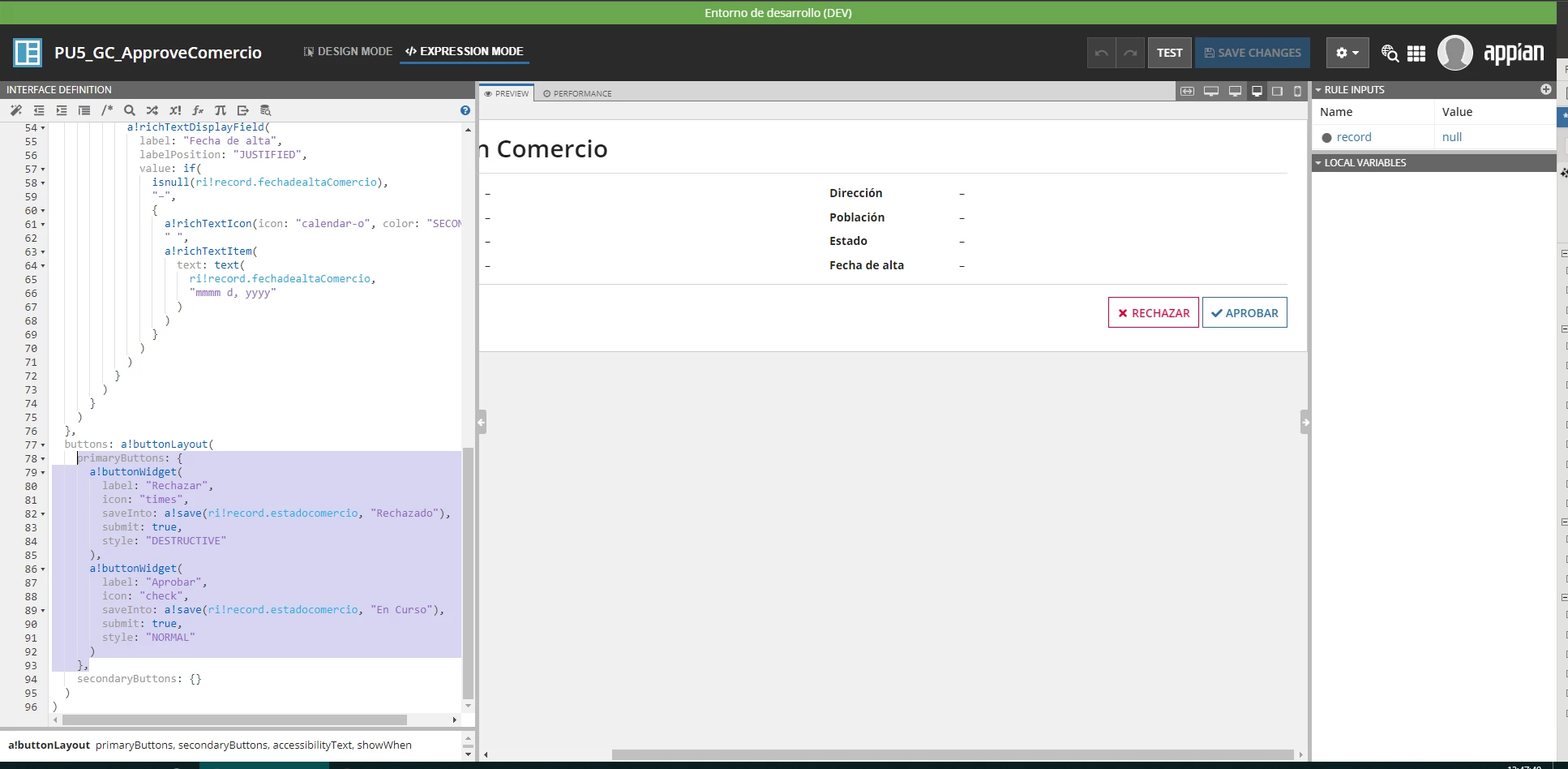
Is it wrong to use the a!save as i show in the image? Should I be using a!update? I tried but i don't know how to use it propperly, I thought that maybe it is not right to use a!update.
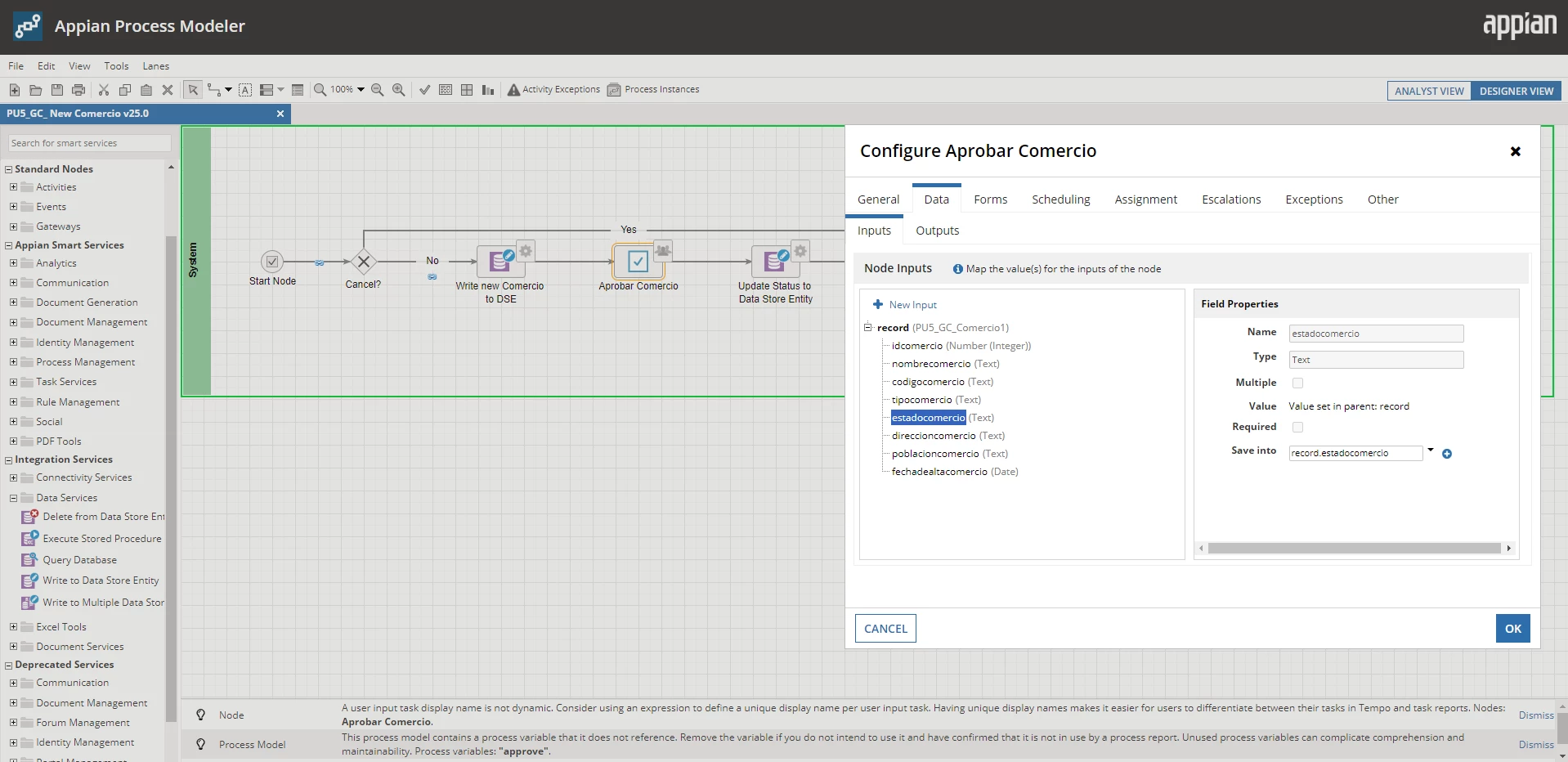
Or is it wrong configurated in the Data Tab in the Task Configuration:
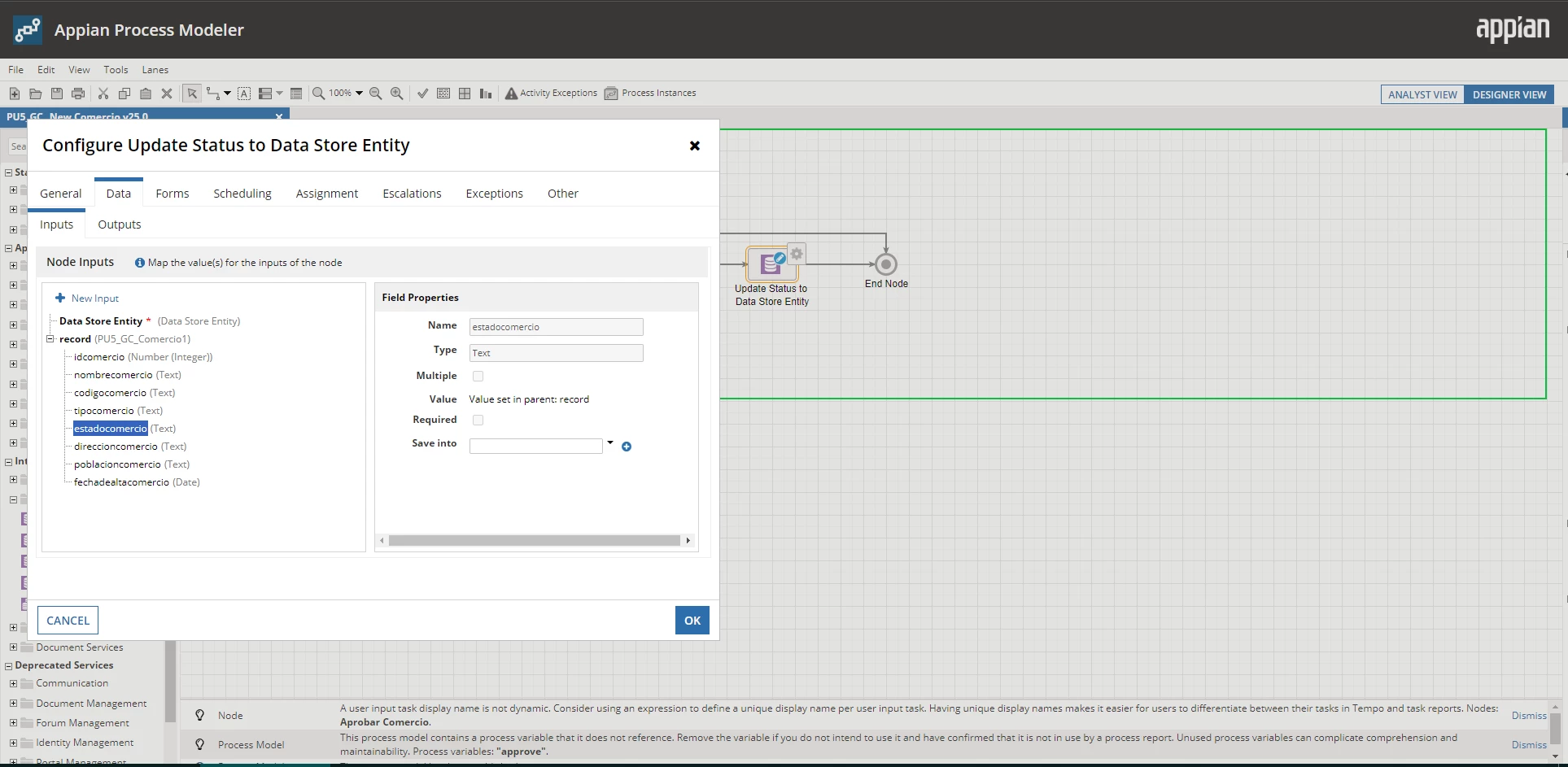
Or is it somehing wrong in the Data Tab in the Write to Data base Configuration:
I am new to Appian and I've been struggling with this for many hours.

Thank you so much!

Best answer by laurensw425805

Now set the correct process variable (the one that is missing its ID now) as target value.

Upon the next instance of the process model, your problem should be solved.

12 replies

May 27, 2022

The problem here is most likely that you lose the id of the record somewhere in the interface/process.

That is the reason why a new row appears; a new id is assigned to the updated version of the already existing record upon saving to database.

Therefore I suggest check each step the data flows through in order to see where exactly the id of the item is lost.

My guess:  it is the first write to DB node at which the variable is not mapped as data output result. If so, the initially written ID is not returned in the process variable.

May 27, 2022

That makes sense, because when I create a new Item, it generetes an ID, I can see it in the record as shown in the first image, and also in the summary, as I show here:


So the summary interface works.
But then in the Approval Interface there must be some kind of mistake, because when I open the task to Aproove it, it doesn't show the ID:


So I guess I need to assign a value to the ID in the approval fase, and it has to be the ID of the item to be approved, but how can I do that?

May 27, 2022

Your elaboration indeed fits my description. Can you share a screenshot of the Data Outputs tab of the first Write to DB node in your process?

We need to have the process variable registered as the result target.