
vaddhicharanc0001
March 11, 2022
Solved

Process Debugging

  • March 11, 2022
  • 5 replies
  • 0 views

Hi Readers,

I have a normal form as an interface which when submitted the data need to be stored in a database.

I have done everything and the form and database is also working fine now, but when i start the process debugging and initiate the process with the form which i created the data is getting inserted in to the database but the color of the nodes are not changing; but  when i press cancel button the node colors are changing

Could you please provide your insights or my mistakes or any checklist that is used to check and fix this issues 

NOTE: The application is working fine, i mean the data is inserted into the table and is queried for another report purposes.

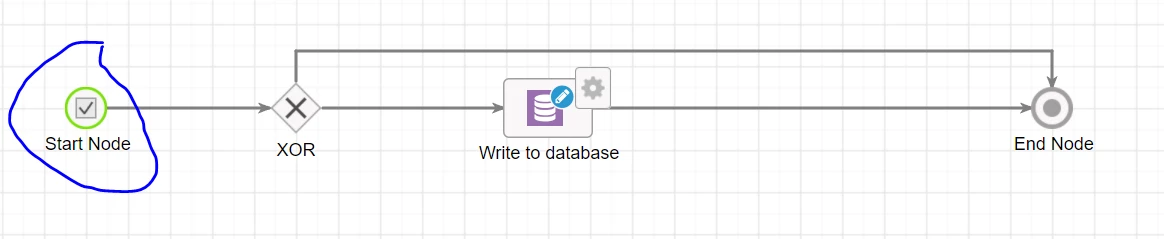
When clicked on submit/cancel while process debugging get below
Best answer by gopalk2865

Hi , if you are saying that data is getting inserted into db,it means your flow is working fine. Once you open the process instance in monitoring tab then after starting the process just refresh it. There would be button on top to refresh the instance.

5 replies

andrewh0007
March 11, 2022

What's your code on the submit button?

vaddhicharanc0001
March 12, 2022

a!buttonWidget(
label: "Submit",
saveInto: a!save(
ri!CT_DataType.CalculatedValue,
if(
ri!CT_DataType.Operation = "+",
rule!CT_Sum(
ri!CT_DataType.PrevValue,
ri!CT_DataType.Value
),
rule!CT_Sub(
ri!CT_DataType.PrevValue,
ri!CT_DataType.Value
)
)
),
submit: true,
style: "PRIMARY"
)

gopalk2865
Participating Frequently
March 12, 2022

Hi , if you are saying that data is getting inserted into db,it means your flow is working fine. Once you open the process instance in monitoring tab then after starting the process just refresh it. There would be button on top to refresh the instance.

harshitb6843
March 12, 2022

Hi there,

By any chance, is it possible that you're looking at a different instance? Below are some points to check. 

  • Is this the same instance that you ran? Possible that you're looking at a different instance.
  • Is this process called inside any parent process that has terminate nodes?
  • Check the status of the process instance from the monitoring view and see if it is showing completed? 
vaddhicharanc0001
March 13, 2022

I have checked the same instance which i am trying to debug, when use debug it directly open the start form and when submitted, it directly opens the monitor view right so i can say that i am checking the same instance.

There are no other parent nodes.