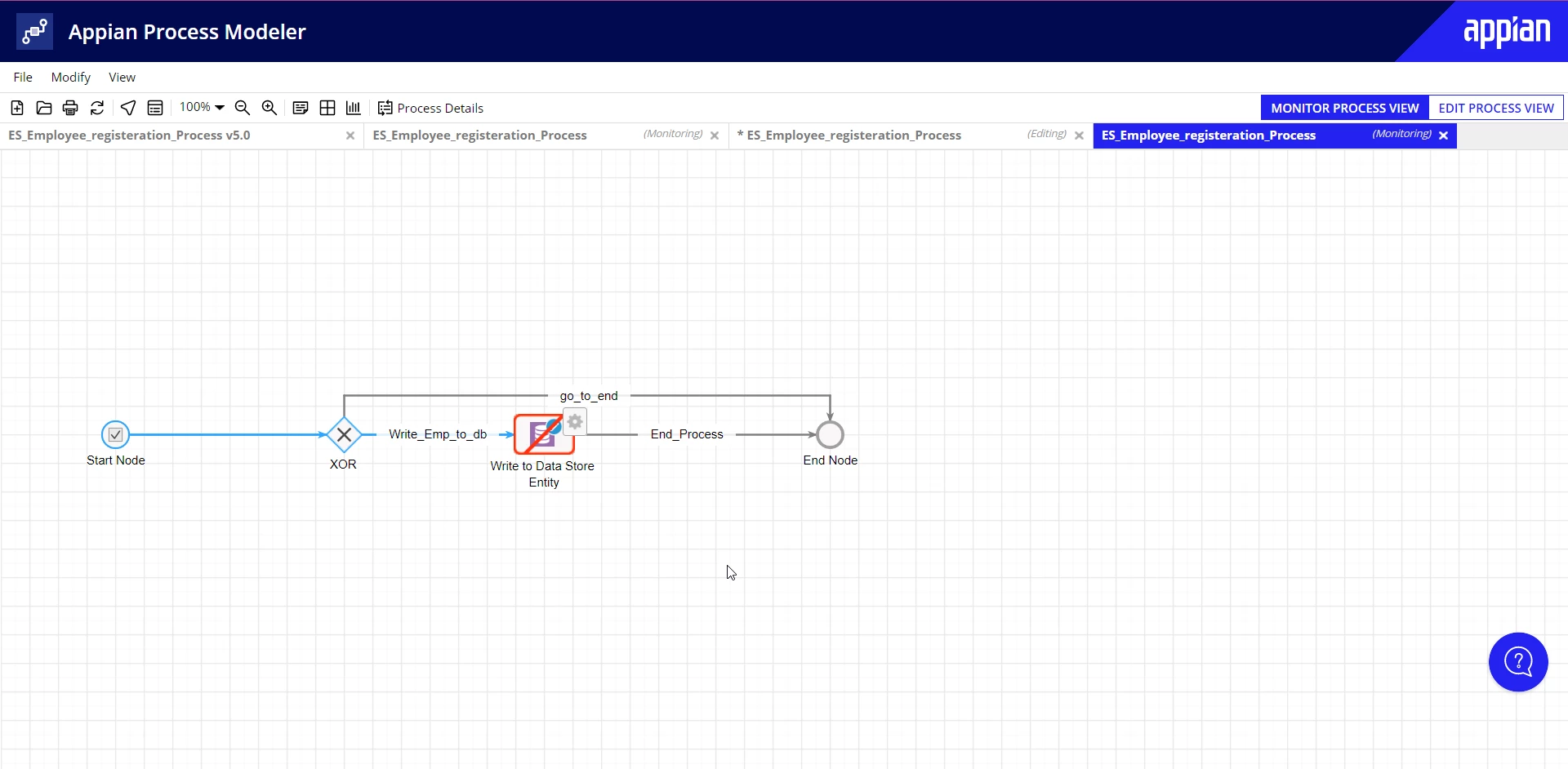
Best answer by mikes0011

Based on your screenshot, your primary key column, "empid", is not configured for auto-increment. As I noted before, this is required for your case.

This is what it looks like when the column is properly configured in this regard:

27 replies

sunilnaikb0002
September 15, 2022

Hi,
Can you please share what the error message reads?

alim9650Author
September 15, 2022

An error occurred in executing an Activity Class. 

Details: An error occurred while trying to write to the entity "Employee_DB" [id=f3650a76-b78b-4f7b-a711-d3d7efd05e08@4093, type=ES_Employee (id=4016)] (data store: ES_Employee_DS). Details: org.hibernate.id.IdentifierGenerationException: ids for this class must be manually assigned before calling save(): ESEmployeeDT6506 Data: TypedValue[it=4016,v={Ali,<null>,AA@gmail.com,05347384882,Low-Code Team}] 

Recommended Action:  Examine the activity class to correct the error and then resume.

I got this on my email.

September 15, 2022

Make your primary key as an auto generated value. it will solve your problem. Go to your CDT click on the key icon of the primary column and select autogenerated checkbox and publish the cdt again.