
April 5, 2021
Solved

Reading an XML file into an Interface

  • April 5, 2021
  • 13 replies
  • 0 views

Hi I have a need to be able to select an XML file, and use fields in it to populate an interface.


At the moment I have a simpe interface with a File Upload and a Rule Input of xmlData (Document) which the file upload saves to.

I am then kicking off a process model on submit which runs a script task.

I have activity class parameters for the fields I want and am running the following script on each one
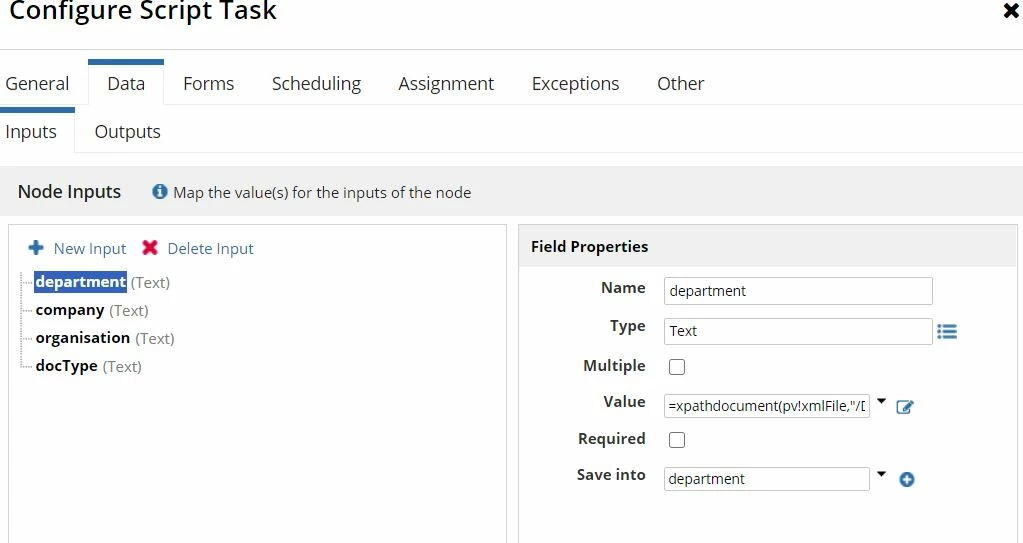
=xpathdocument(pv!xmlFile,"/Document/Fields/Field[@Name='Department']/@Value")
Currently I just get an error on the process model when I debug:
Script Task An error occurred while evaluating expression: =xpathdocument(pv!xmlFile,"/Document/Fields/Field[@Name='Department']/@Value") (Expression evaluation error at function 'xpathdocument': An error occurred while trying to parse the XML stream.) (Data Inputs)

Does anyone know what the error is more specifically?  Am I on the right lines or is there a better way of doing this? 

Best answer by acaciob0002

Hi David,

The xml example that you provided is not a valid xml, the main problem is that you cannot have a XML tag name with spaces, otherwise the second word would be interpreted as an attribute. 

I edited your example in order to make the XML valid, and from there you can adjust to your process. Please find the valid xml in the code below:


		Carolina Kenny
		449450294


		Parkmill
	

Below is the code example for you get the company value:

xpathdocument(
  docId: YOURDOC,
  expression: "Root/QueueInfo/Company/text()" 
)

In case these responses were helpful don't forget to mark the question as answered as it can also help other that are facing similar issues.

Regards,

Acacio B.

13 replies

acaciob0002
April 6, 2021

Hi David,

Few recommendations that I could give to you:

  • The input for the expression should be the document ID and not the document itself
  • Check in your xml file if you have namespaces defined, in case you need, it needs to be a parameter in the expression
  • If you are trying to retrieve just the text out of one xml tag try to use “/text()” instead “/@value”

I’m adding a sample code below, in this example only the text of the tag "content" is retrieved:

xpathdocument(
  docId: 9999,
  expression: "/a:document/data/body/item/content/text()",
  /*sample namespace prefix just add if your input xml has ns*/
  prefix: "a:http://www.appian.com/ae/types/2009"
)

Regards,

Acacio Barrado.

April 6, 2021

Hi Acacio

How would I find the DocumentID?  This is my interface - I assume it is the 47259 stored in the rule input before the filename?  What would be the best way of grabbing this in the process model?

Also, where do I check for if the xml has namespace?

This is the document properties of one I uploaded

Thanks
David

mikes0011
Brainy
April 6, 2021
How would I find the DocumentID? 

Your assumptions are correct, as long as you account for needing to submit a form prior to accessing a document's properties (which i believe you're already doing correctly).  If needed, you can always typecast a document object directly to its ID by, among other things, passing the document object through the "toInteger()" function.  As I noted in my prior reply though, in almost all cases it won't make any difference, as integer and document objects will almost seamlessly cross-typecast as needed depending on the service in question.

The Expression Guru