

somanathd7926
July 18, 2023
Question

SFTP Process Flow

  • July 18, 2023
  • 3 replies
  • 0 views

Hi,

 I imported the SFTP plug-in from the app market, and while running this, I'm getting an error stating "An error occurred in executing an Activity Class".

Here

i. I have given the FT_coniguration code which  I wrote referring to the documentation.

={ hostname:"eu-central-1.sftpcloud.io",
username:"ef87e78f37c646ca8056eabdce3f86e7",
password:"cjunTmFzmlfuuANjI8Xt2afAzeuJ4mno",
port:22,
timeout:60,
appianexternalKey:"secure-credentials-store"
}

ii. all the declared variable
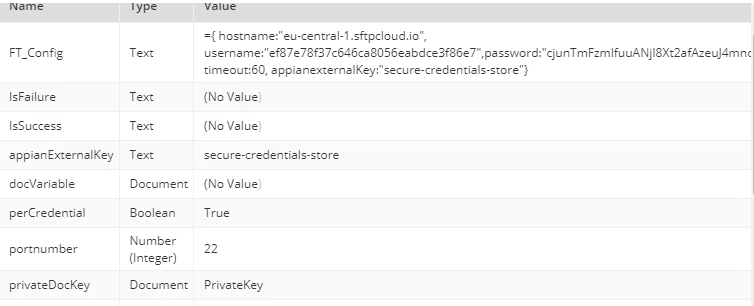
iii. this is the process model trying to retrieve the files from the server, adding a file, and trying to download the same file. But I'm getting errors at the rach phase of executions.
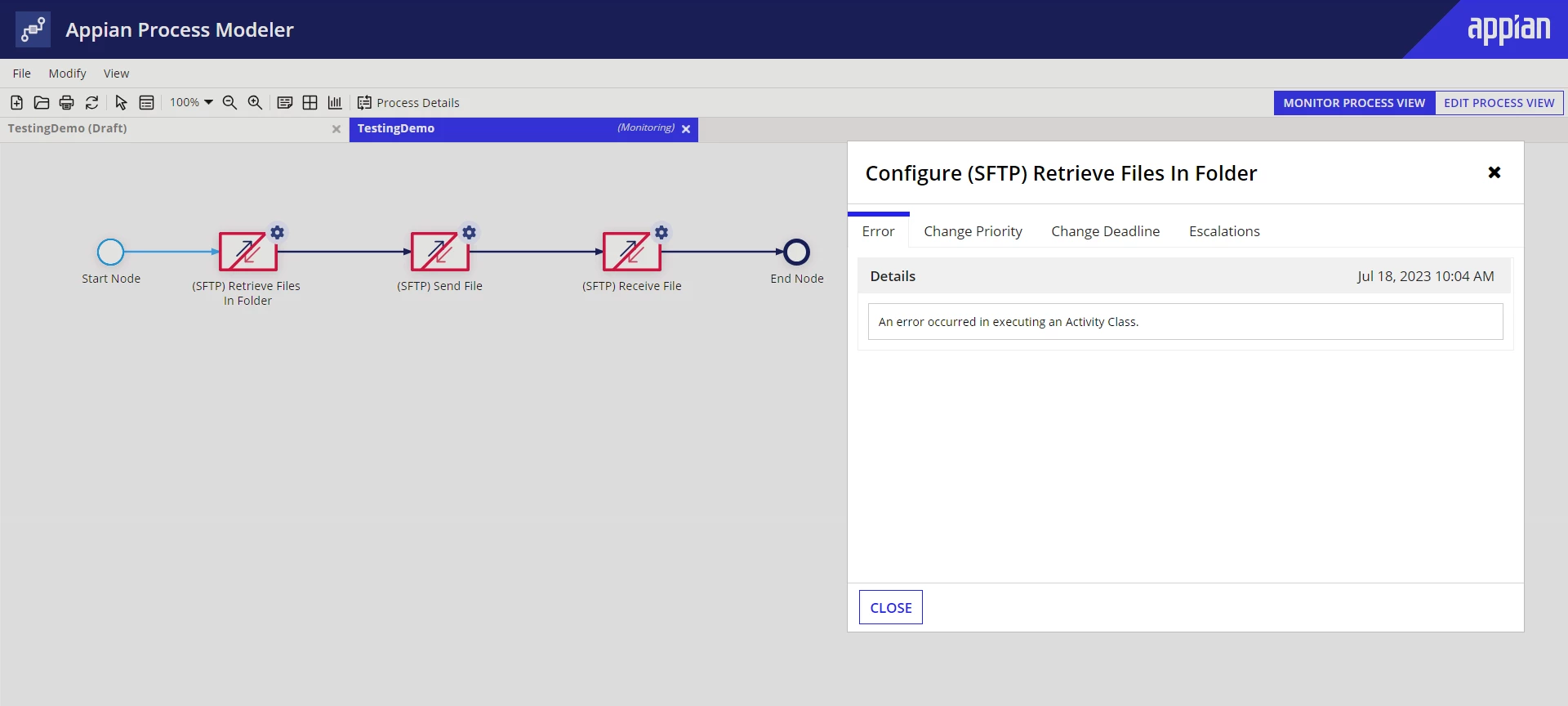
can you please help me to resolve the errors and make the process model execute?

Thanks in advance.

    3 replies

    mathieud0001
    July 18, 2023

    1. Not sure if you want to be exposing your credentials here.

    2. What do you have configured in the Secure Credentials Store?

    somanathd7926
    July 18, 2023

    Hi,

       1. Thanks for bringing a reminder about the exposing of the credentials. They are temporary and deleted after 3o min after creation.

      2. To create an External System Key, we first head to the Appian Administrator console tab in Appian, then Third-party credentials, and here I created one.

    But I saved it without testing, (as I don't have any idea of how to test)

    This allows the Appian to connect and authorize them.

    " The external system key as specified in the secure credentials store. " is mentioned in the documentation.

    mathieud0001
    July 18, 2023

    You can't test from secure credentials store.

    Did you try renaming the parameter to "passphrase" instead of fingerprint?

    Please see here for more details:

    [View:https://community.appian.com/discussions/f/plug-ins/21422/sftp-third-party-credentials]