

venkatesha0004
September 15, 2022
Solved

startProcessLink() is not creating/opening another Instance (Sub Process Model) rather it assigns as Task

  • September 15, 2022
  • 13 replies
  • 0 views

startProcessLink() is not creating another instance (Sub Process Model), but it assigns tasks.

My Requirement is, I have a Card/Button which has startProcessLink(), once clicked I started a Process Model which has Form1 with Submit button in it.

Once Submit is clicked, that should create/open another Sub Process Model which has another Form2 in it. It navigates to Sub Process Model, but assign the form as a task and re-directing back to my original page (Action Completed).

How can I navigate to another Sub Process which has another form.?
Best answer by peter.lewis

Have you configured your sub-process to enable activity chaining into its nodes?

13 replies

September 15, 2022

This looks like there is a break in activity chaining

venkatesha0004
September 15, 2022

No [mention:63a0d38cc33e426f84cb11ace4d75f18:e9ed411860ed4f2ba0265705b8793d05]
I can able to navigate to Sub Process Model, but it just assigned as tasks. That is the issue.

I need the Process Model should be opened and the Form needs to be displayed.

stewart.burchell
September 15, 2022

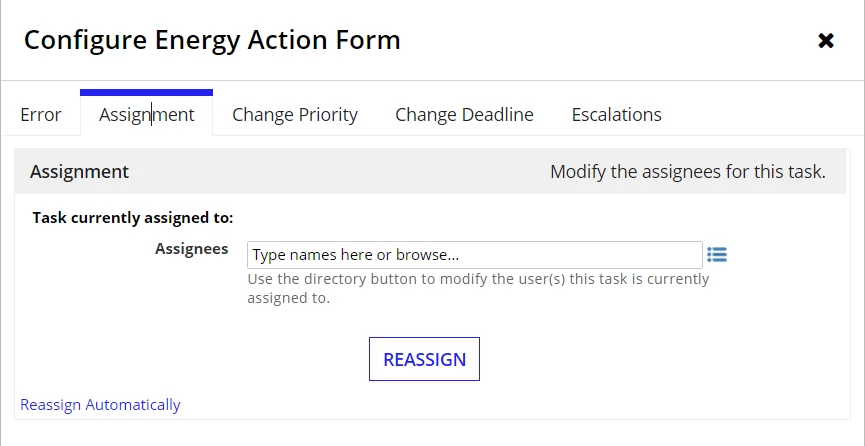
Is the third screen shot (the details of the Assignment) from the run-time? Because it looks like you haven't assigned anyone to the Task. If you want the same person who completes the First Form to immediately be presented with the Second Form then you'll need to assign them. Easiest would be to assign to pp!initiator.

venkatesha0004
September 15, 2022

Yeah sorry for the Confusion [mention:7628077af4b9463e9533a897fad2351f:e9ed411860ed4f2ba0265705b8793d05].
The Process model has completed as per the timer event. So that the reason, the assignee name is missing there.

But my question is why it is assigning as task instead of opening the Form?

stewart.burchell
September 15, 2022

How can it present it to you if there's no Assignee?

